

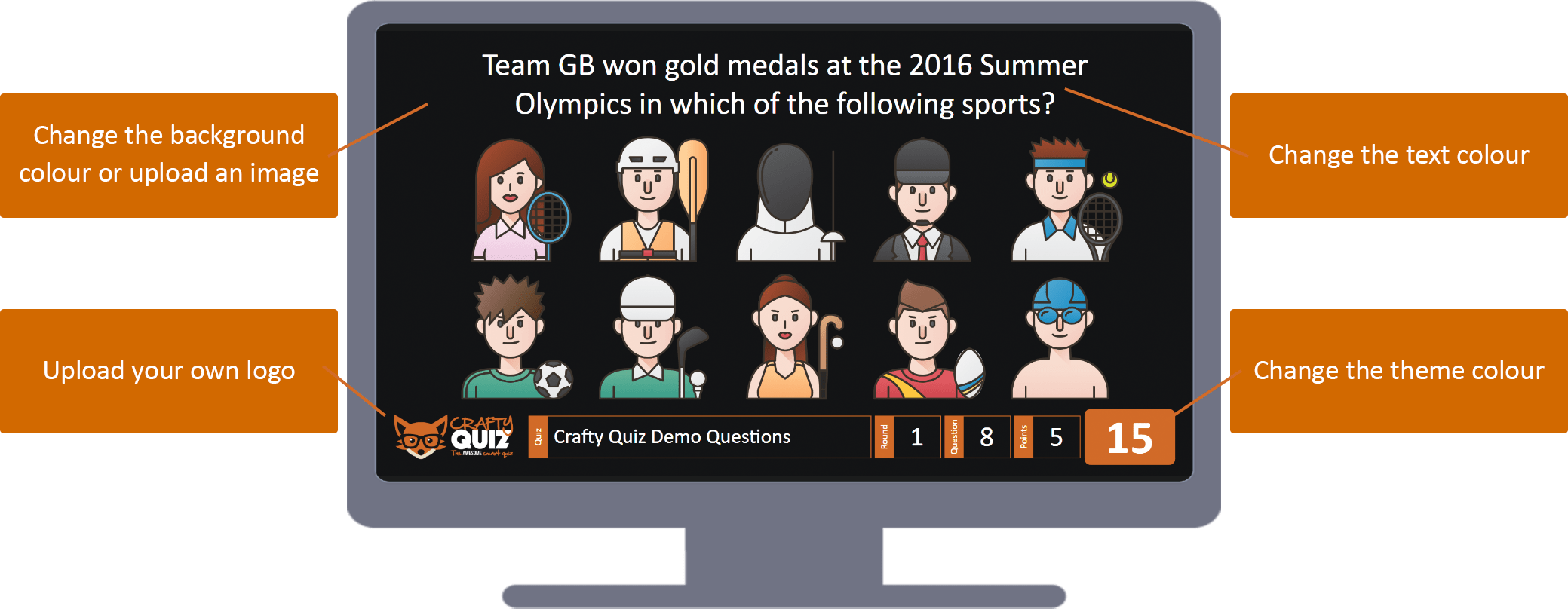
You can customise the big screen by changing the Crafty Quiz logo, background and colours during your game. To do this select ‘Settings’ when you’re making a quiz or when you’re hosting a quiz, open the Big Screen Settings tab as shown below and make the desired changes.
Custom Logo
You can replace the Crafty Quiz logo shown in the bottom left corner of the screen. To upload your own logo click upload and select your logo. Uploads must be image files such as JPEG or PNG.
Custom Background
You can upload an image to use as the background on the big screen. Uploads must be image files such as JPEG or PNG.
Background Colour
To change the colour of the background enter the six digit hex code in the box. If you have uploaded a background image this will override the colour.
Text Colour
To change the colour of the text enter the six digit hex code in the box.
Theme Colour
To change the theme accent colour enter the six digit hex code in the box.