Hosting a Microsoft Teams Quiz
Landscape-White-Text-e1737635639309
Hosting a Microsoft Teams Quiz
Landscape-White-Text-e1737635639309

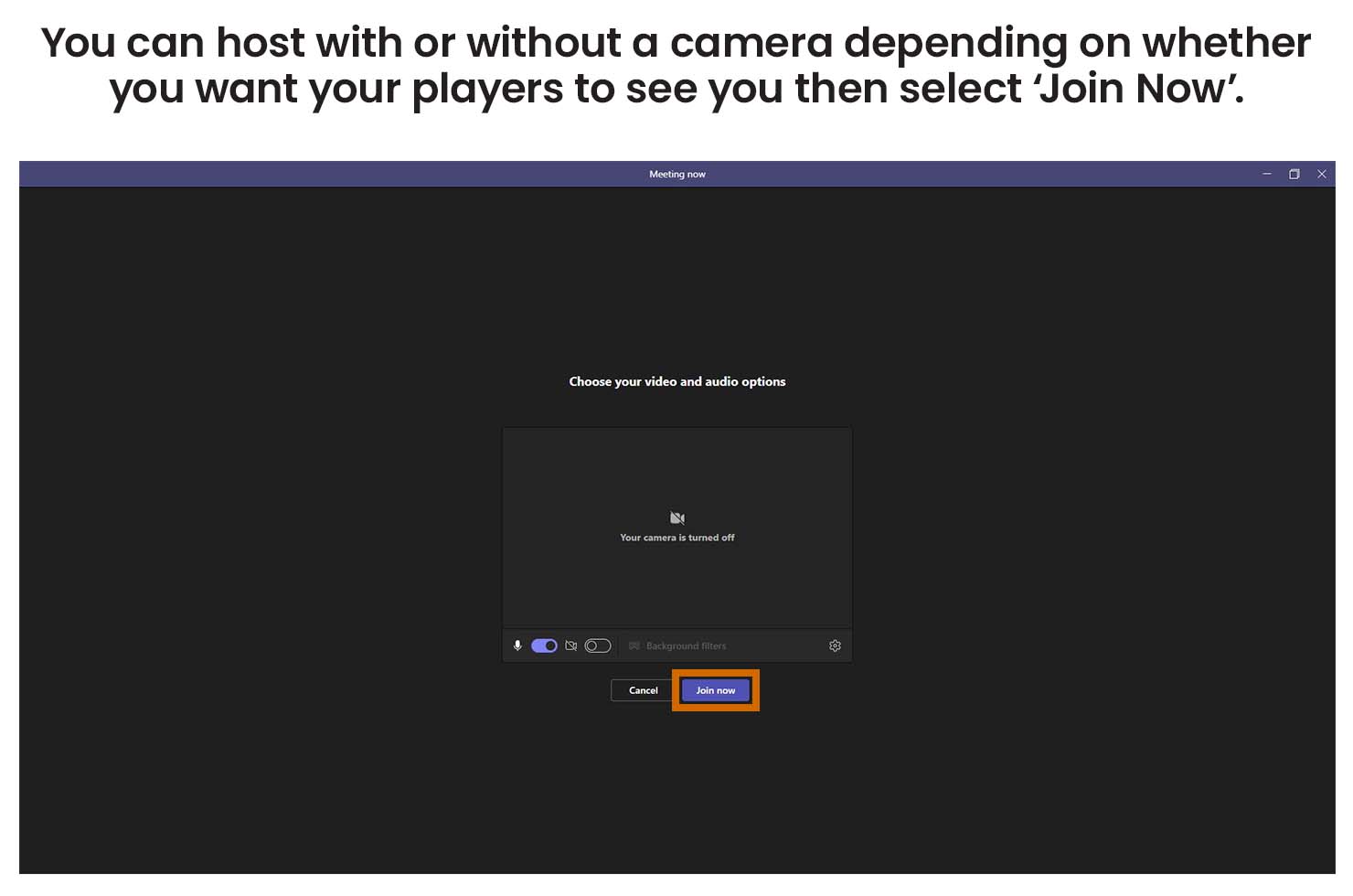
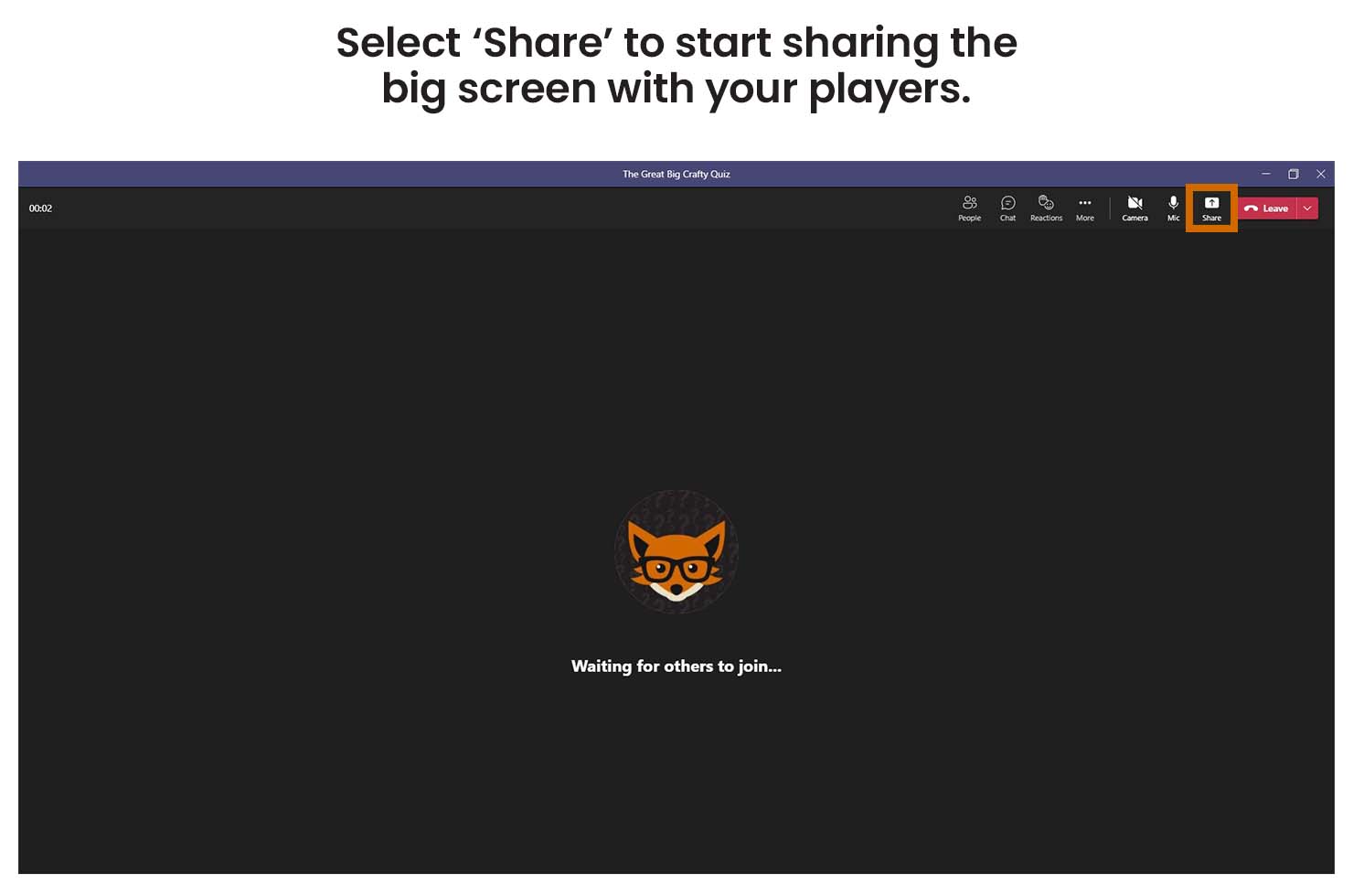
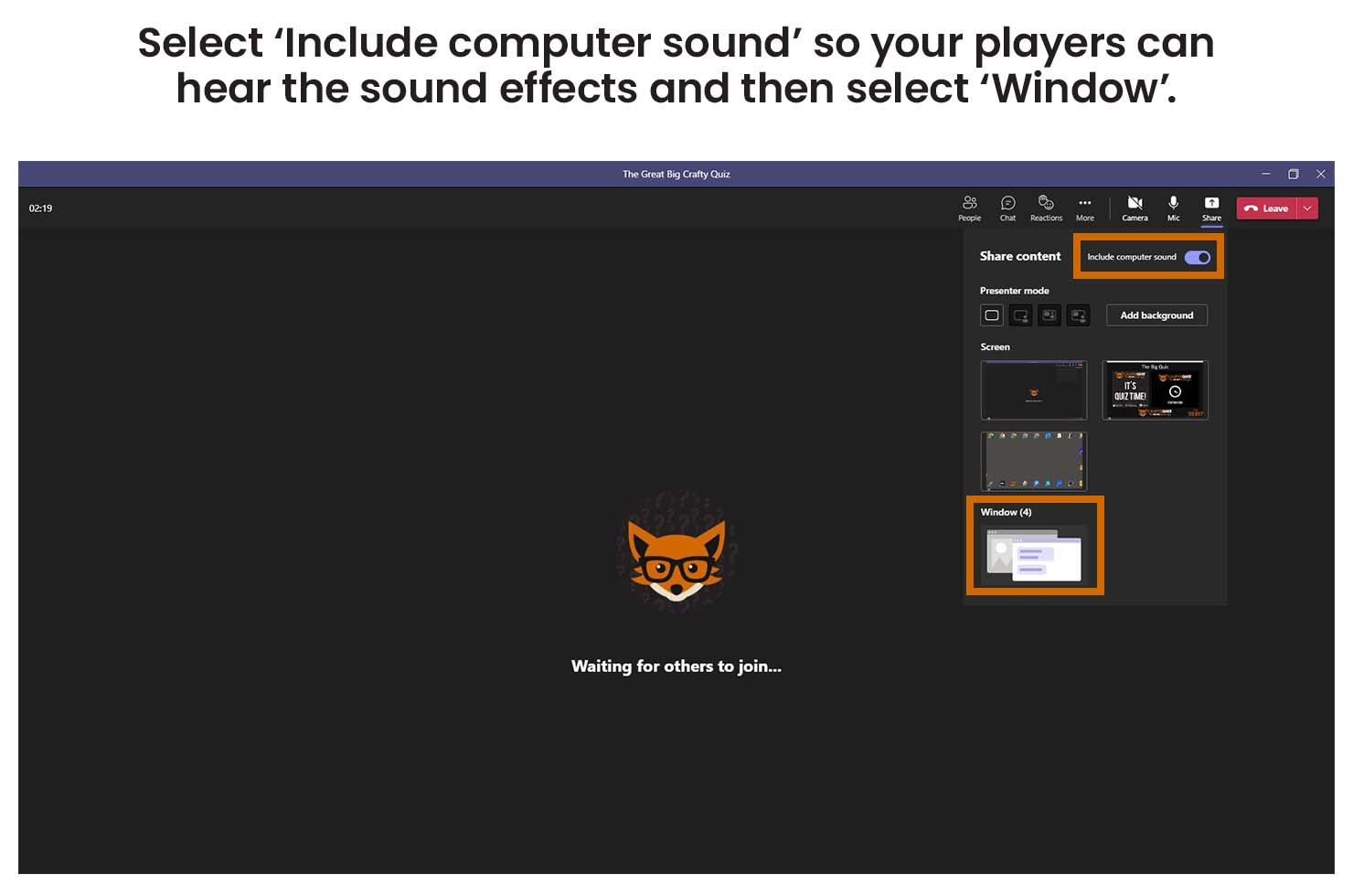
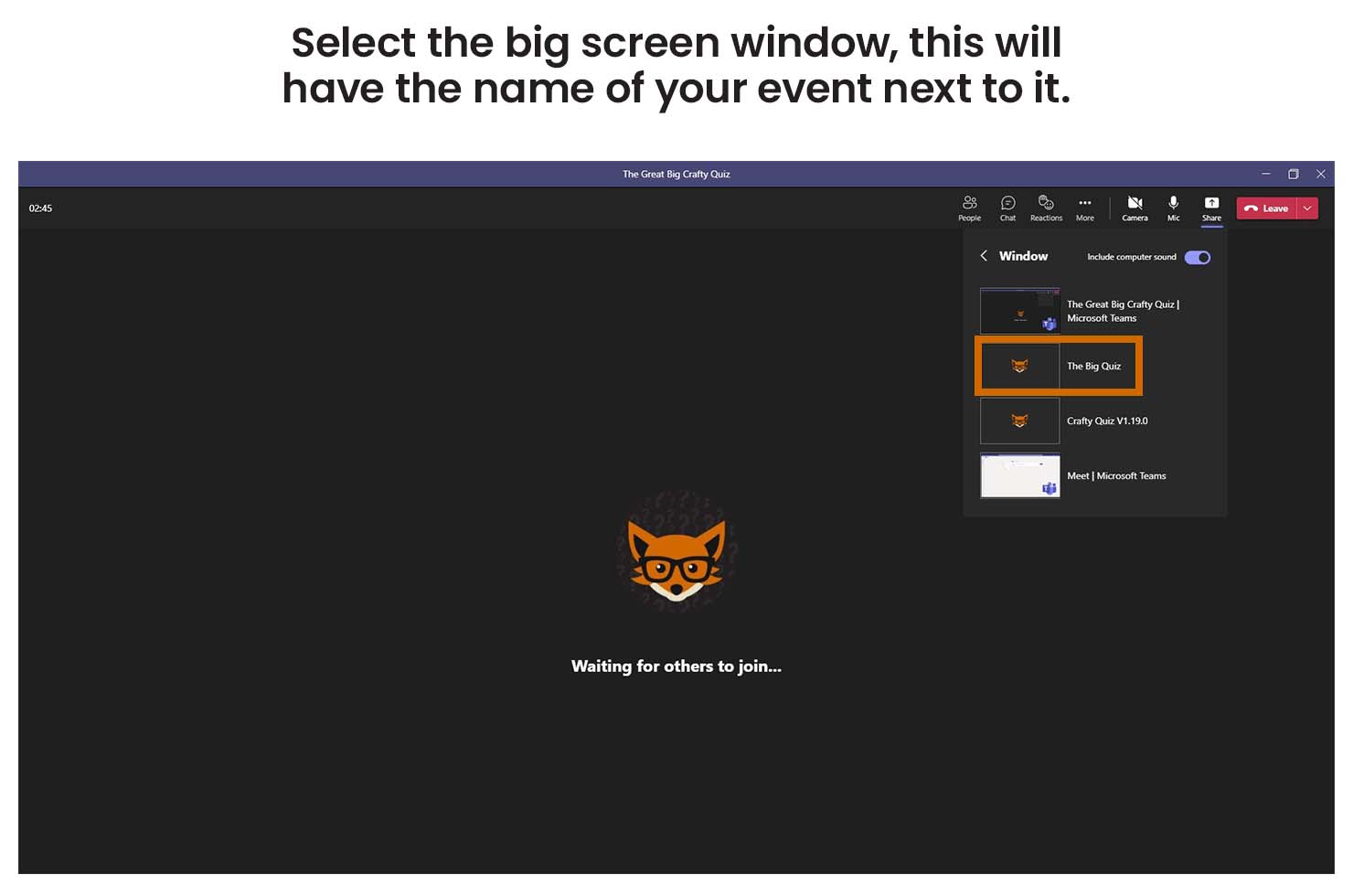
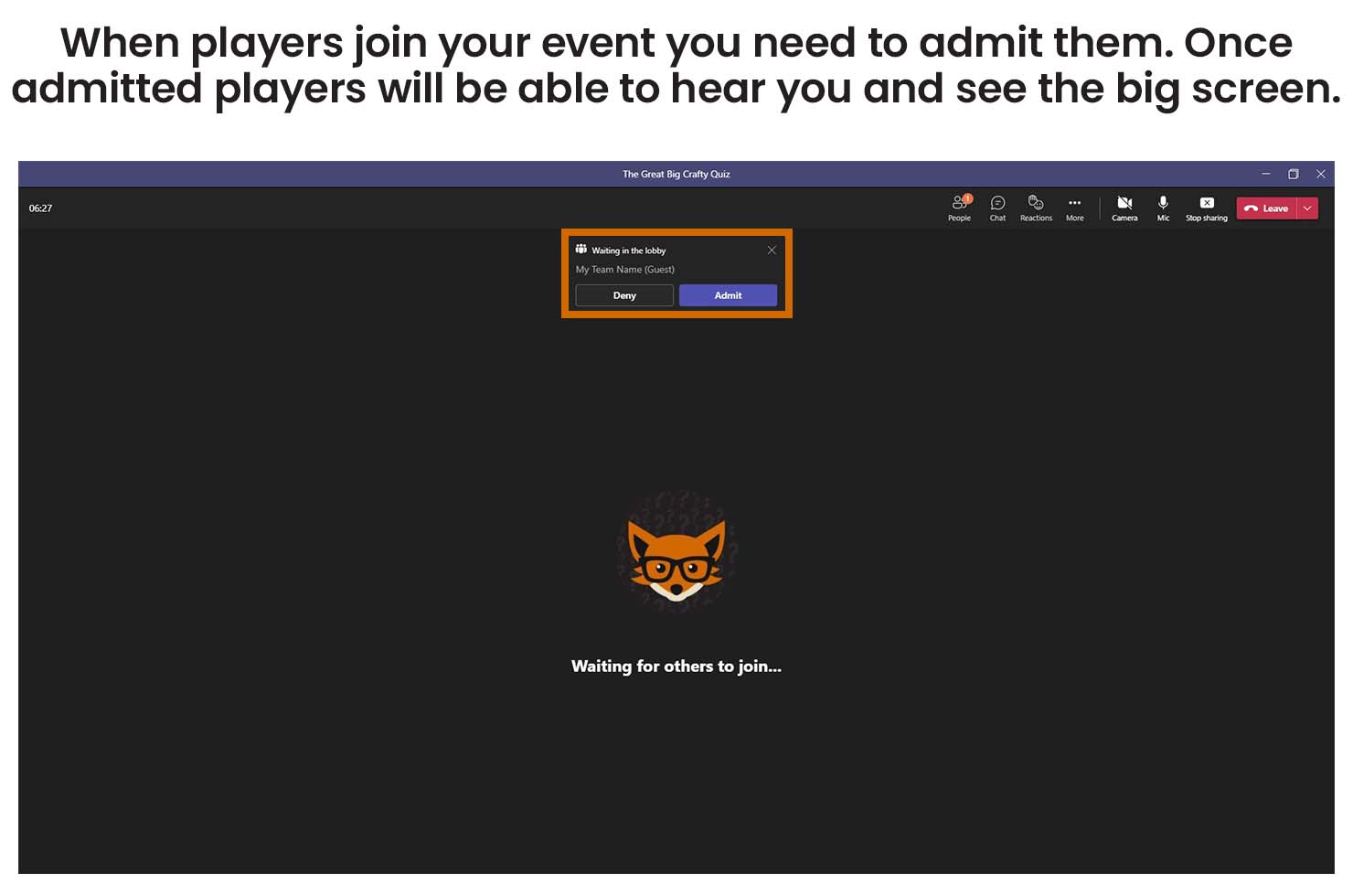
Before you start streaming open the Crafty Quiz hosting software on your computer, check that your licence is active and then play your game. You also need to make sure you have your microphone connected to your computer and your camera if you are using one.

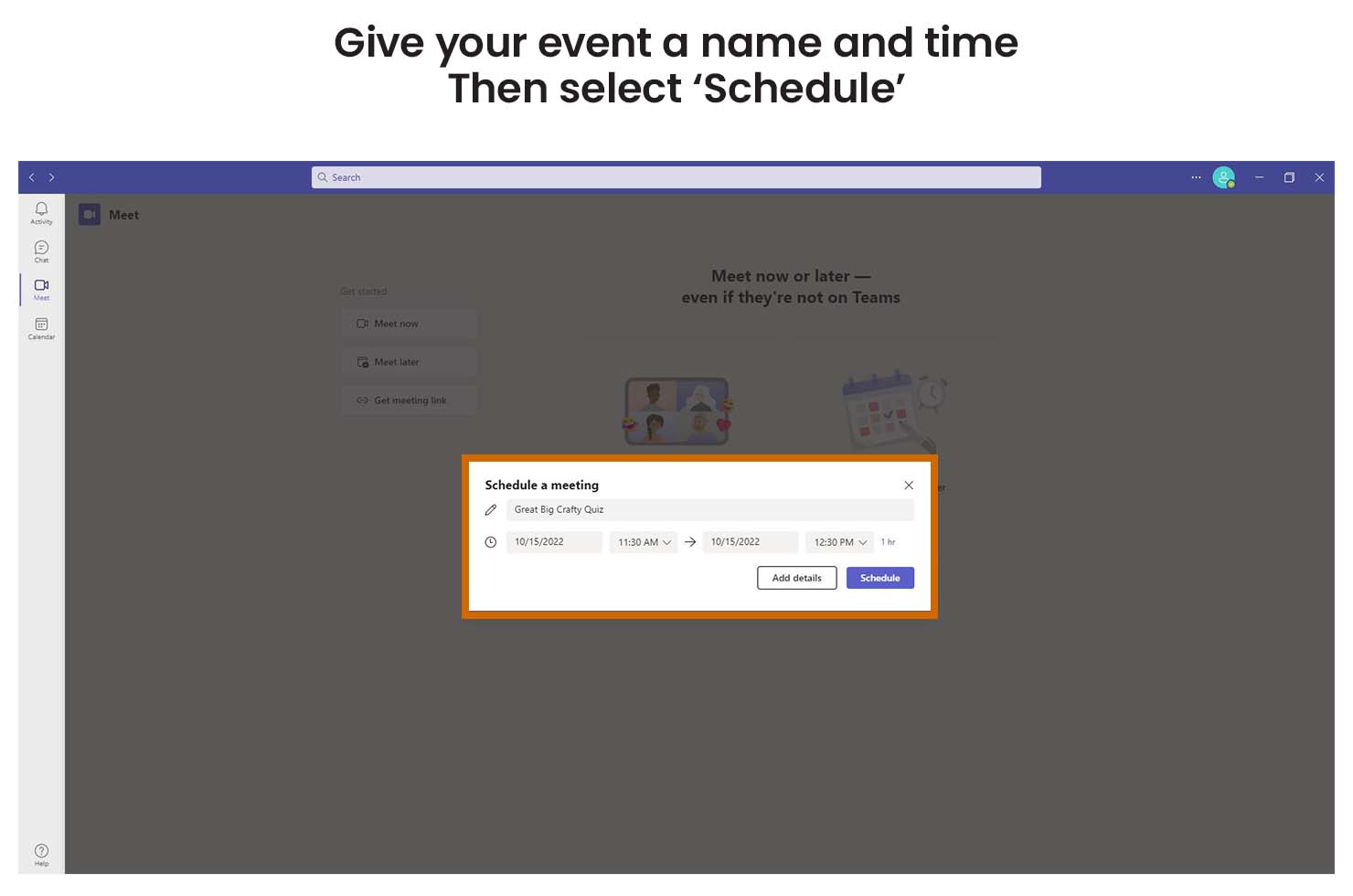
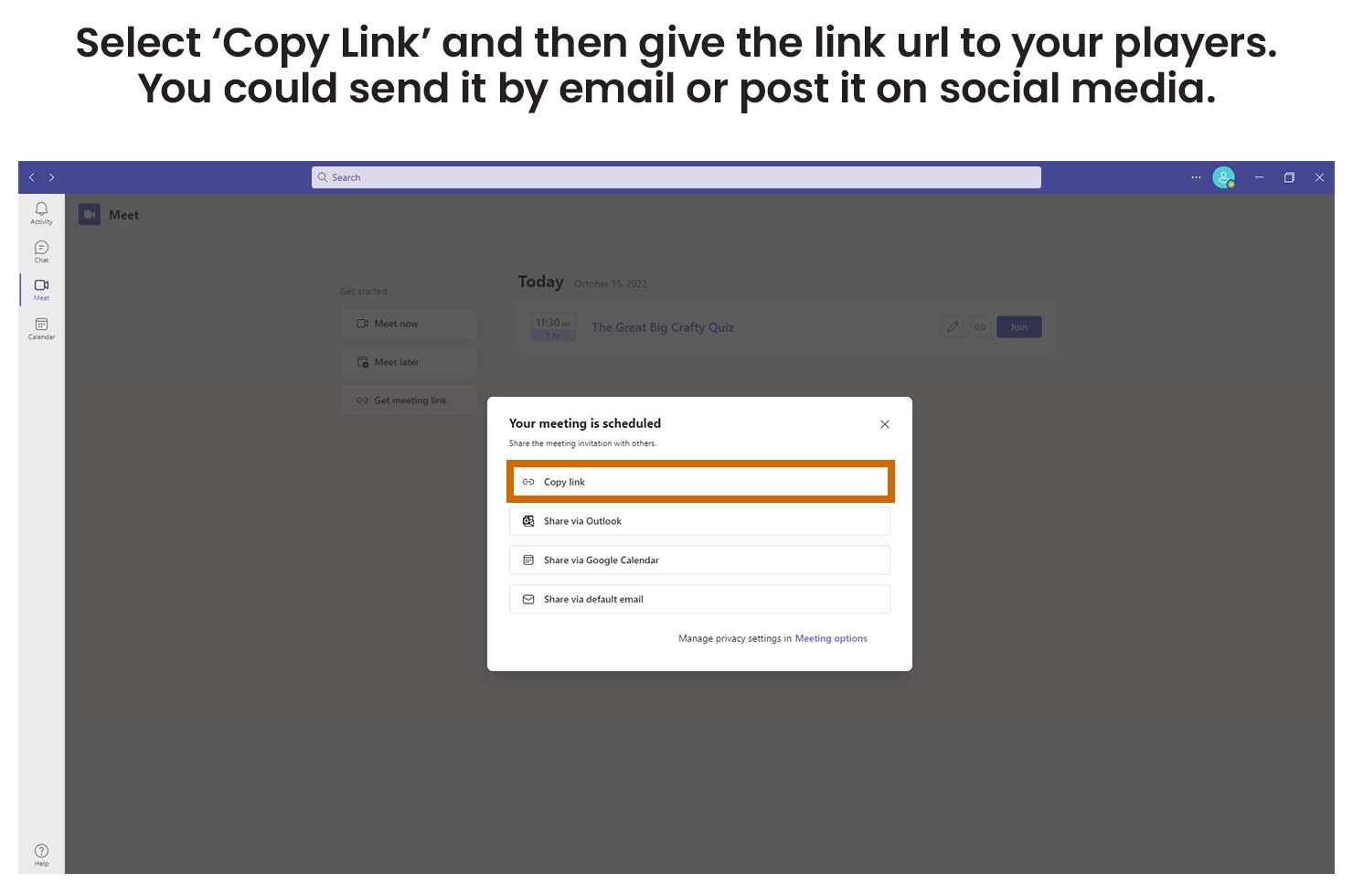
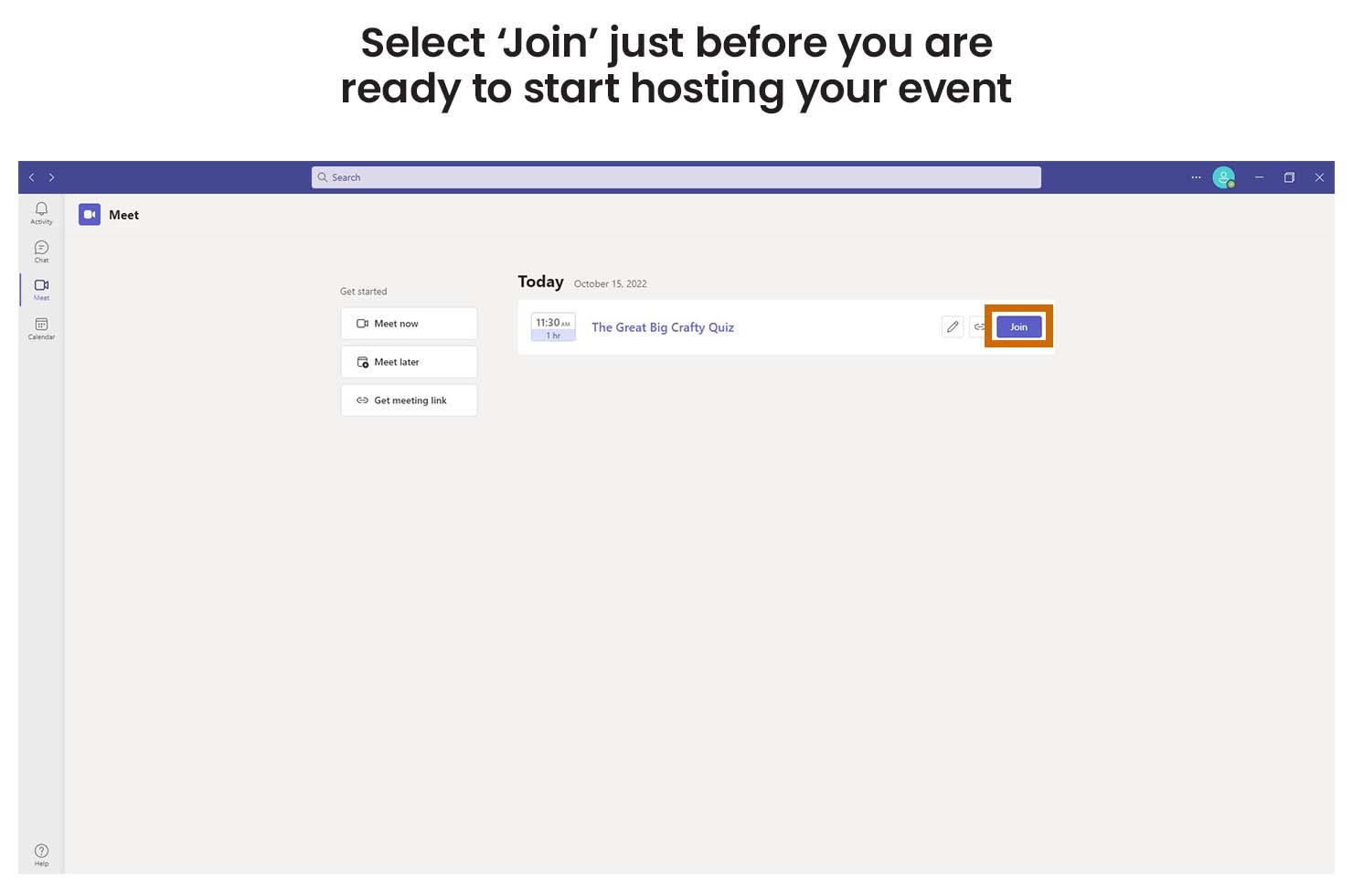
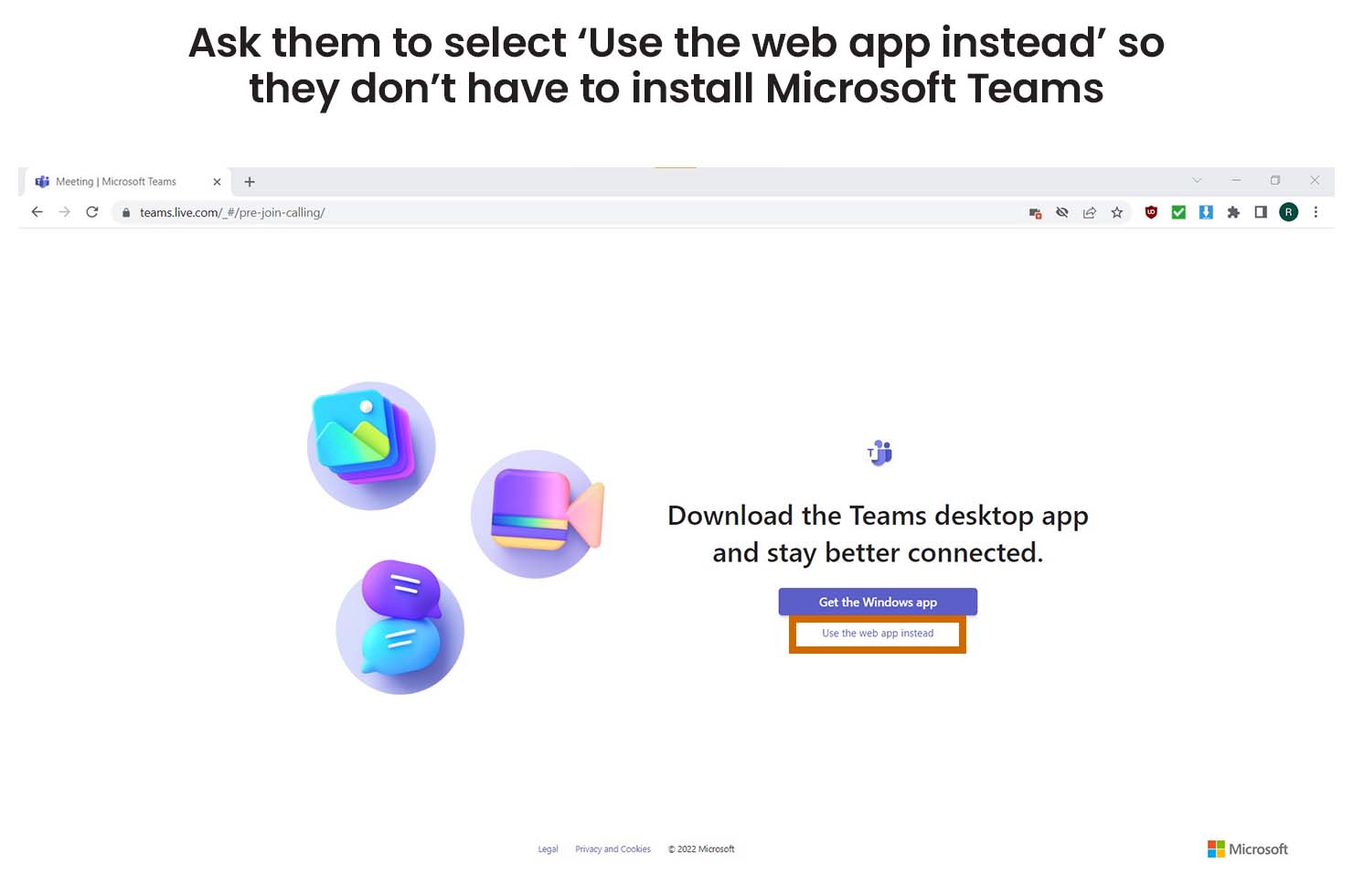
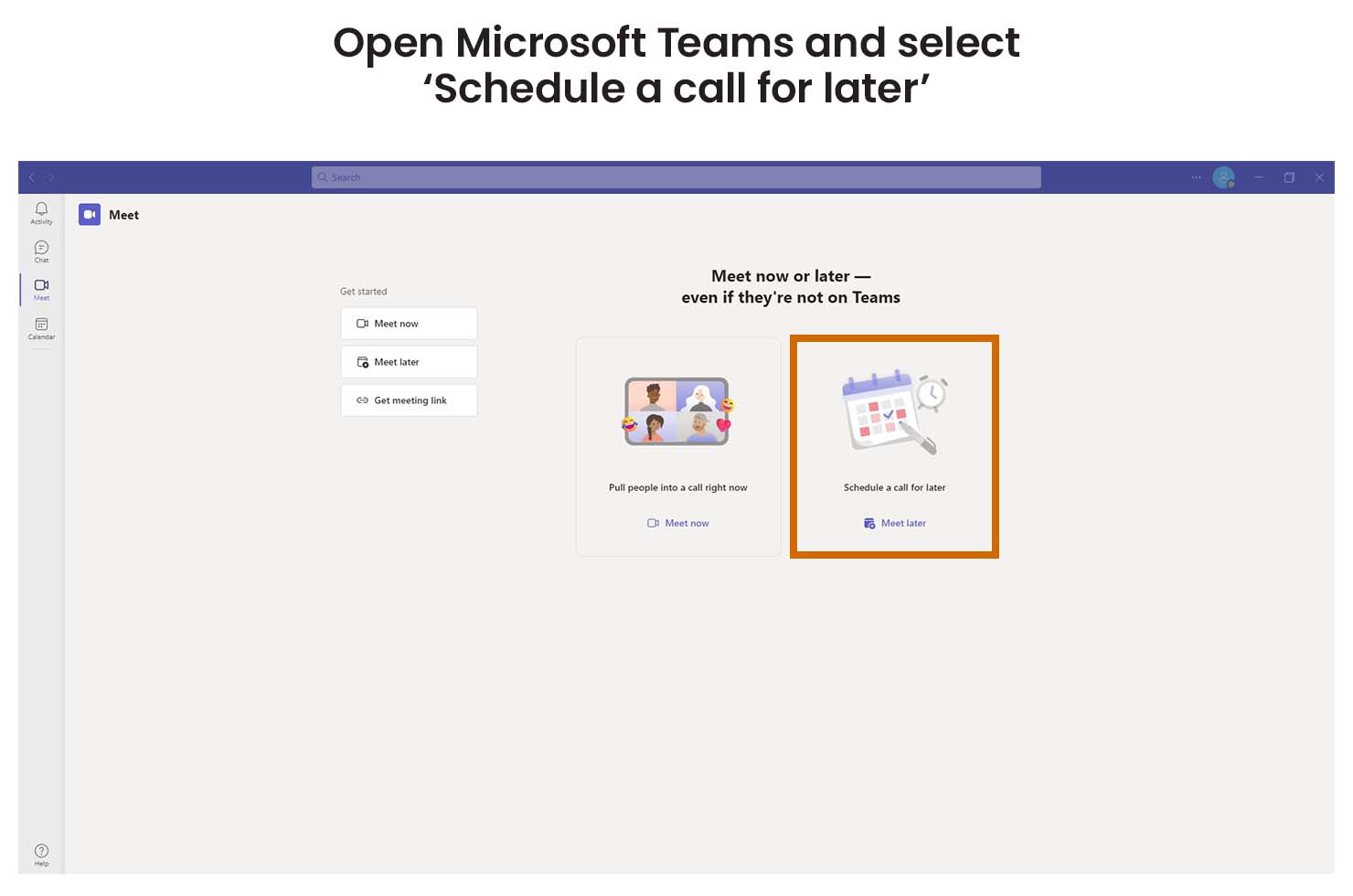
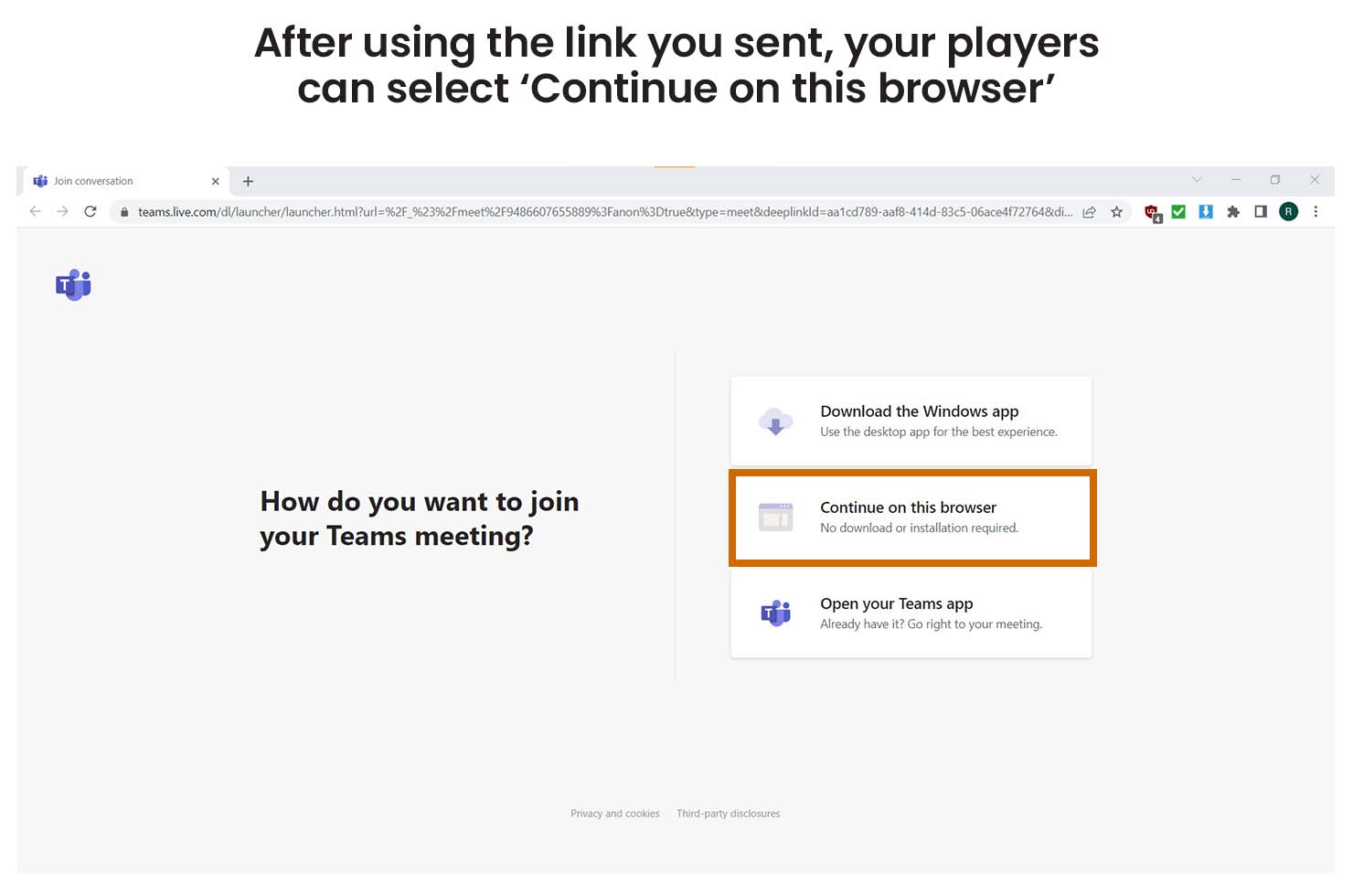
To stream using Microsoft Teams you need to install it on your computer and create an account. If you are using the free plan your event can only last up to 60 minutes and include up to 100 players. Your players don’t need to install Teams or create an account to take part.

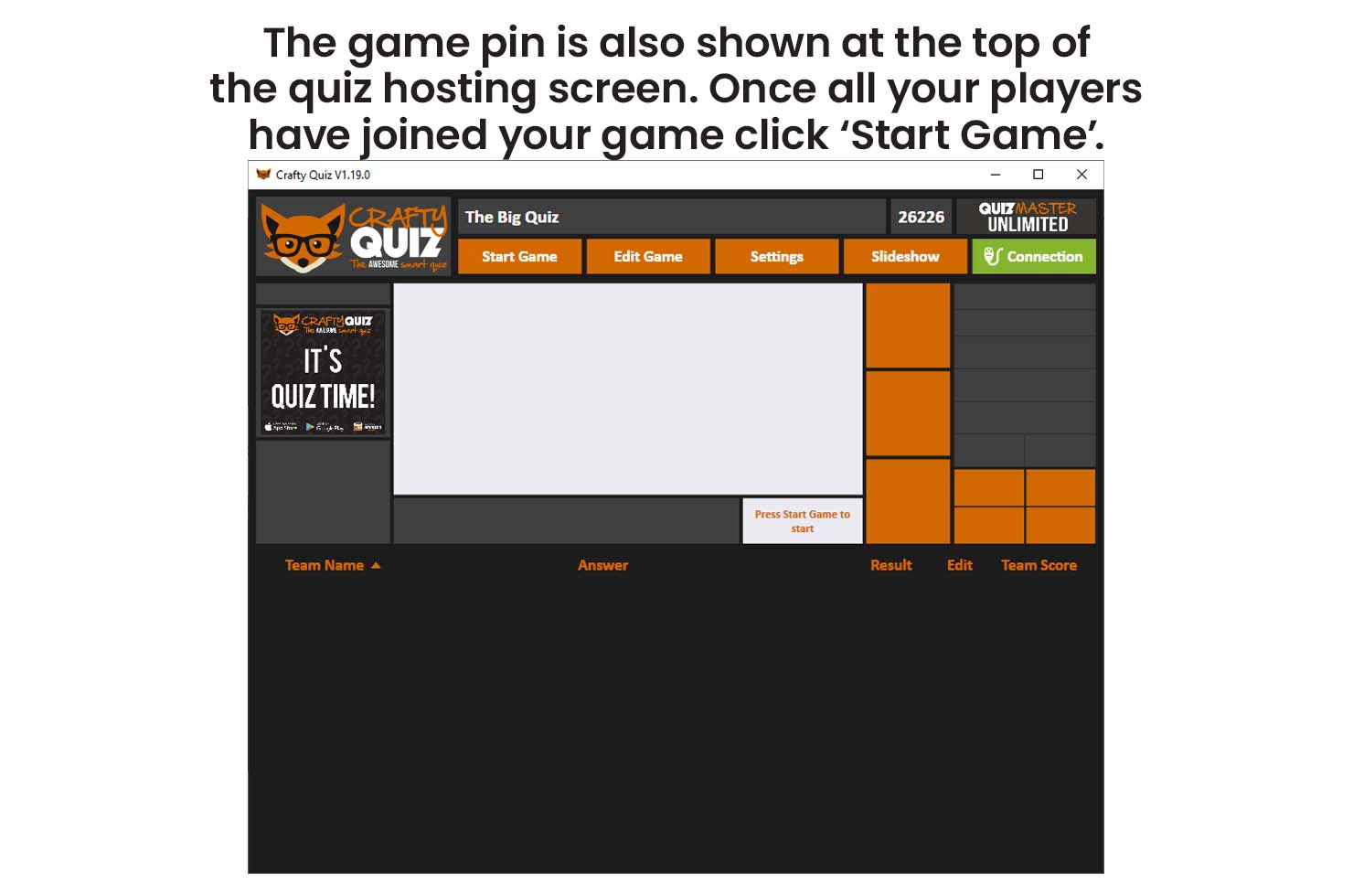
host instructions
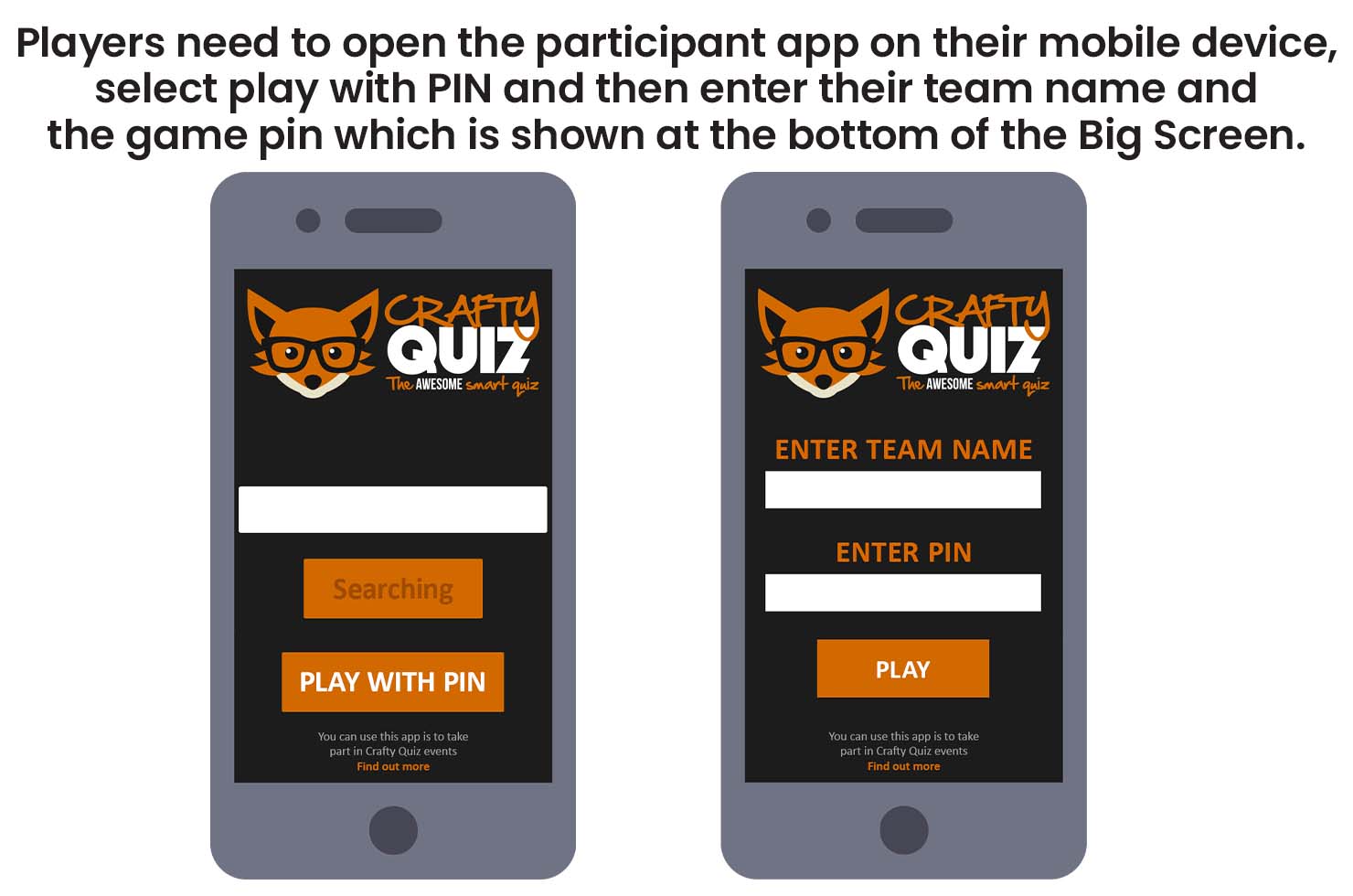
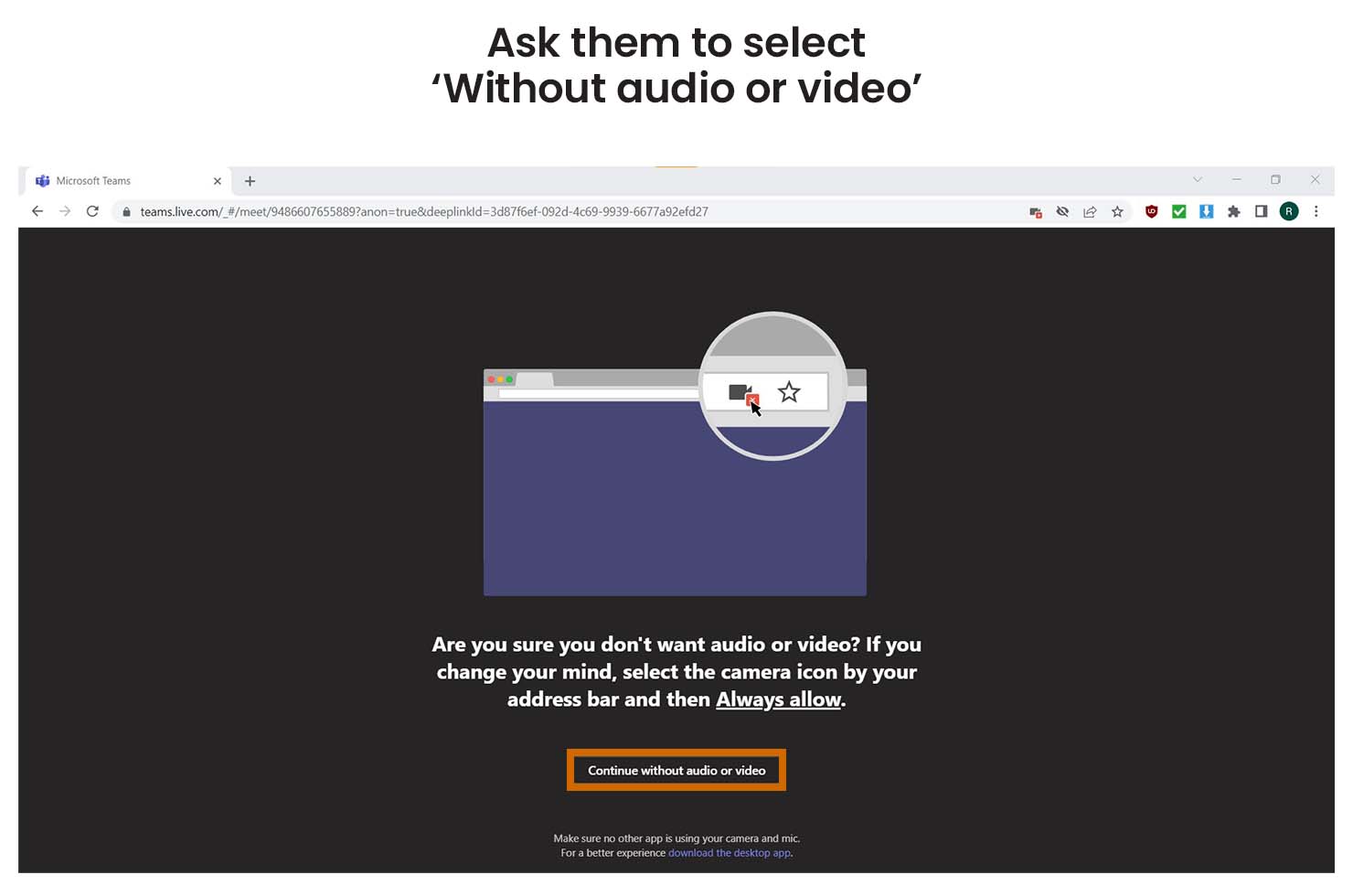
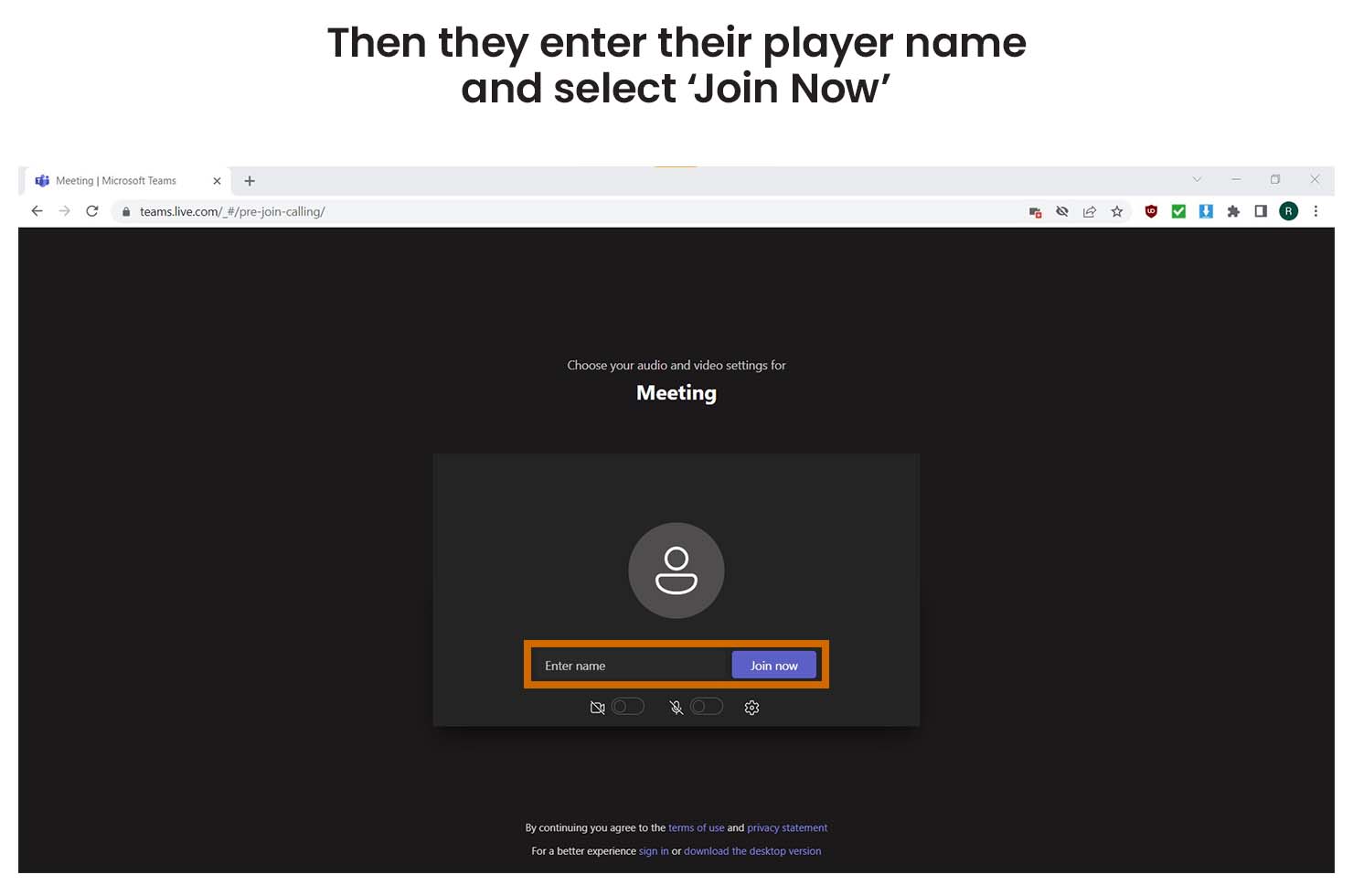
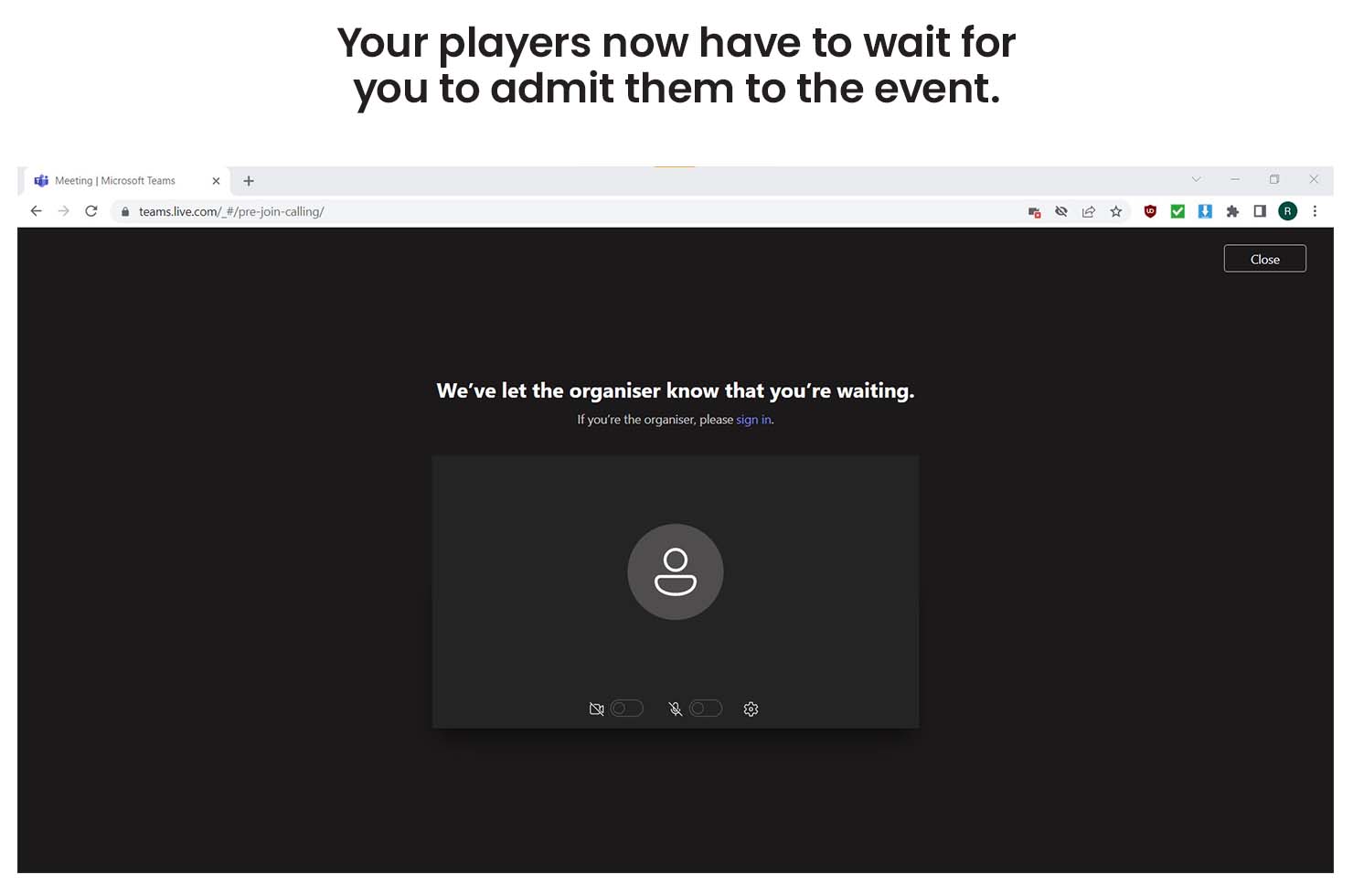
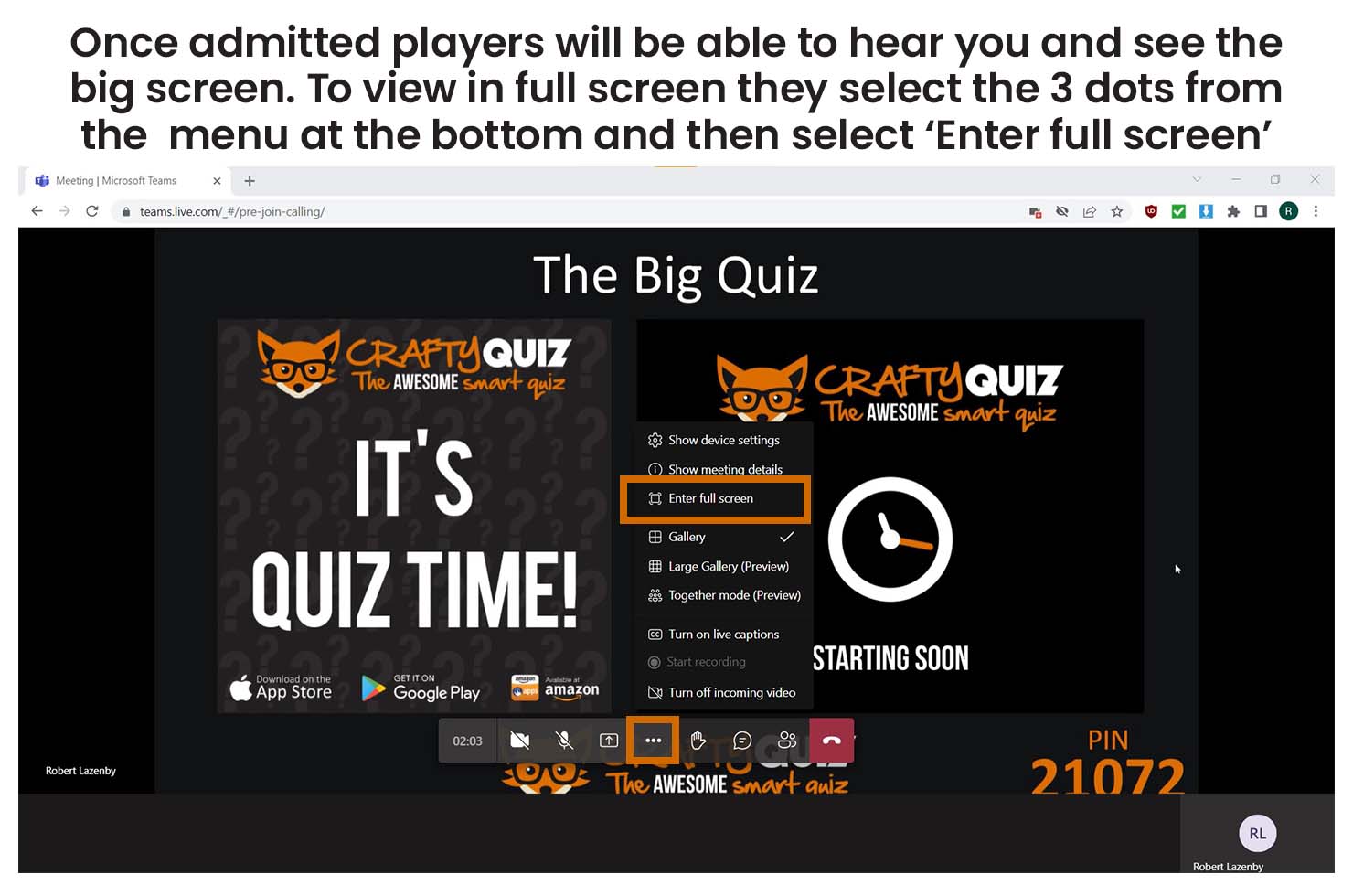
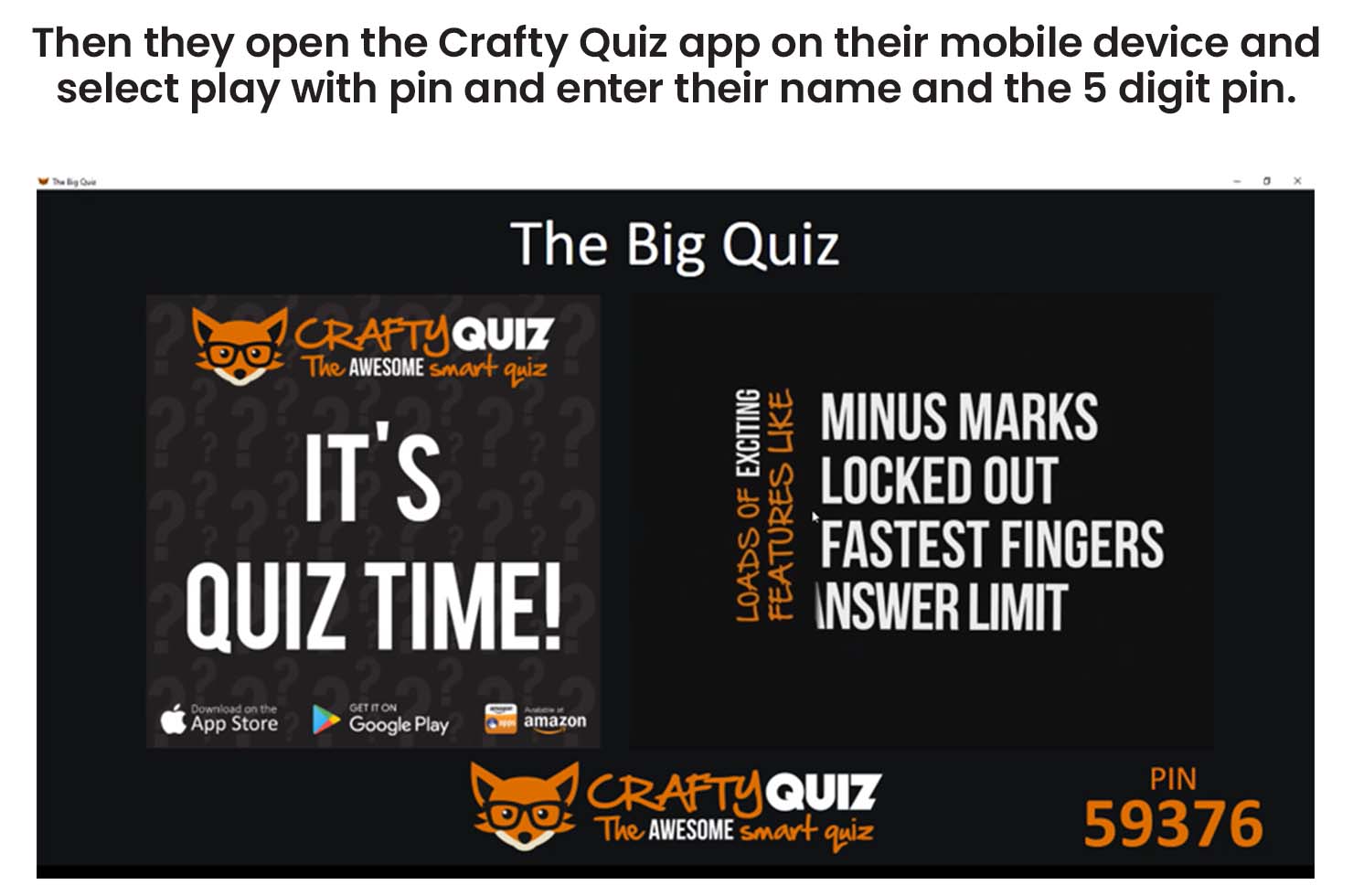
player instructions
Create your own smartphone pub quiz with our free software

Make Your Own

You can make your own unique quiz or game of musical bingo so it’s perfect for your family and friends.
Smartphone pub quiz and musical bingo is easy to use with our free app

So Easy To Use

Crafty Quiz is so easy to use so anyone can host or play regardless of age or technological ability.
Smartphone pub quiz and musical bingo is easy to use with our free app

No Answer Sheets

Players take part with our free app so there’s no pens, paper, printing or answer sheets and bingo cards, it’s all automatic.

A smartphone quiz is fantastic entertainment

Fantastic Entertainment

Crafty Quiz is packed full of exciting features like Musical Bingo, Fastest Fingers, Wipeout, Knocked Out and Point Share. So your family and friends will have a blast!
You can't cheat on a smartphone pub quiz

No More Cheating

Players answer questions and mark bingo cards immediately on their device so there is no time to Google, check Wikipedia, ask Jeeves or phone a friend. So the right team always wins.
Smartphone pub quiz

Quizzes Included

If you don’t have time to make your own quiz there’s loads of ready made quizzes and rounds in the quiz library so you can download one in a few seconds!

Leave a Reply