With Crafty Quiz you can host quizzes and musical bingo games from just about anywhere as long as you have an internet connection.
You can broadcast your quiz online using services like YouTube, Facebook, Twitch, Zoom, Google Meet, Microsoft Teams and Skype. Players take part on their mobile device with our free so they can play from anywhere in the world as long as they also have an internet connection!
You could host a quiz for charity or play a game of bingo with friends in other parts of the country and to make it really easy, we’ve made an guides for each of the main streaming services.
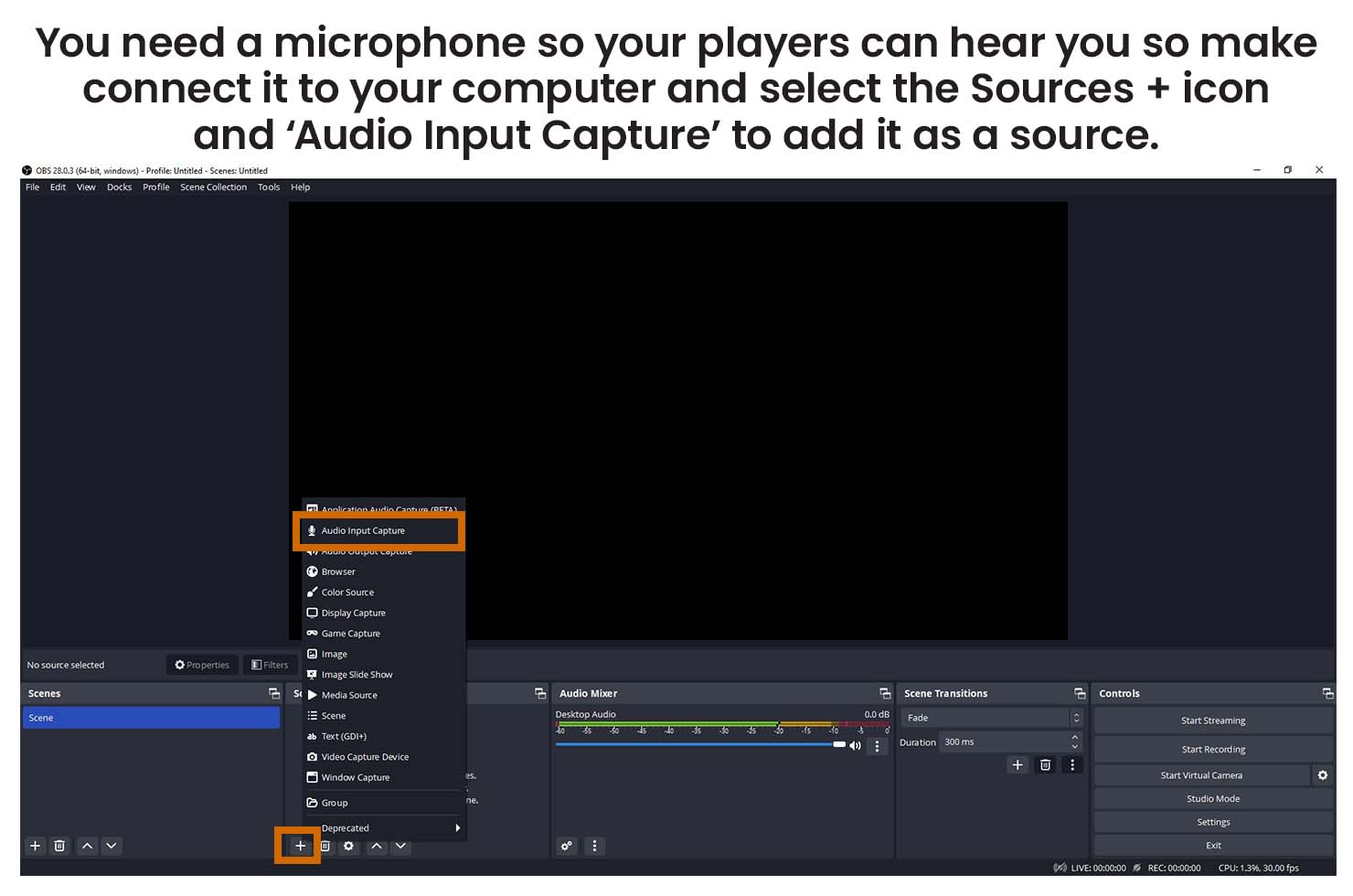
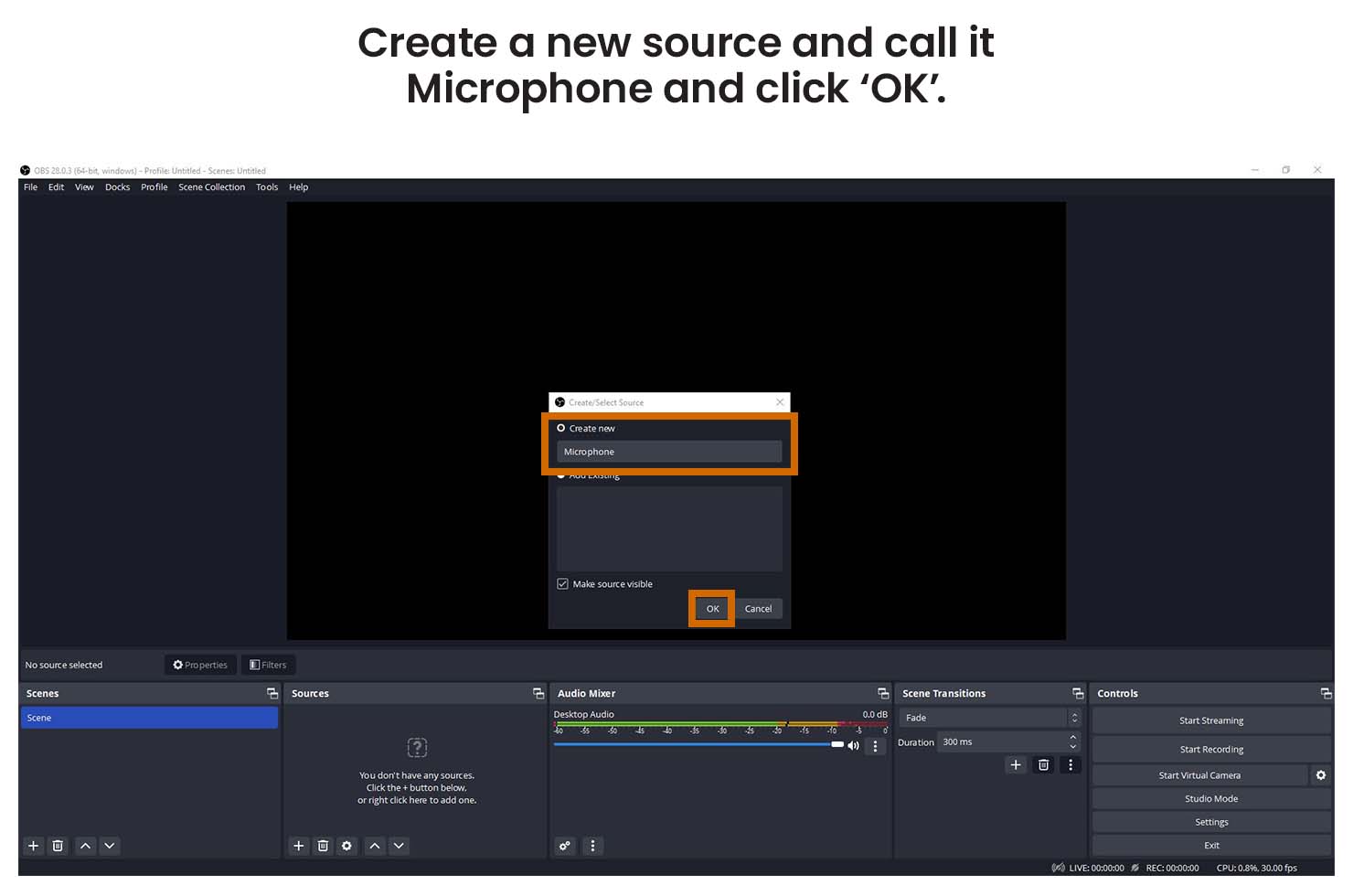
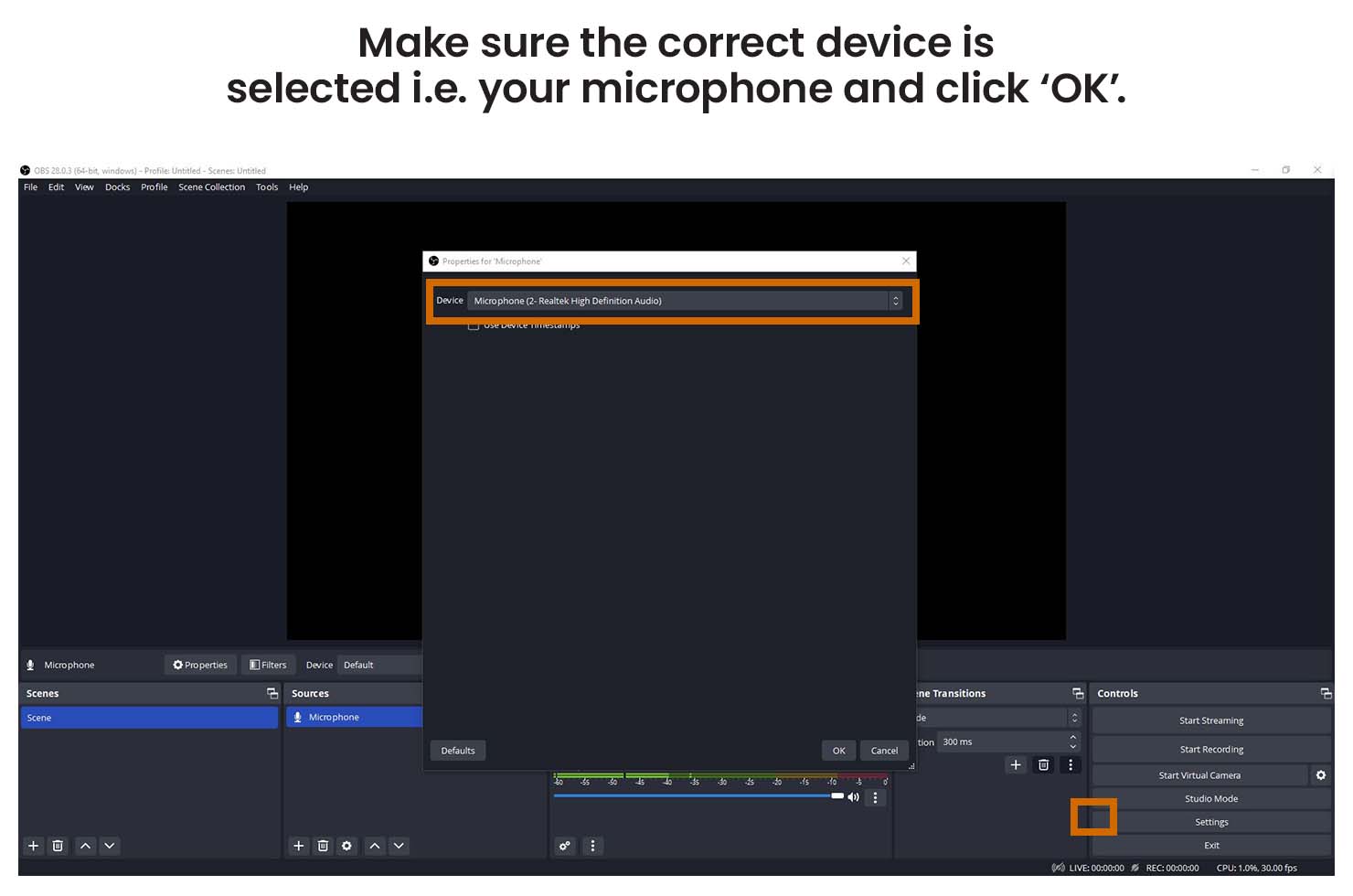
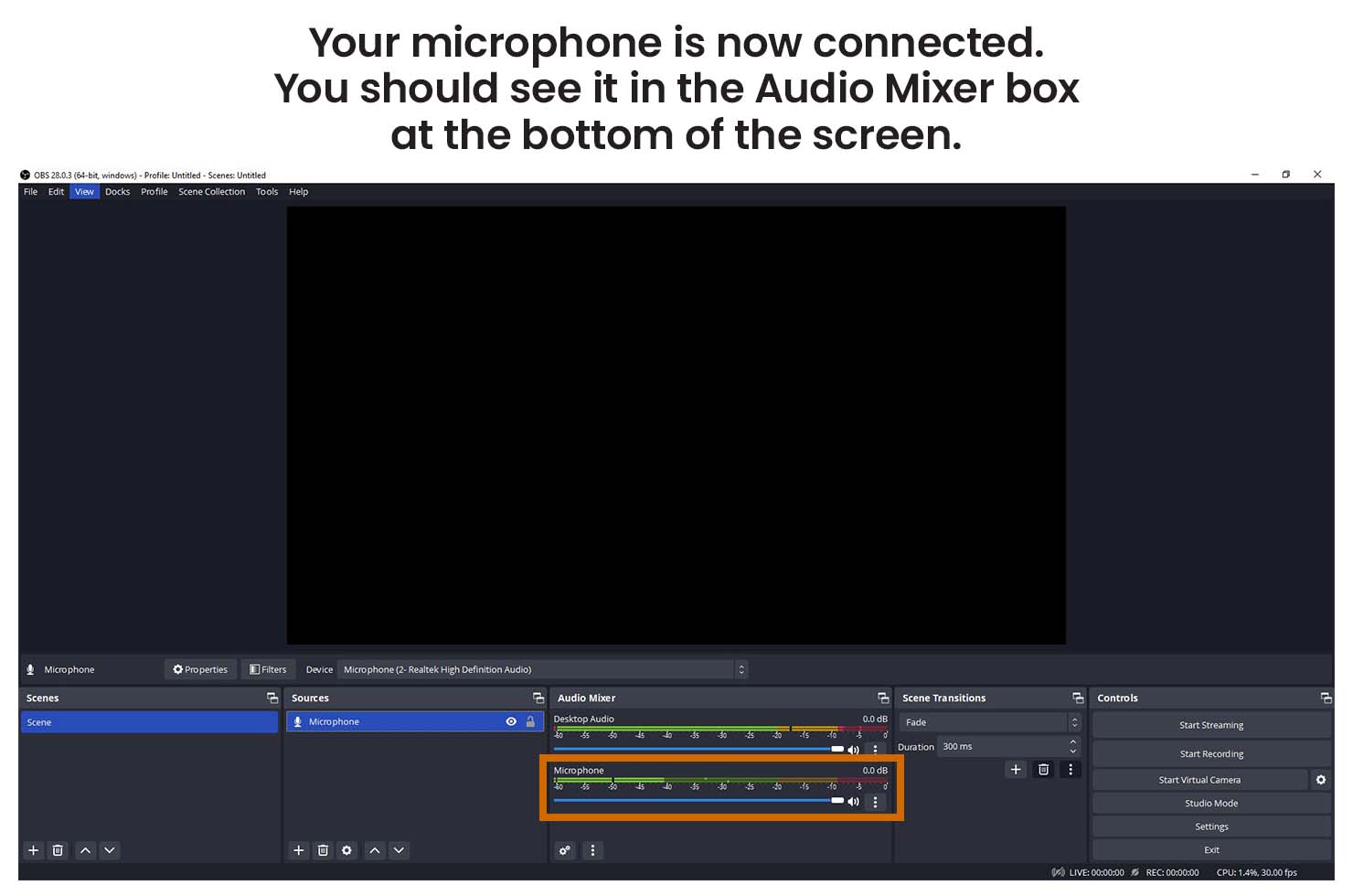
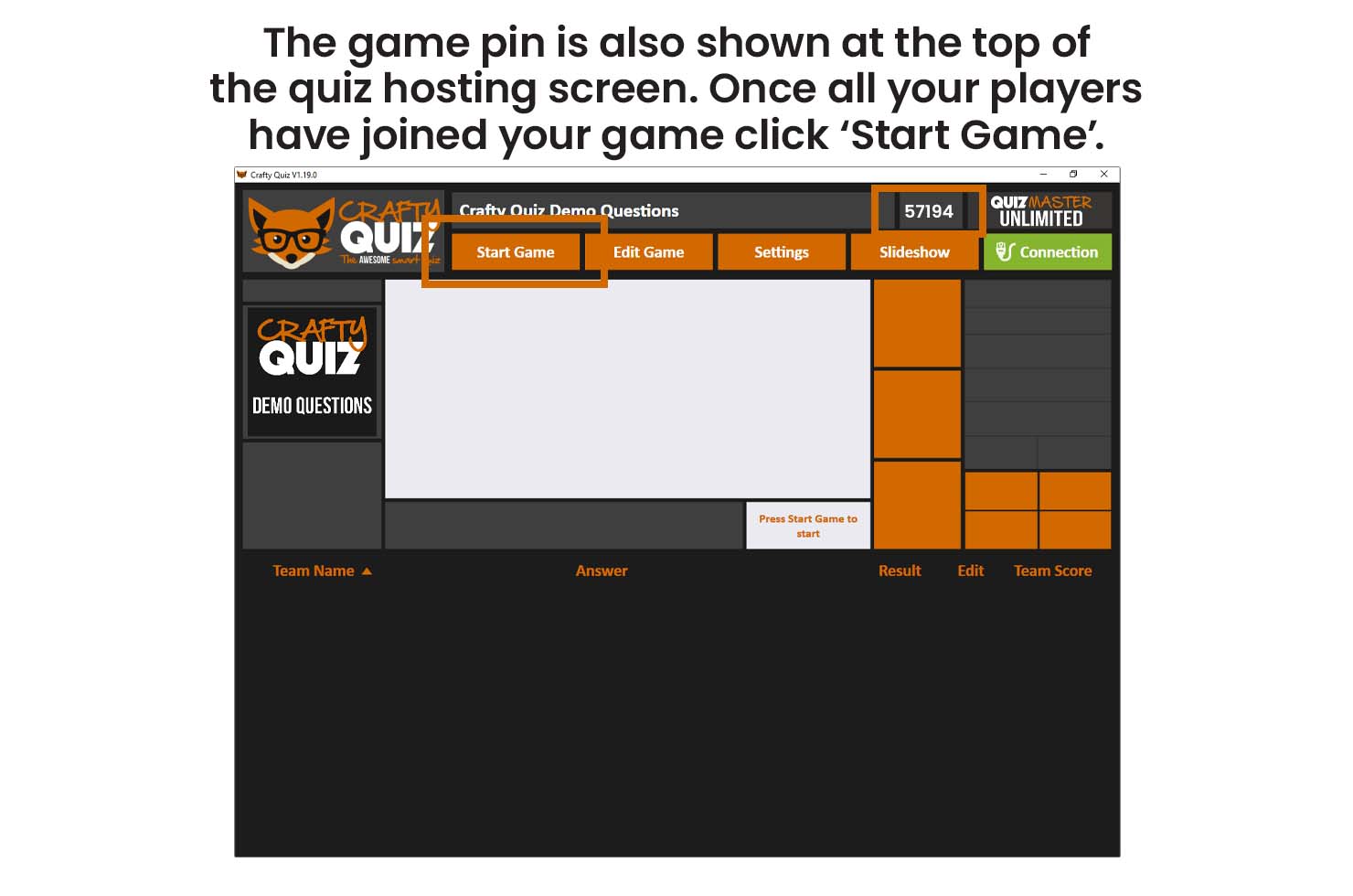
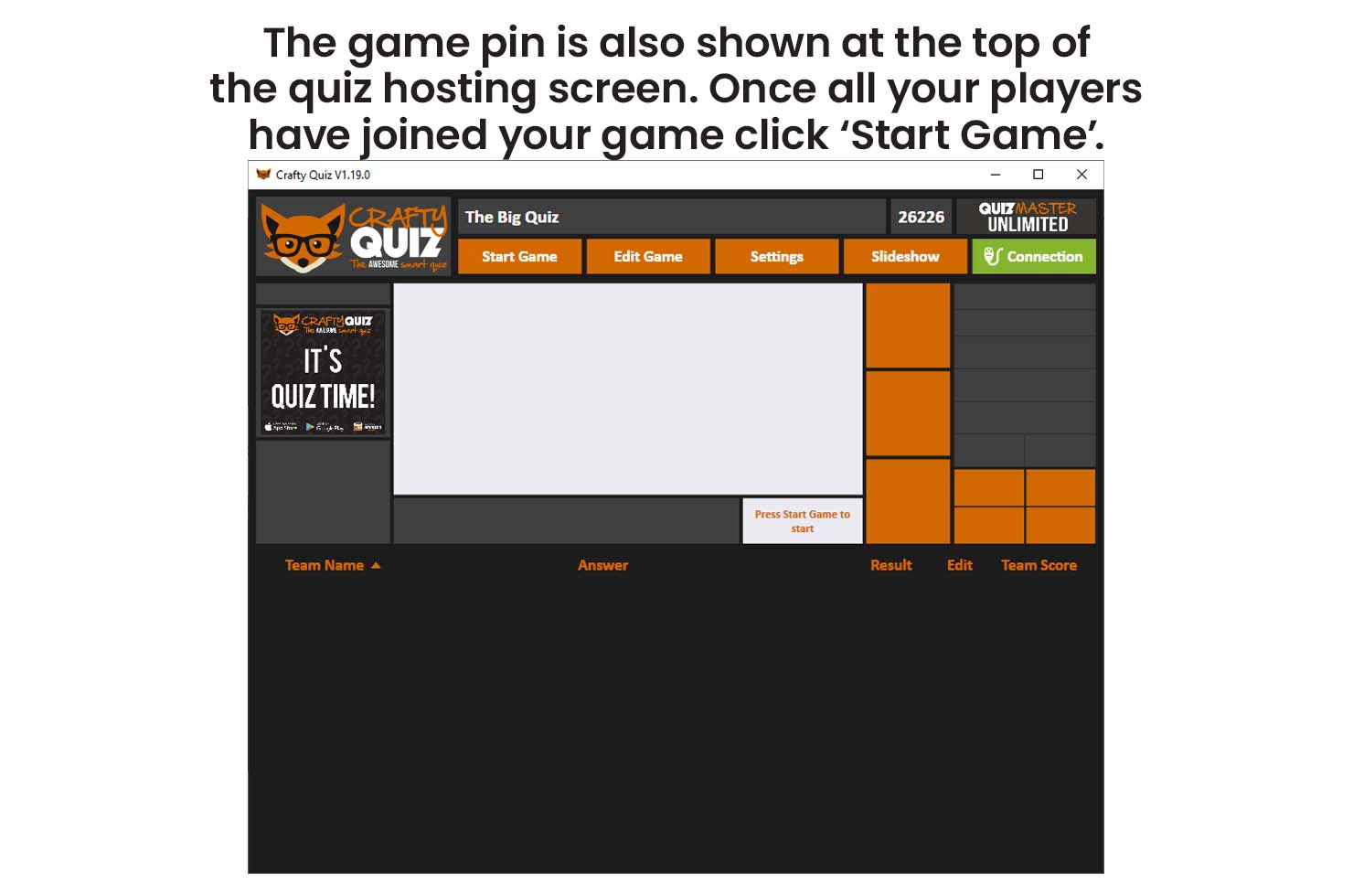
Before you start streaming open the Crafty Quiz hosting software on your computer, check that your licence is active and then play your game. You also need to make sure you have your microphone connected to your computer and your camera if you are using one.
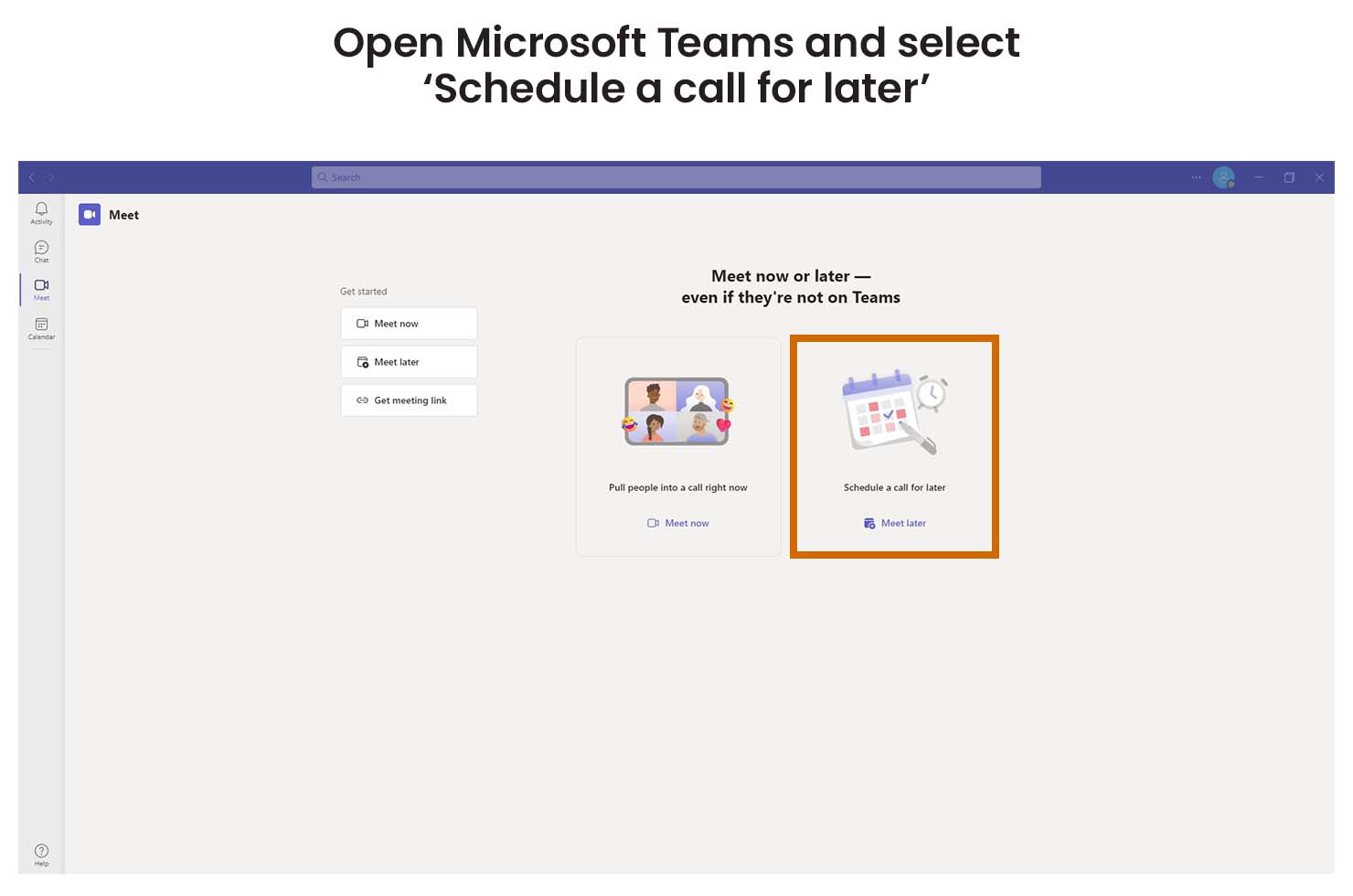
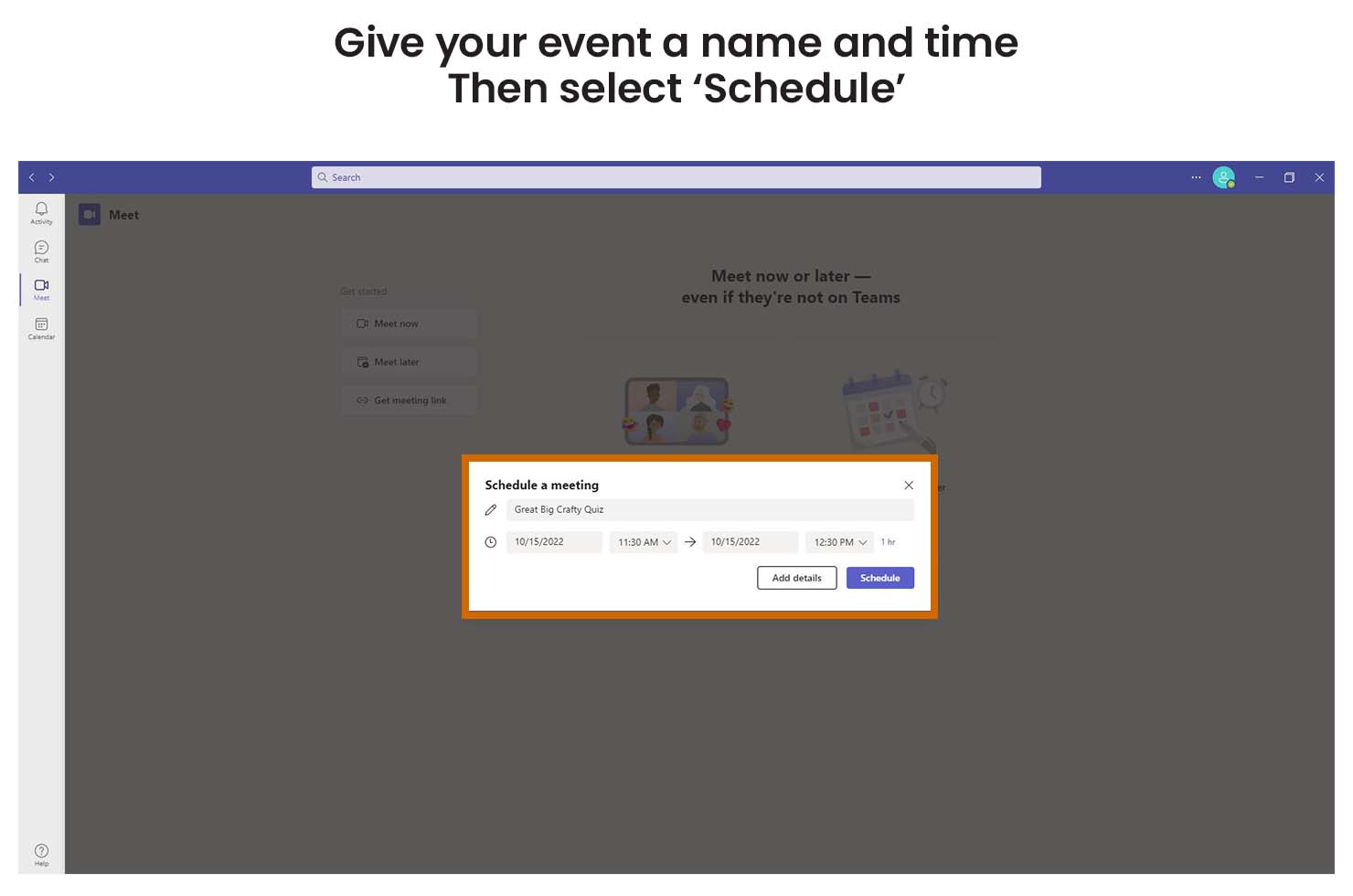
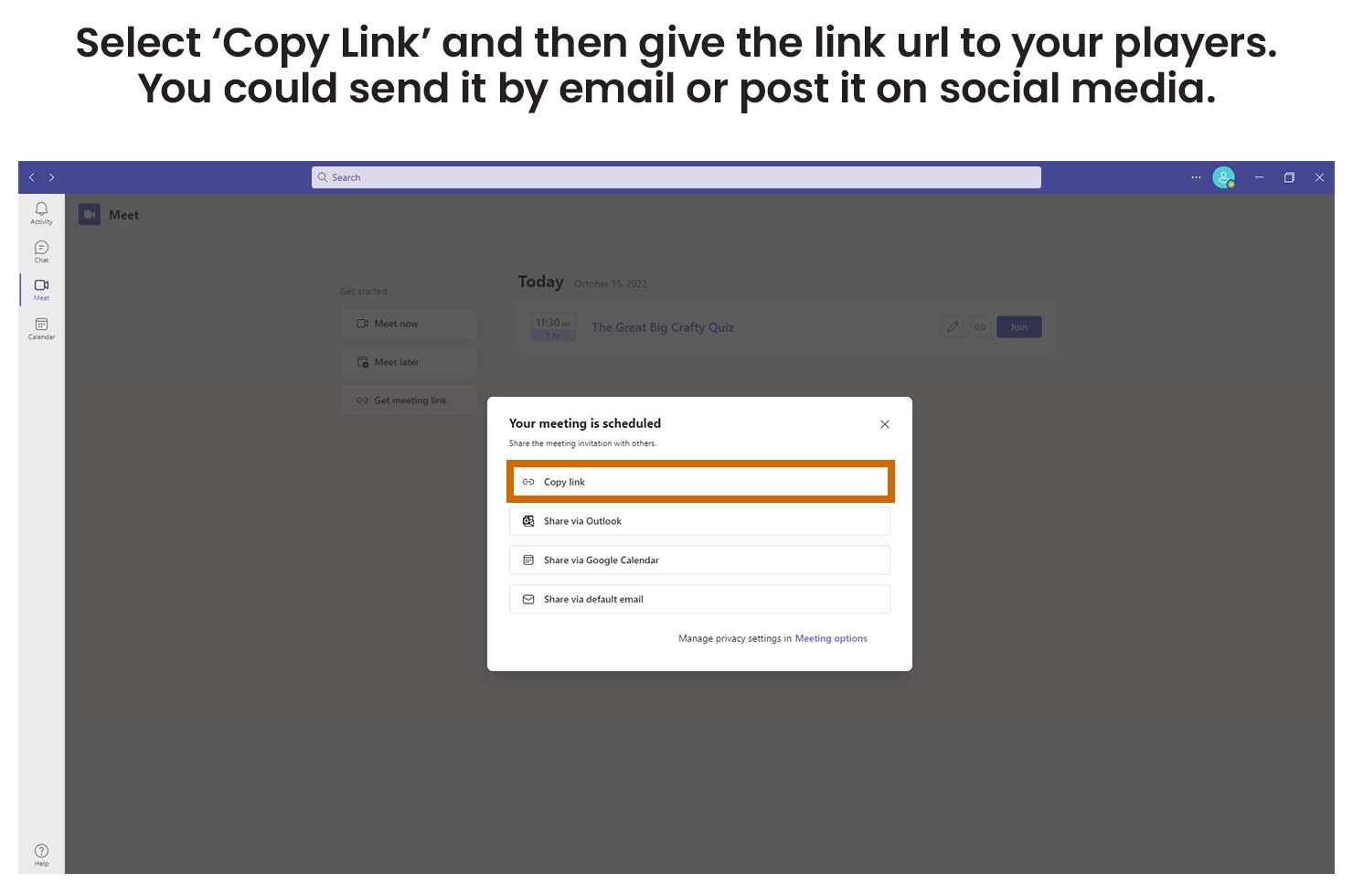
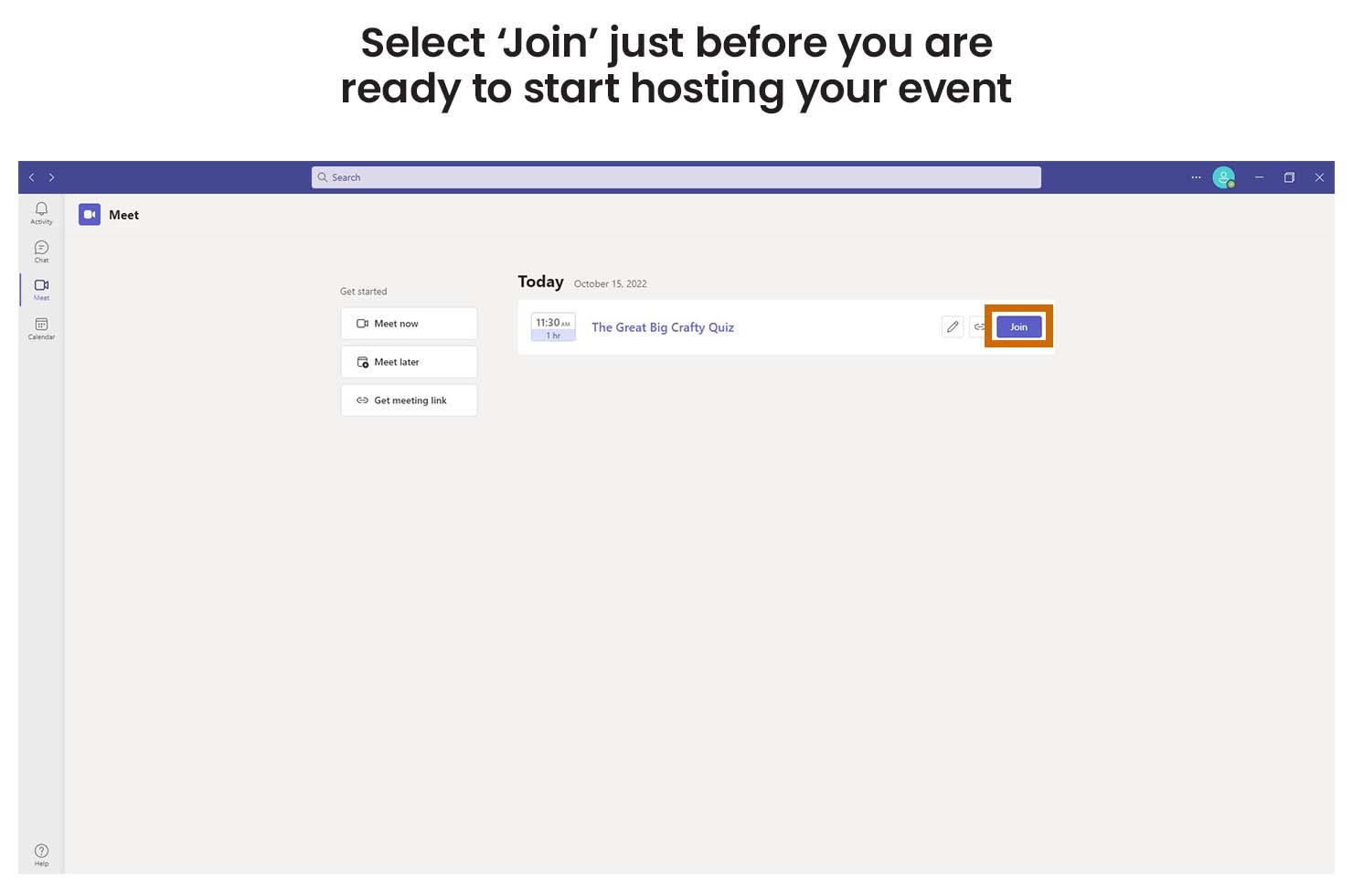
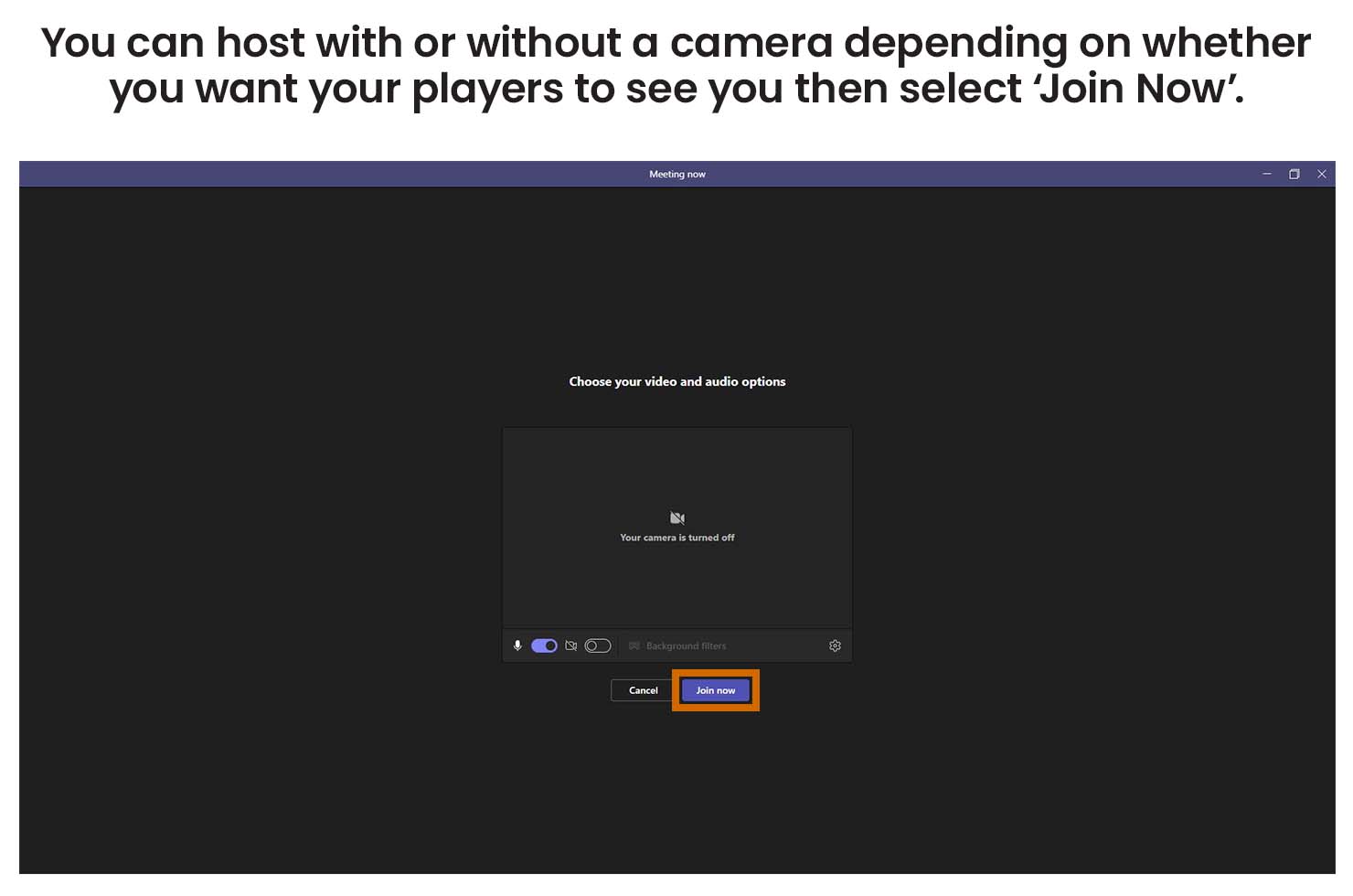
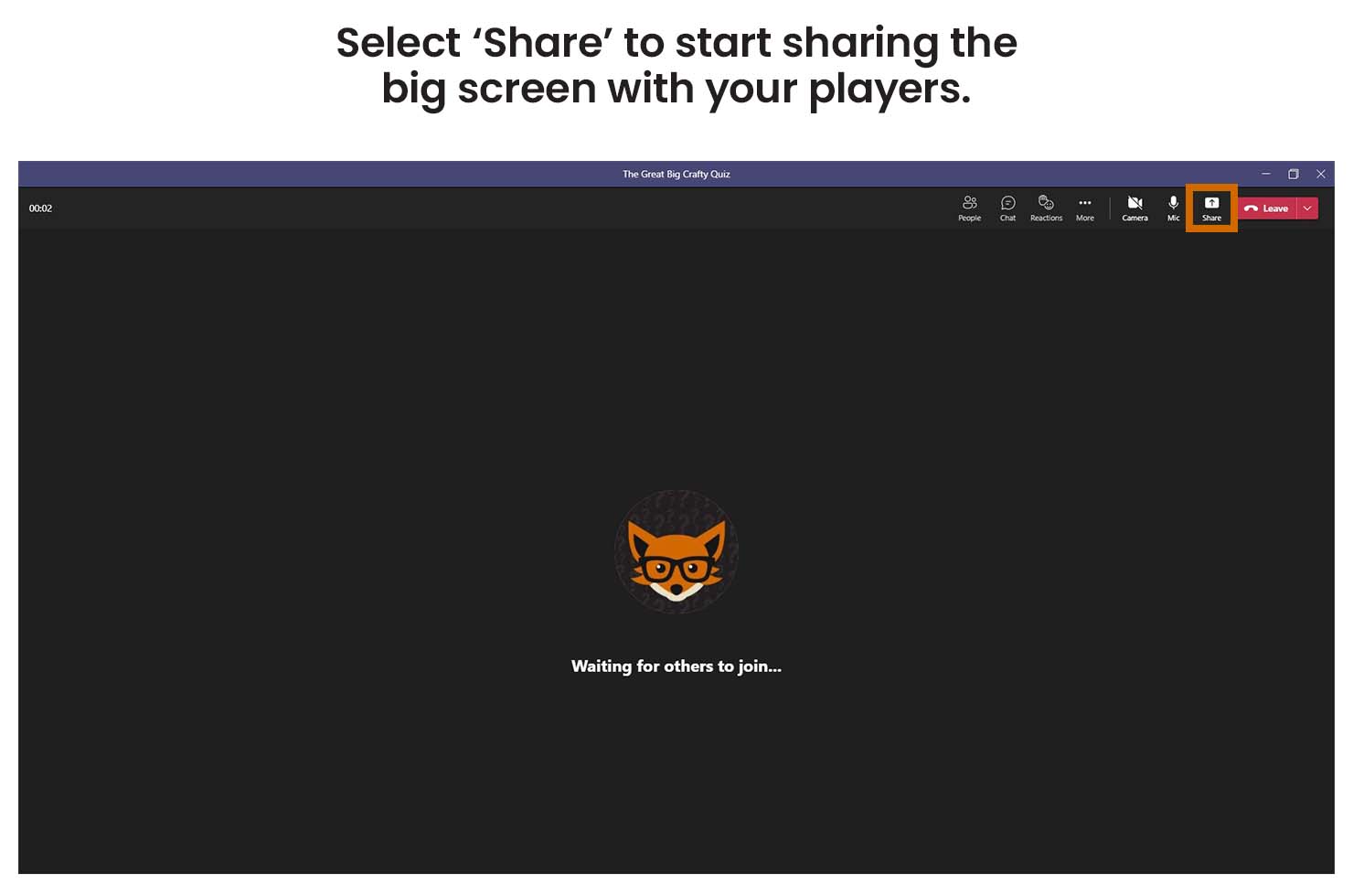
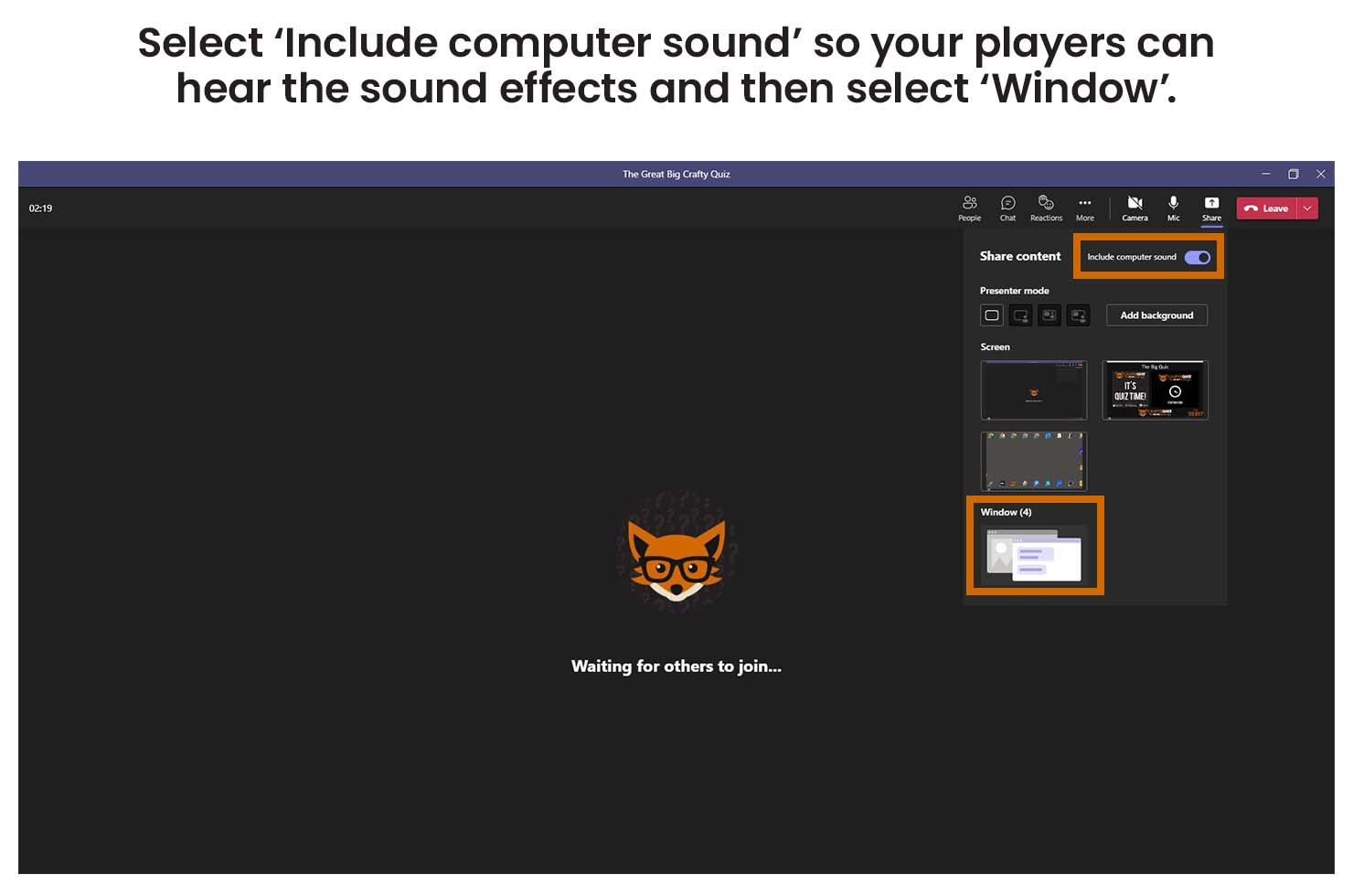
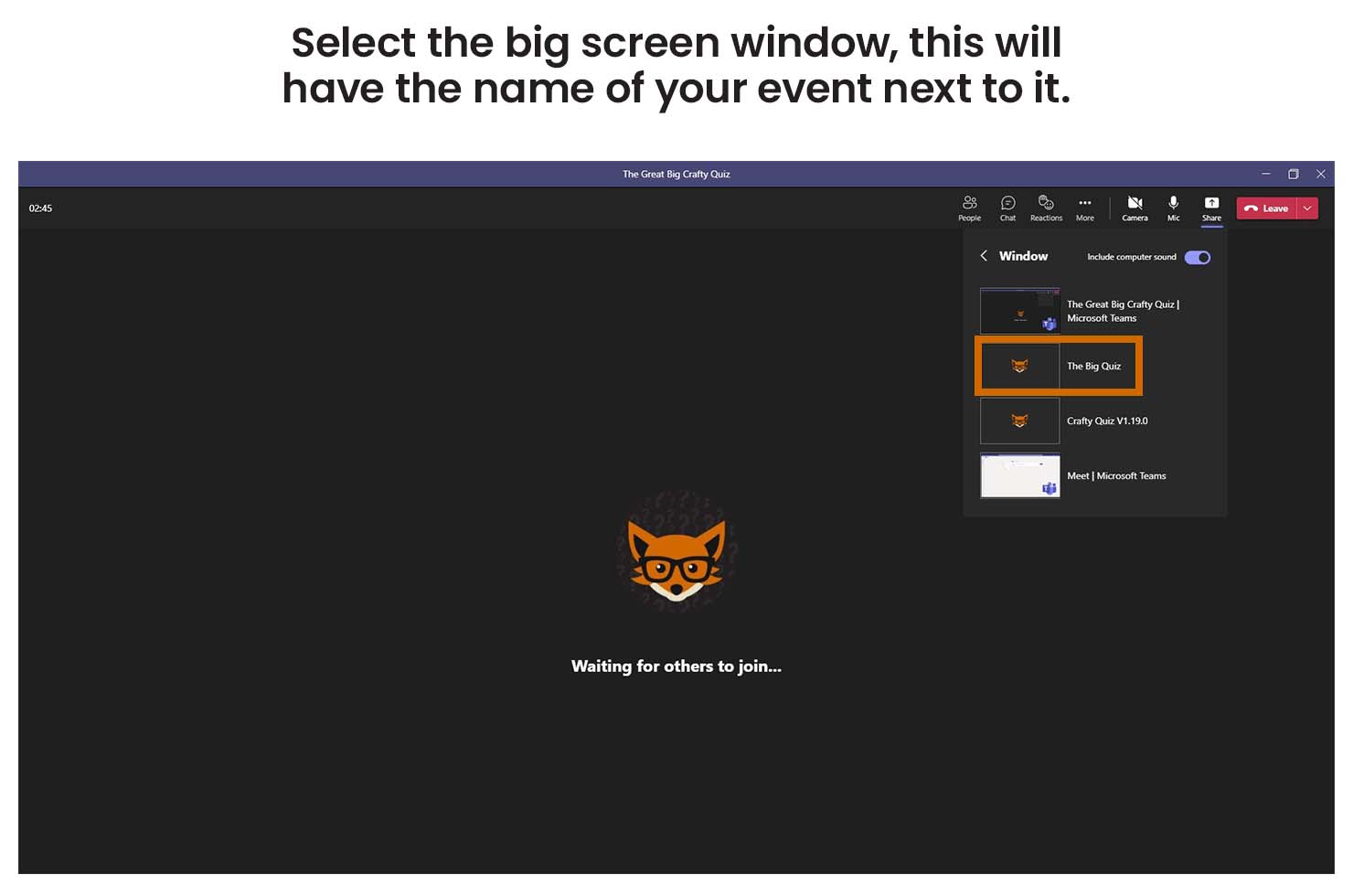
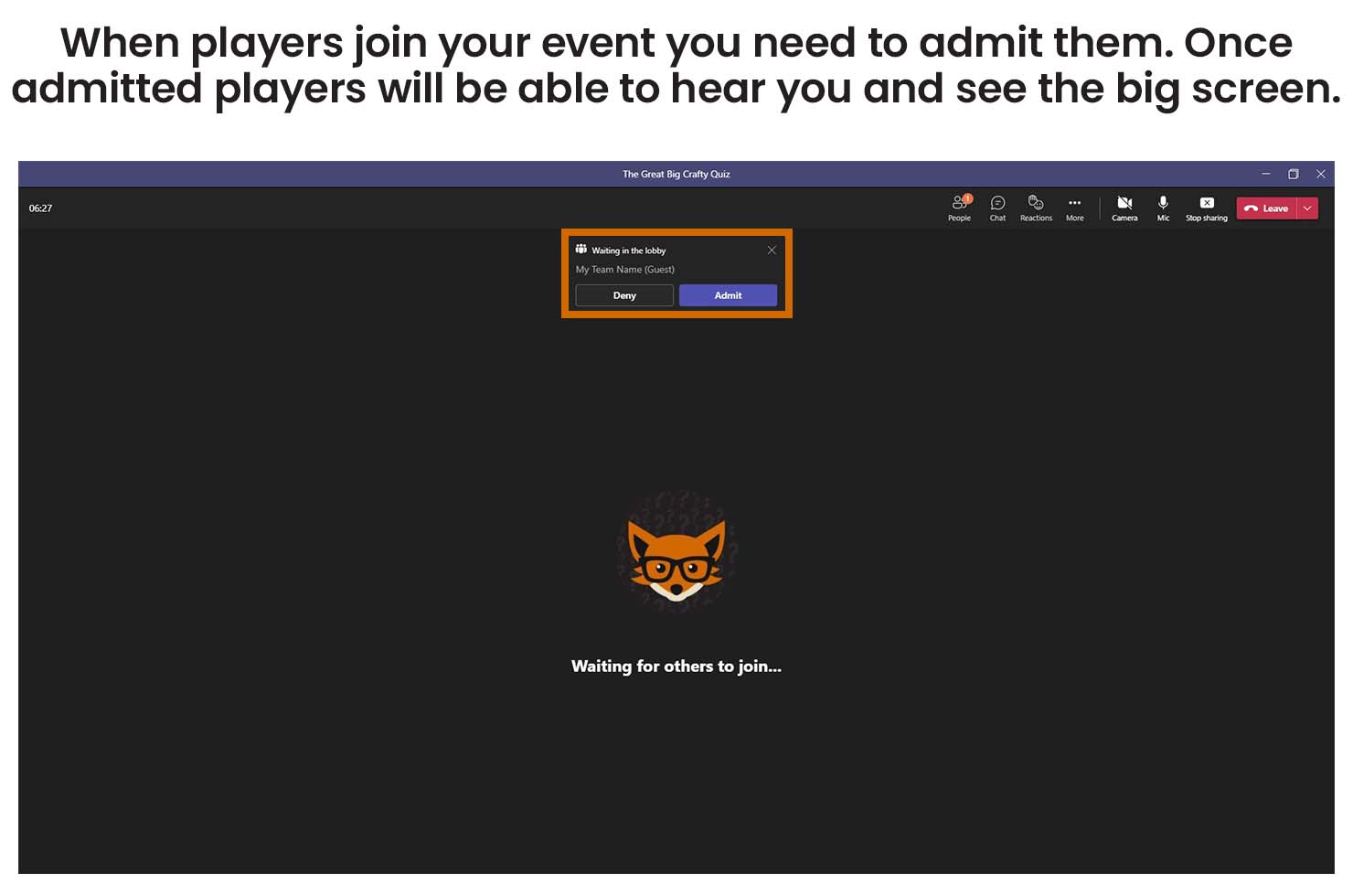
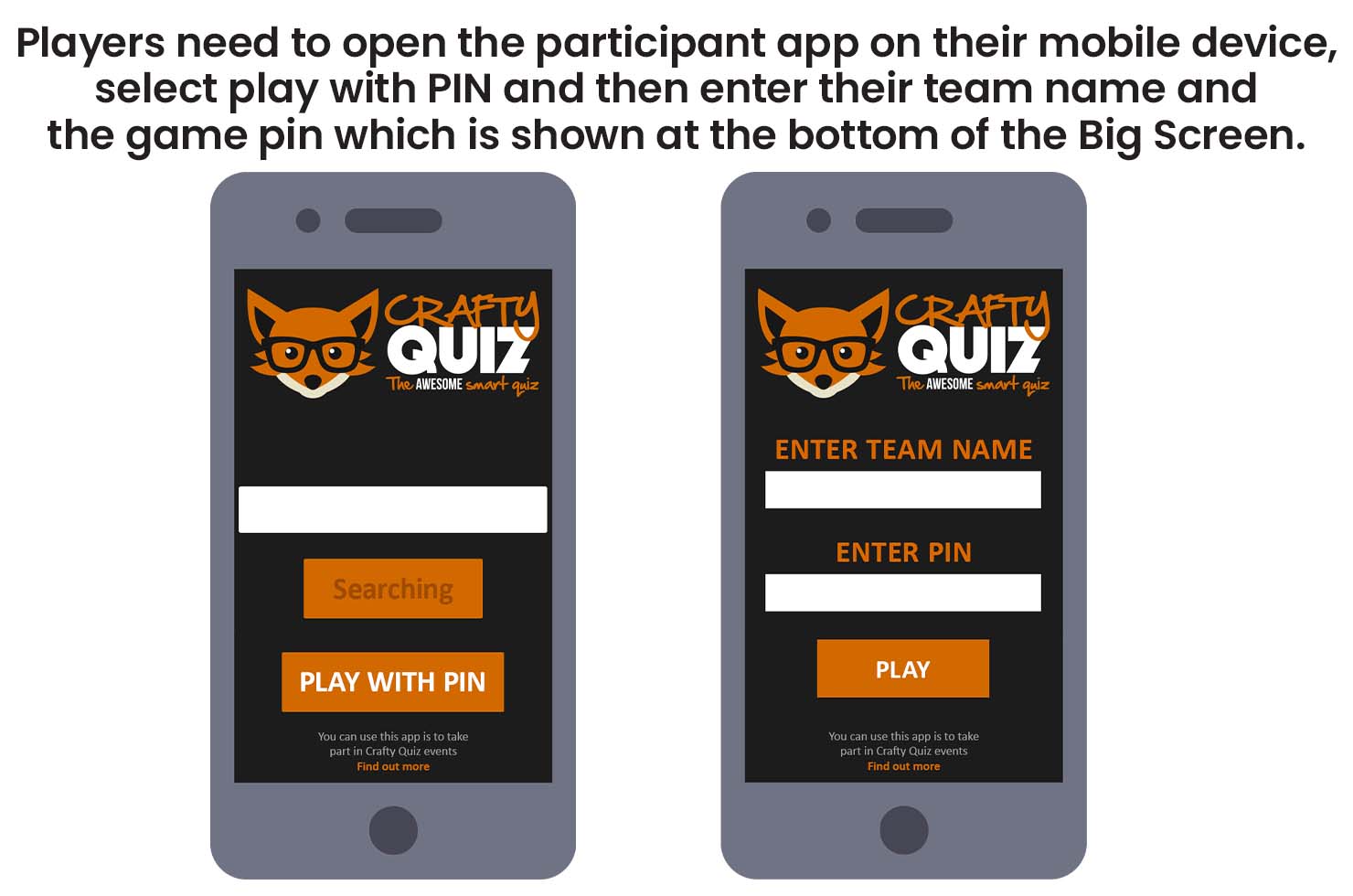
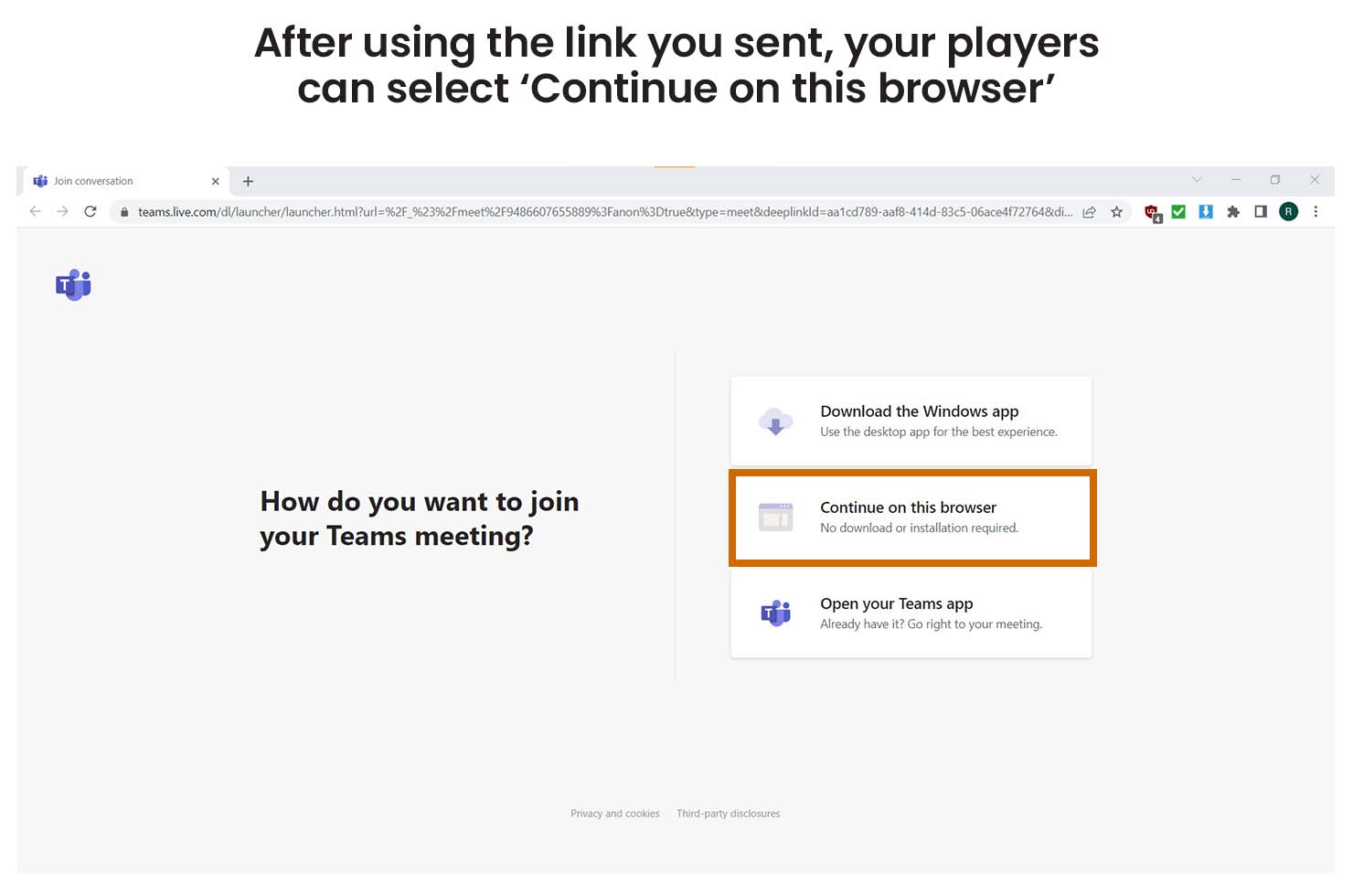
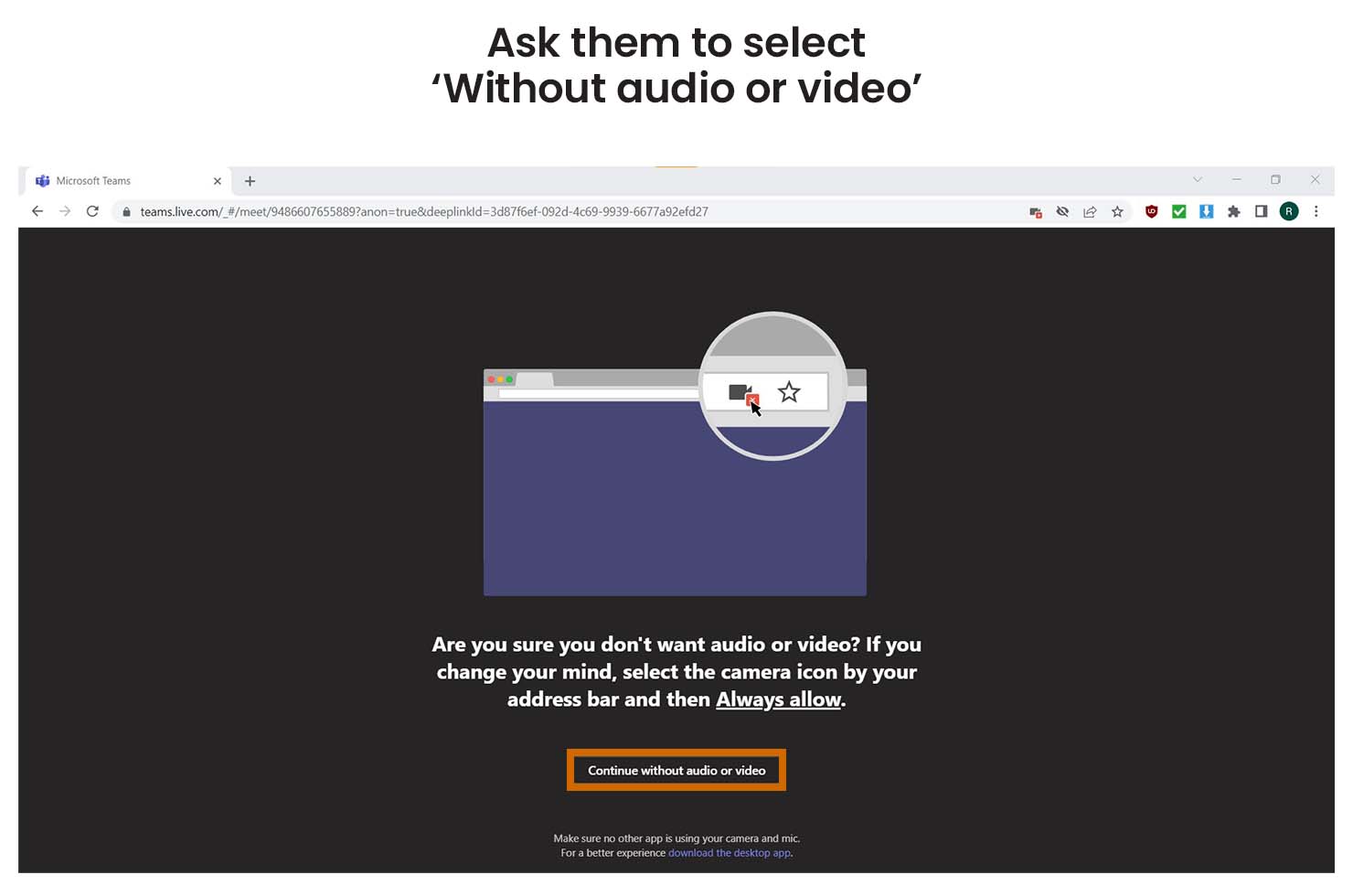
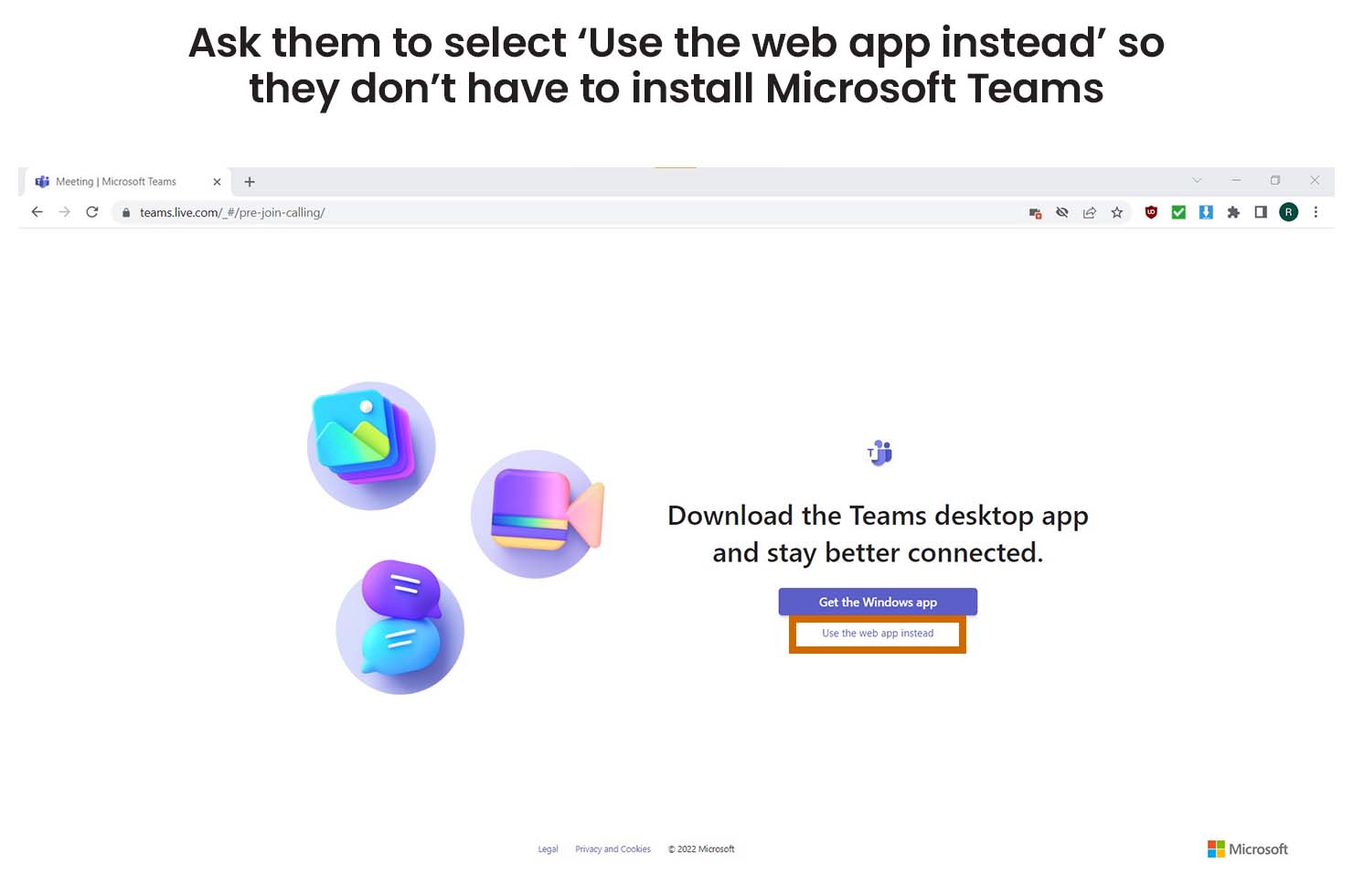
To stream using Microsoft Teams you need to install it on your computer and create an account. If you are using the free plan your event can only last up to 60 minutes and include up to 100 players. Your players don’t need to install Teams or create an account to take part.
host instructions
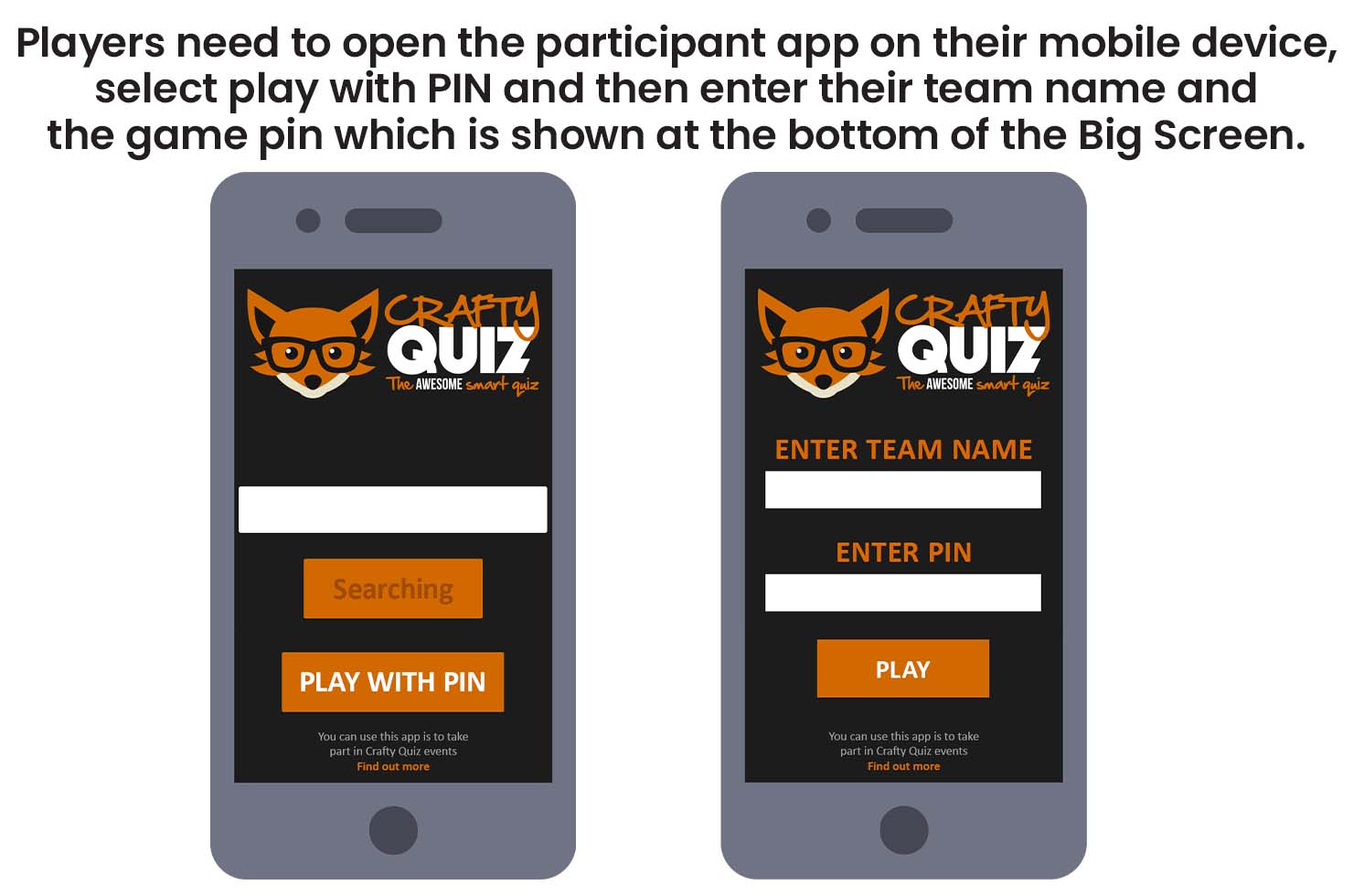
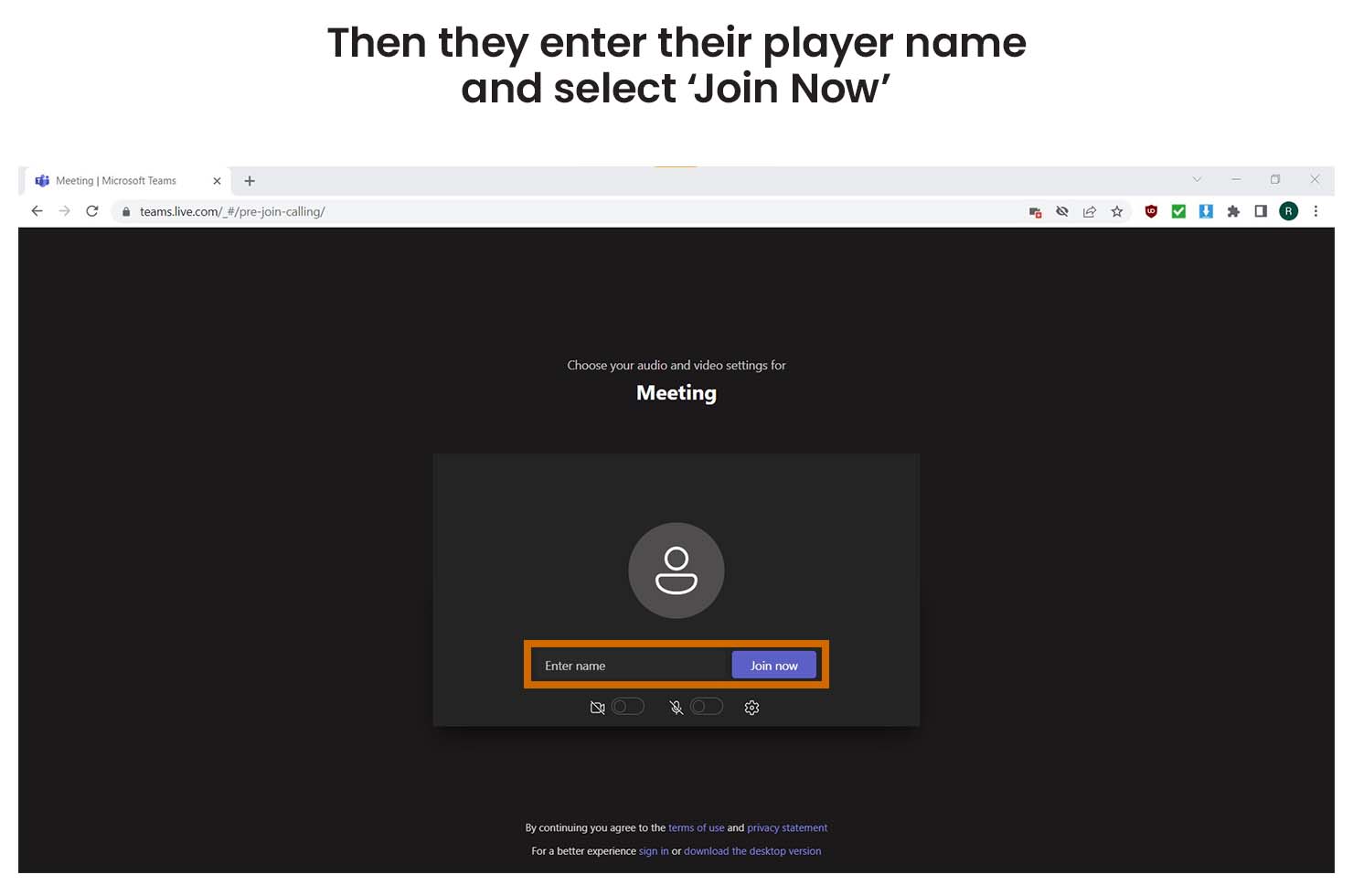
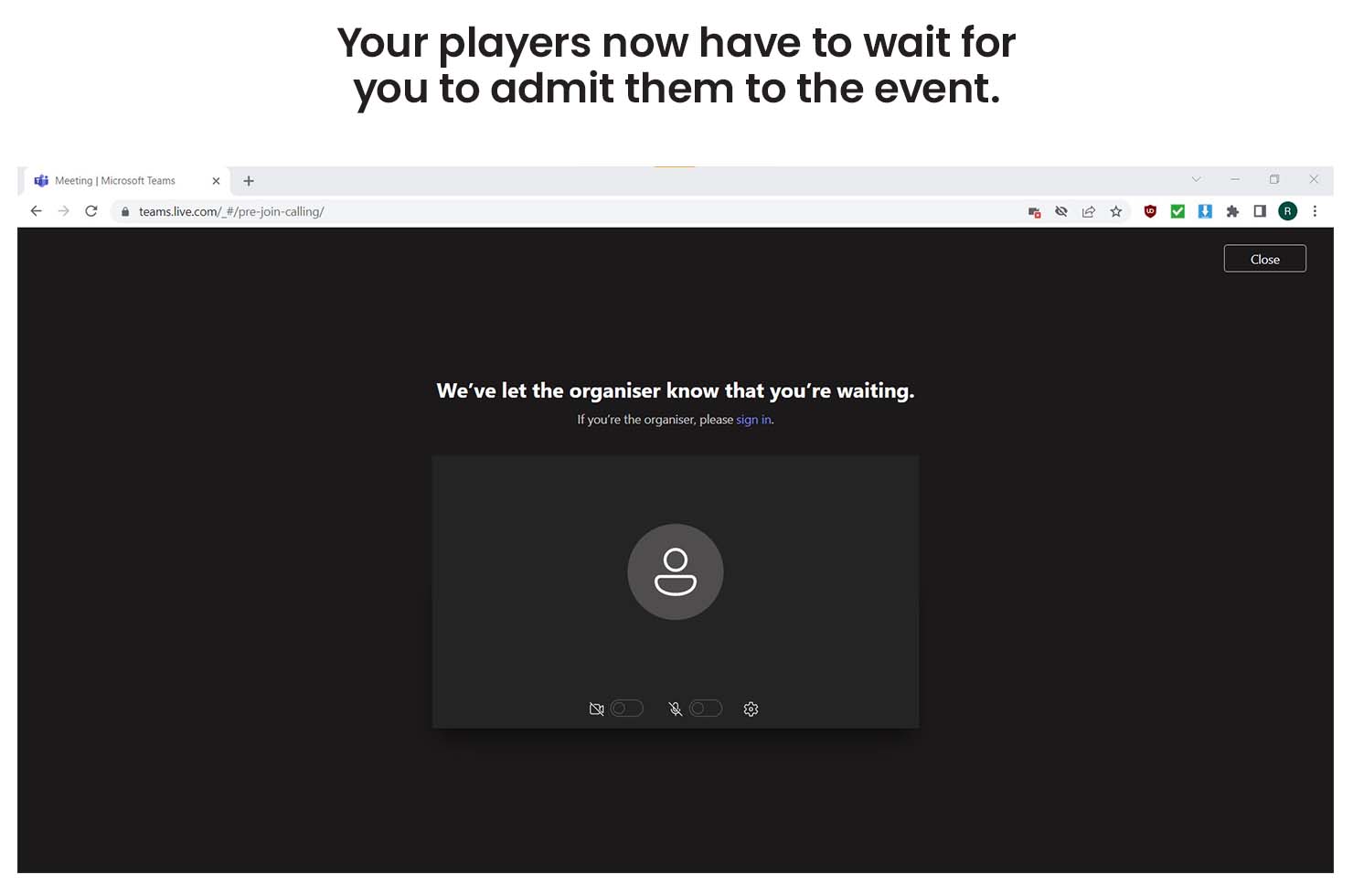
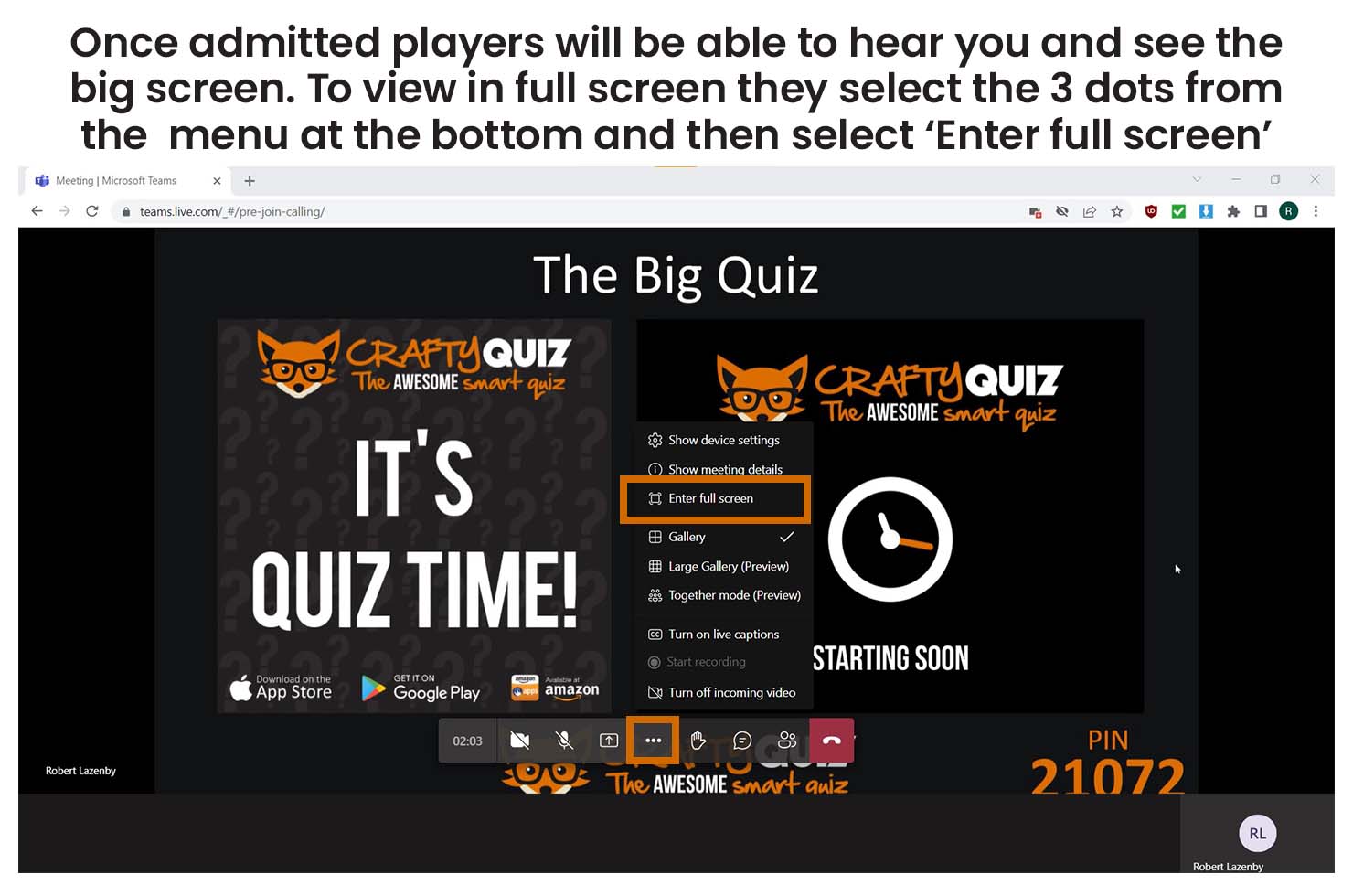
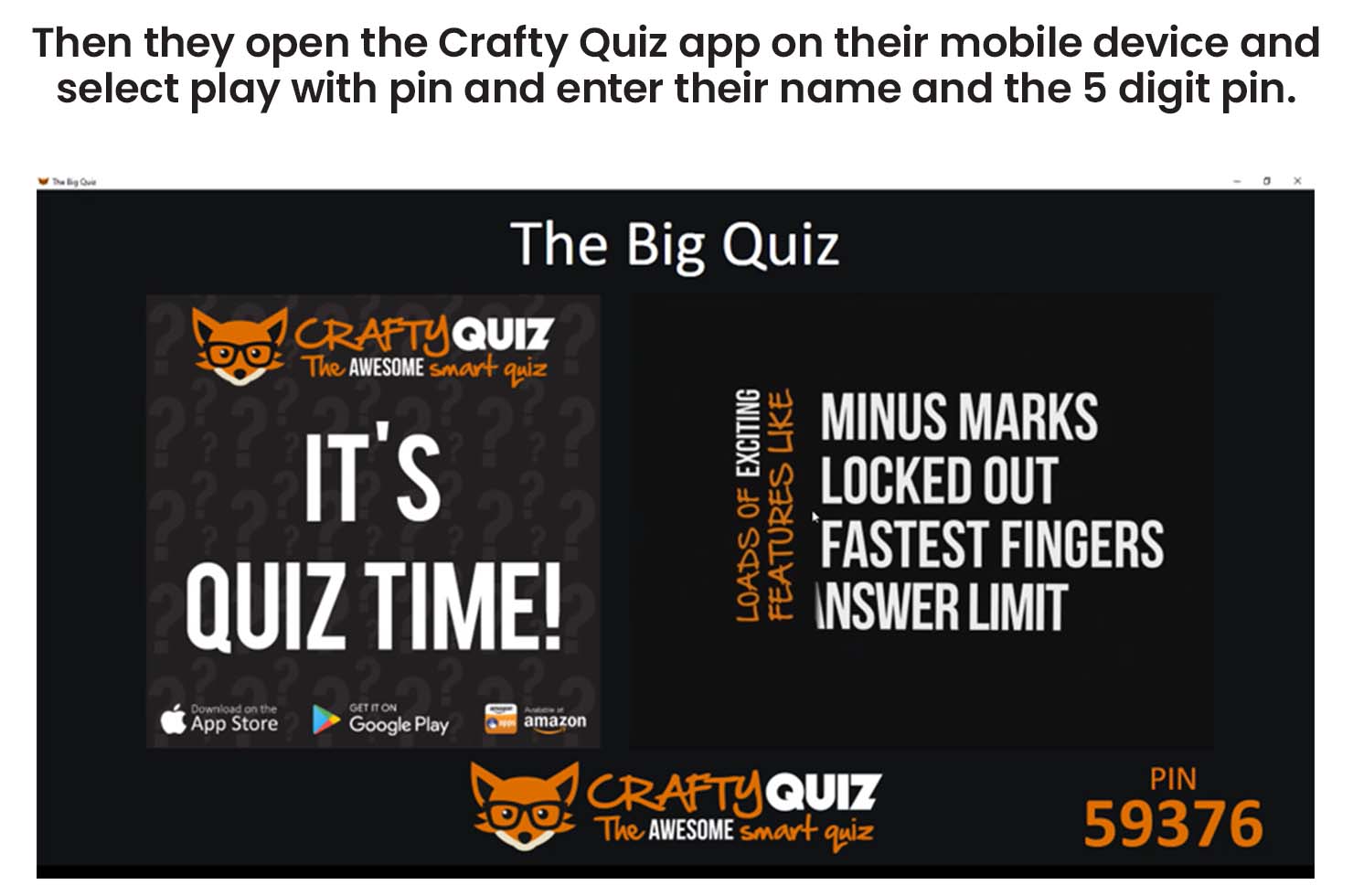
player instructions
Make Your Own
So Easy To Use
No Answer Sheets
Players take part with our free app so there’s no pens, paper, printing or answer sheets and bingo cards, it’s all automatic.

Fantastic Entertainment

No More Cheating

Quizzes Included
If you don’t have time to make your own quiz there’s loads of ready made quizzes and rounds in the quiz library so you can download one in a few seconds!
Before you start streaming open the Crafty Quiz hosting software on your computer, check that your licence is active and then play your game. You also need to make sure you have your microphone connected to your computer and your camera if you are using one.
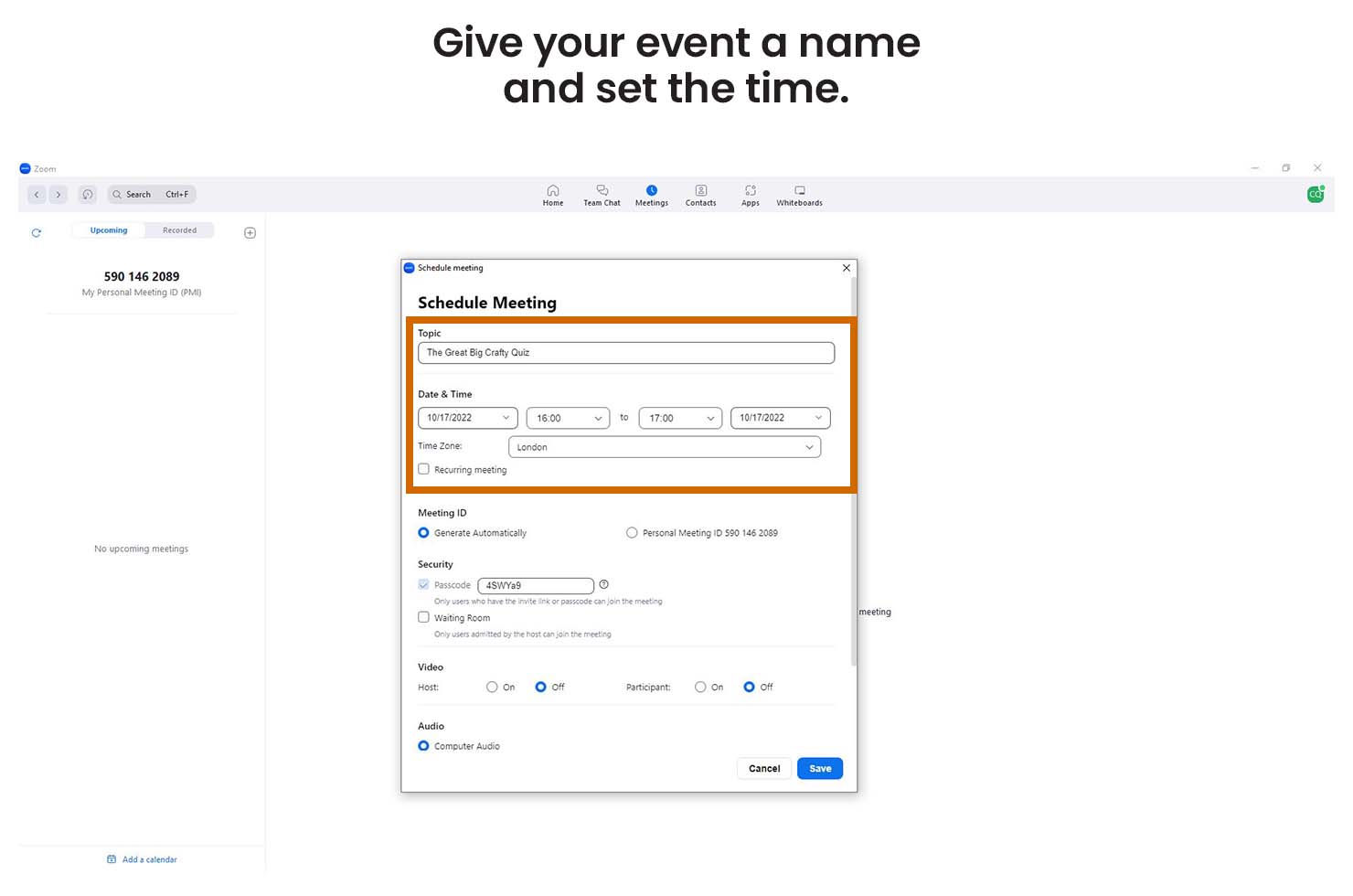
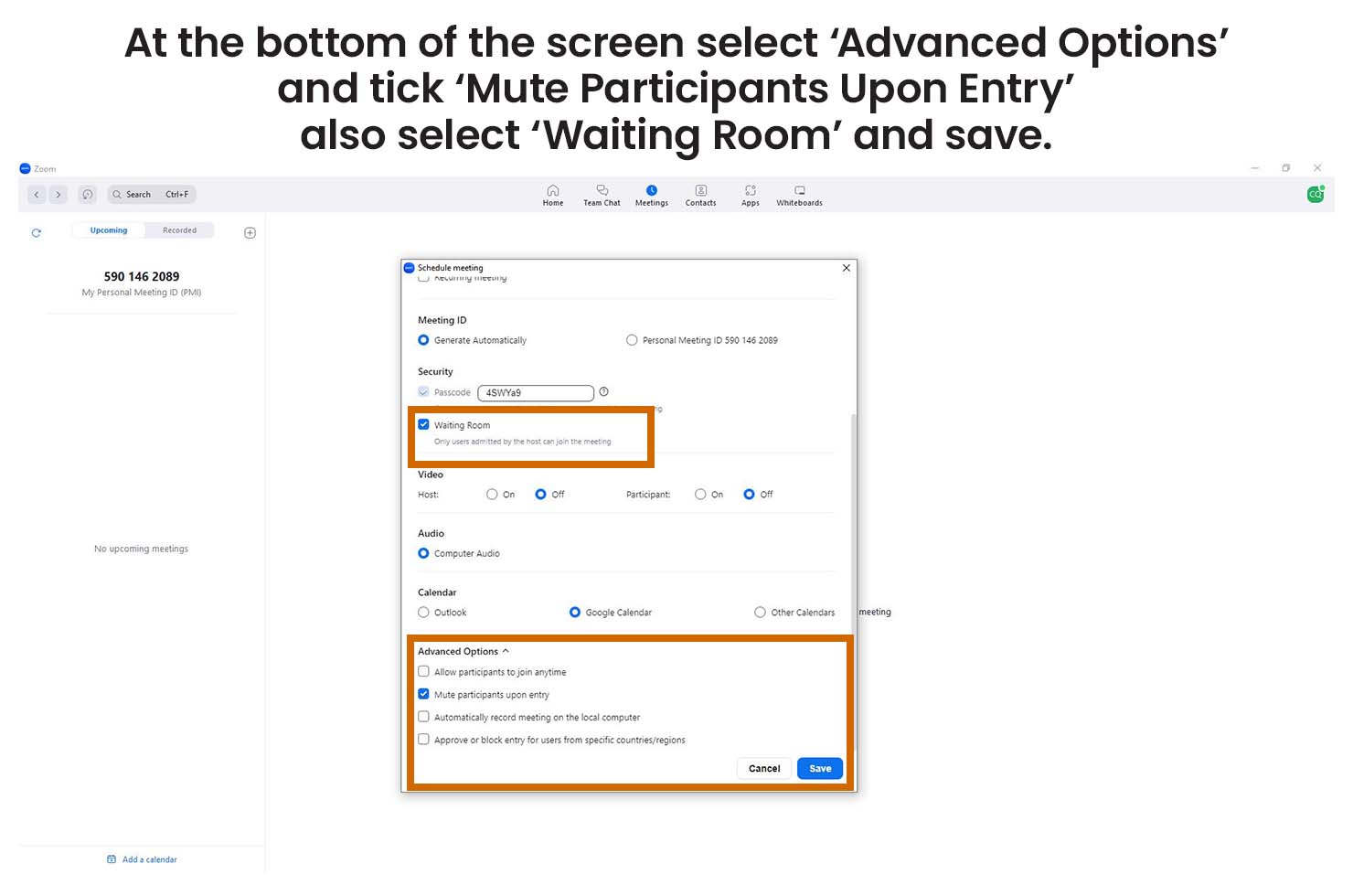
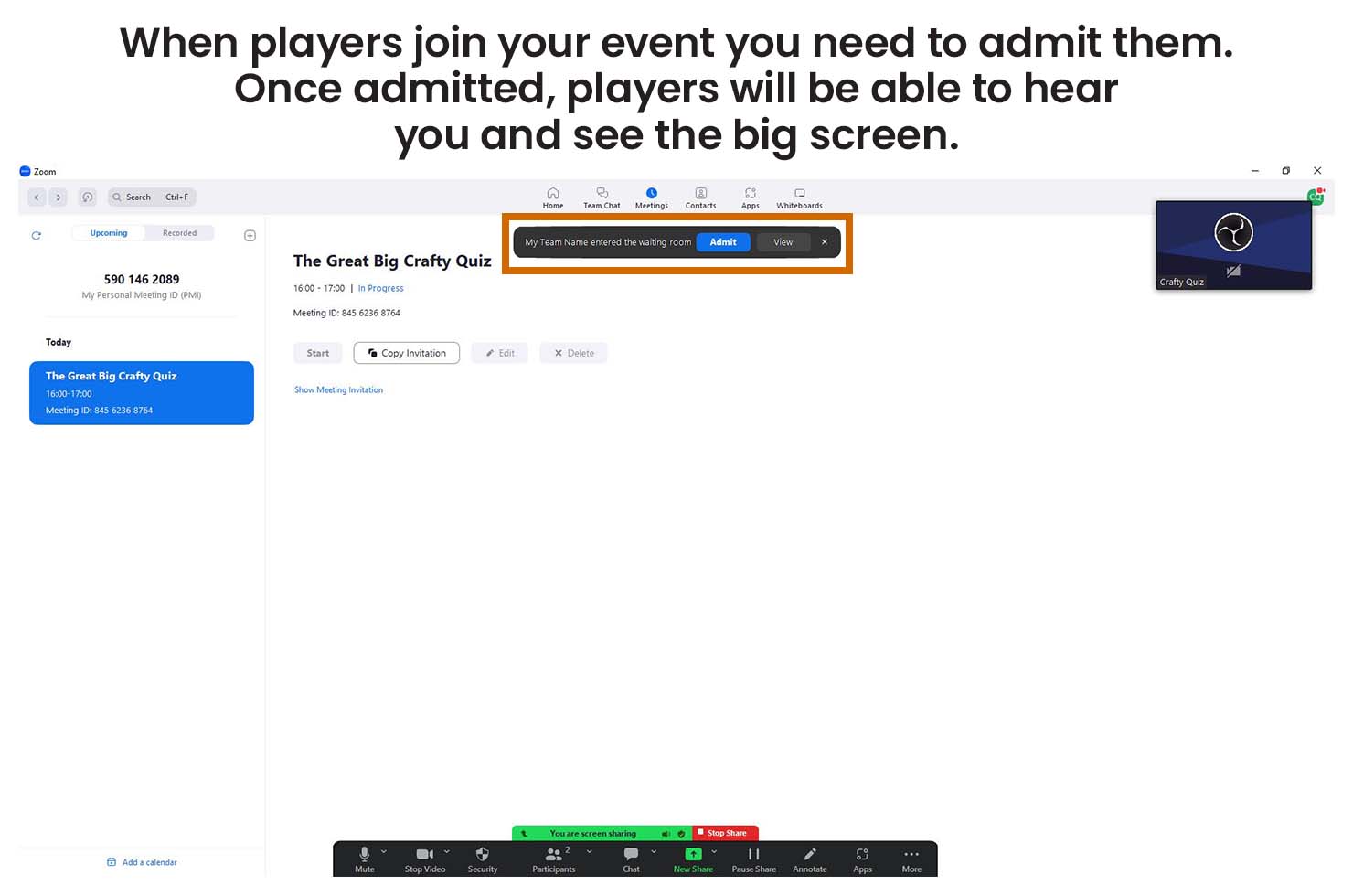
To stream using Zoom you need to install it on your computer and create an account. If you are using the free plan your event can only last up to 40 minutes and include up to 100 players. Your players don’t need to install Teams or create an account to take part.
host instructions

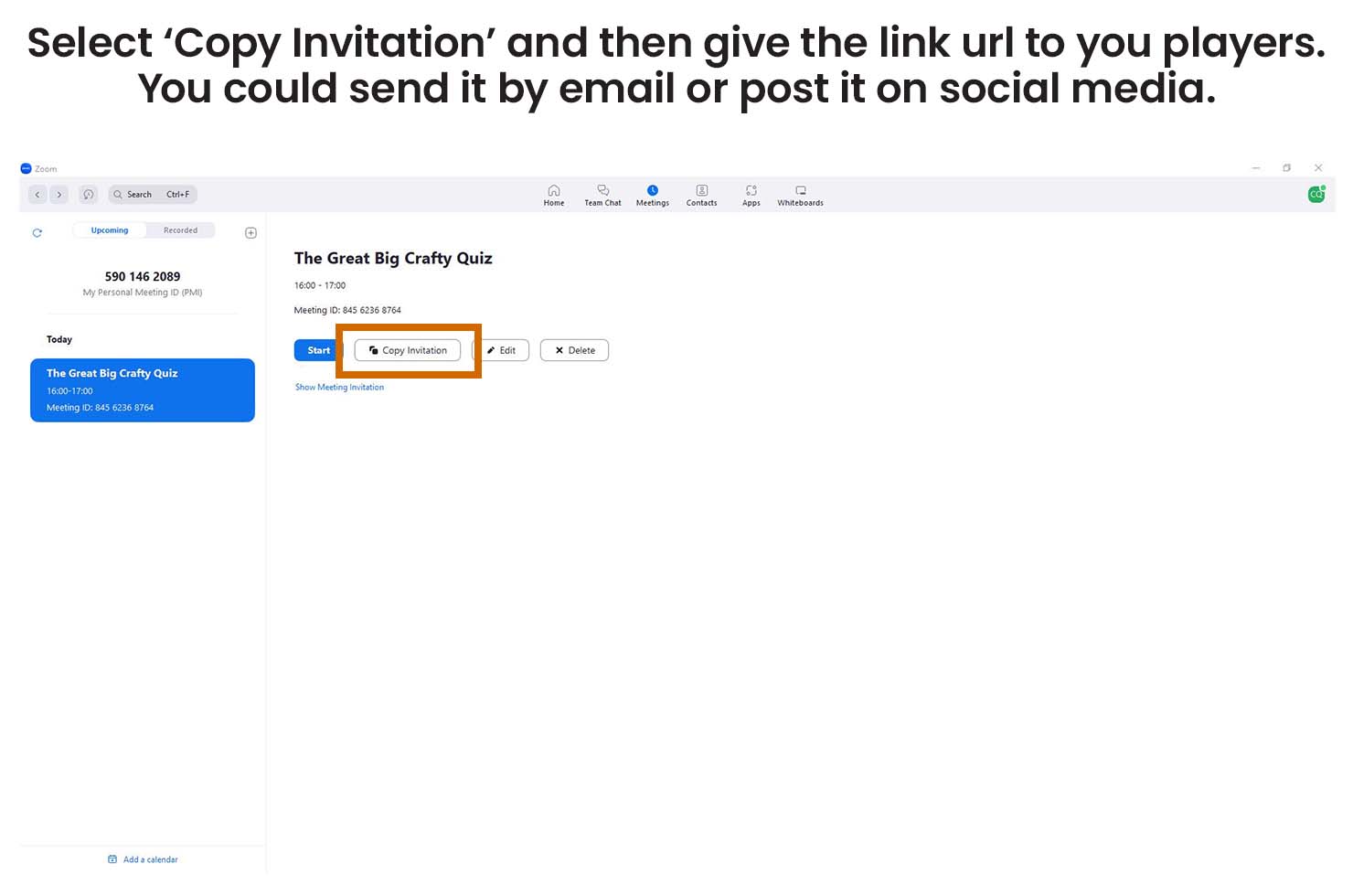
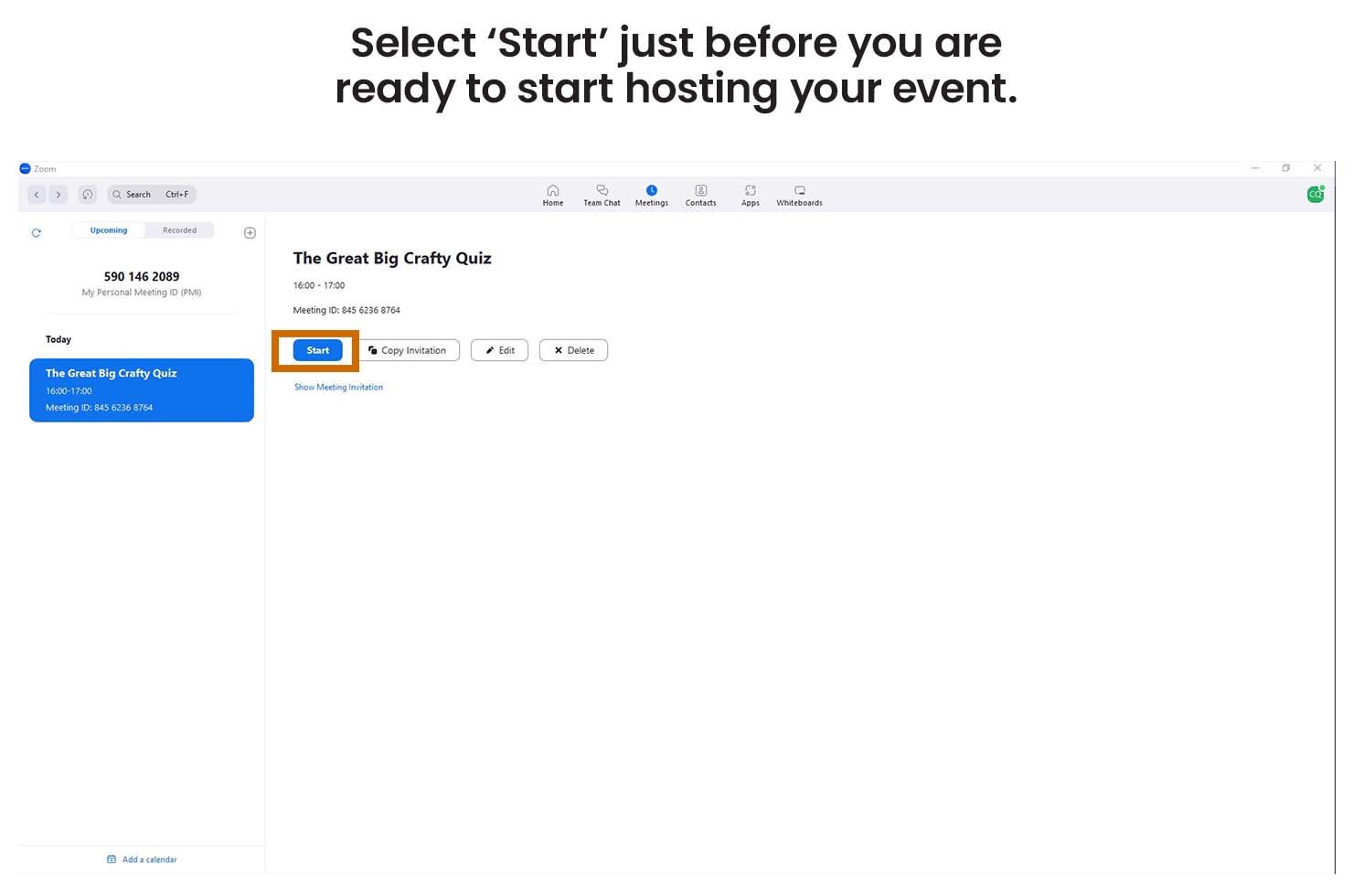
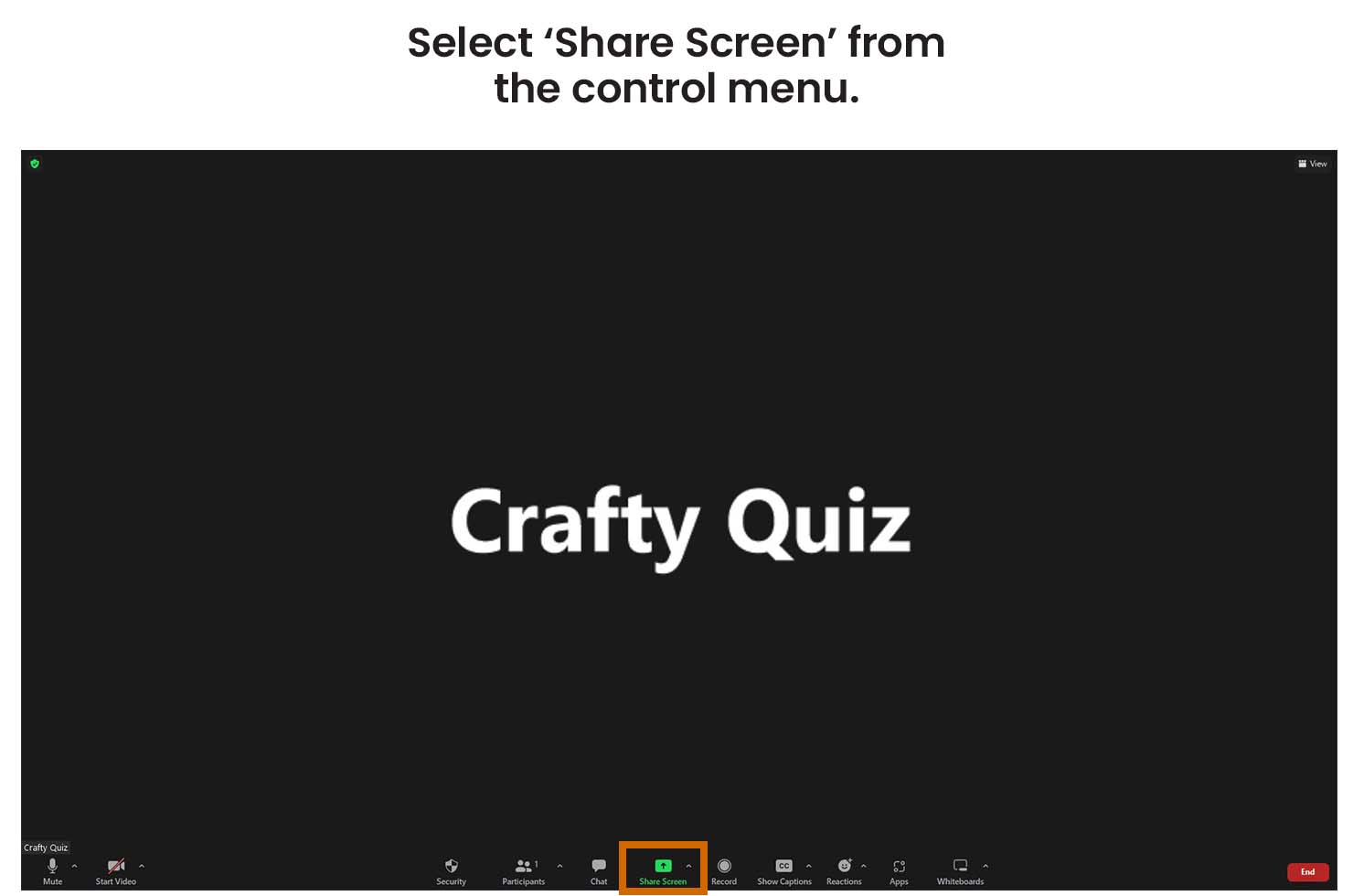
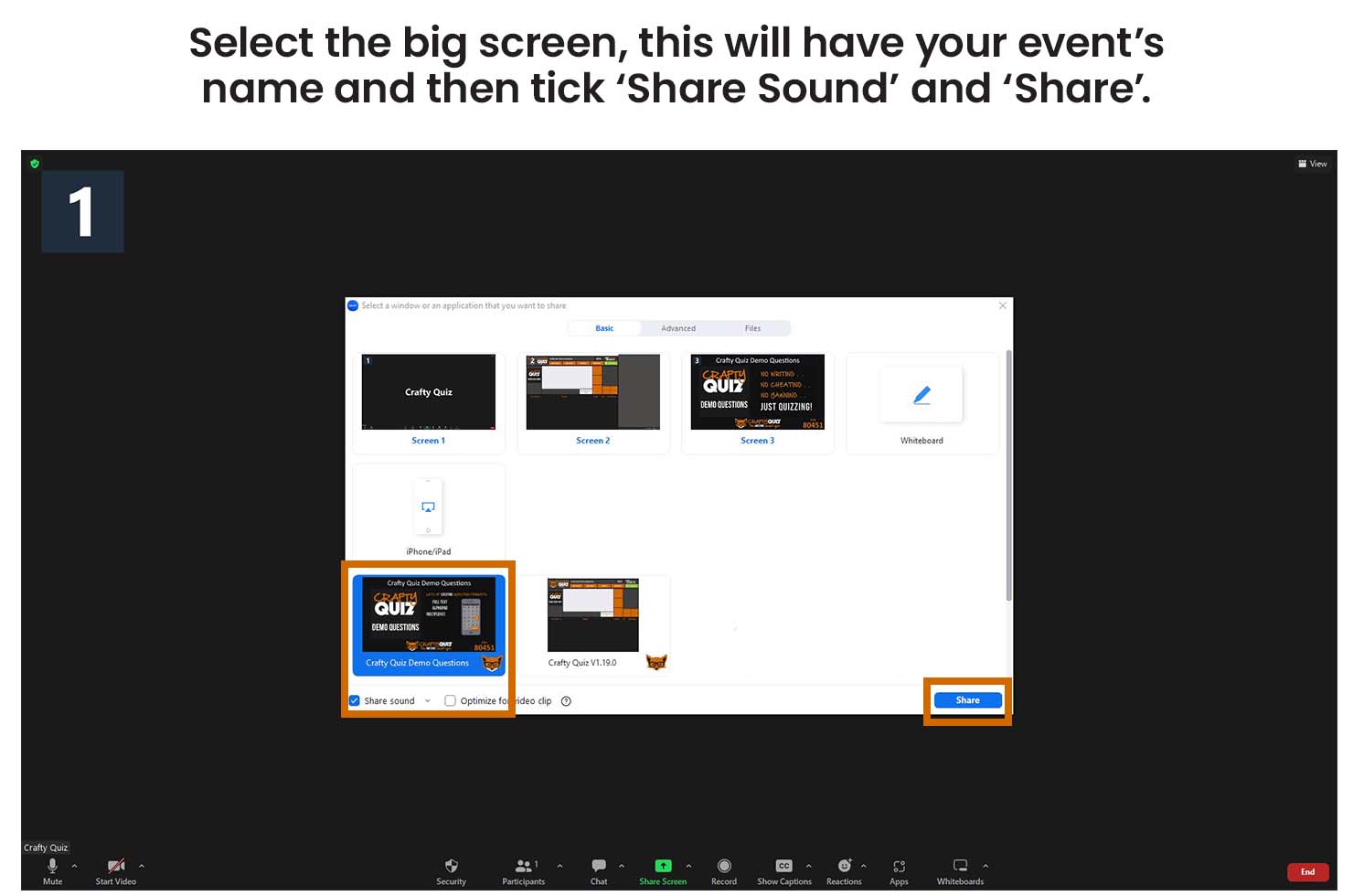
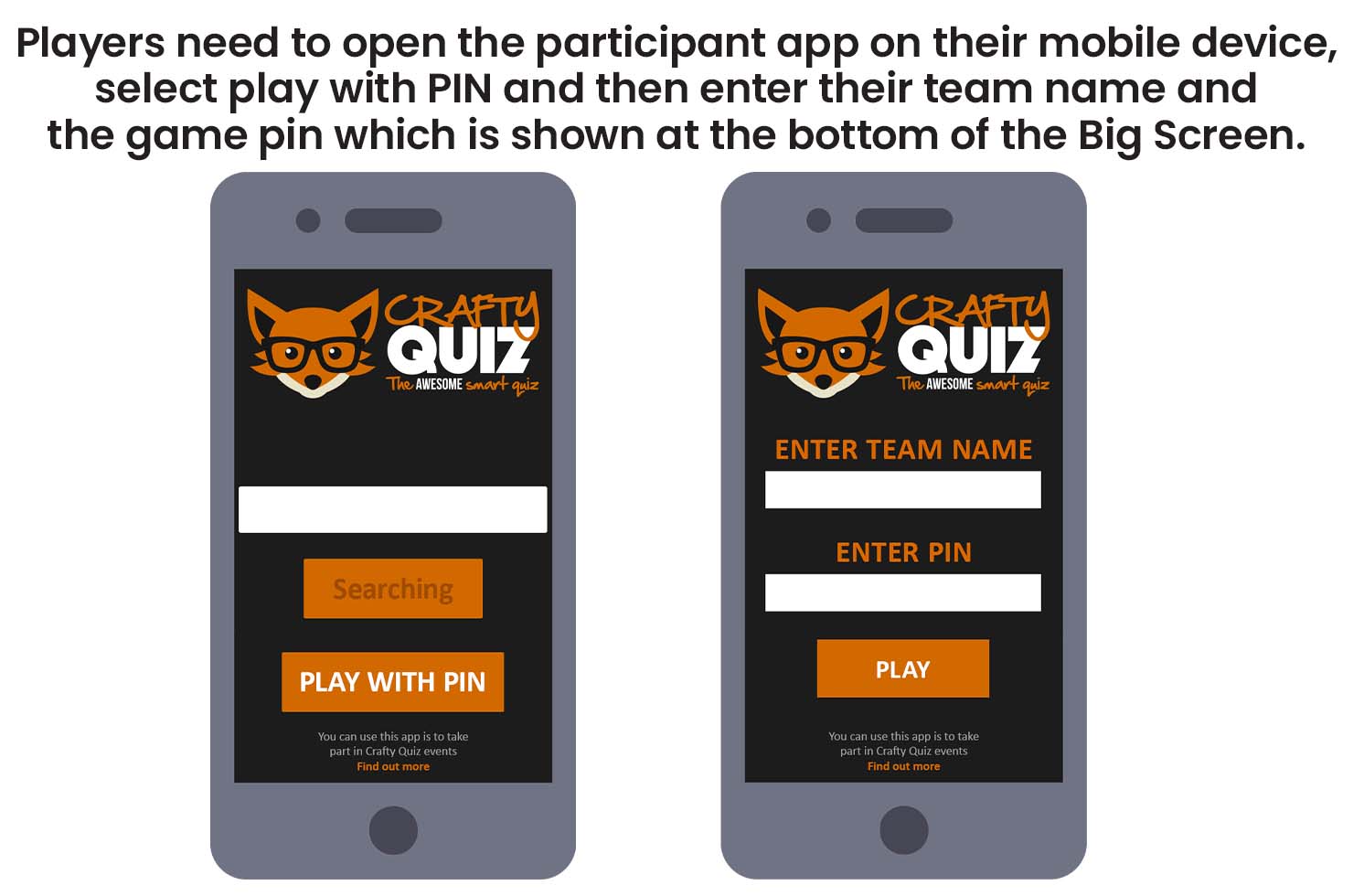
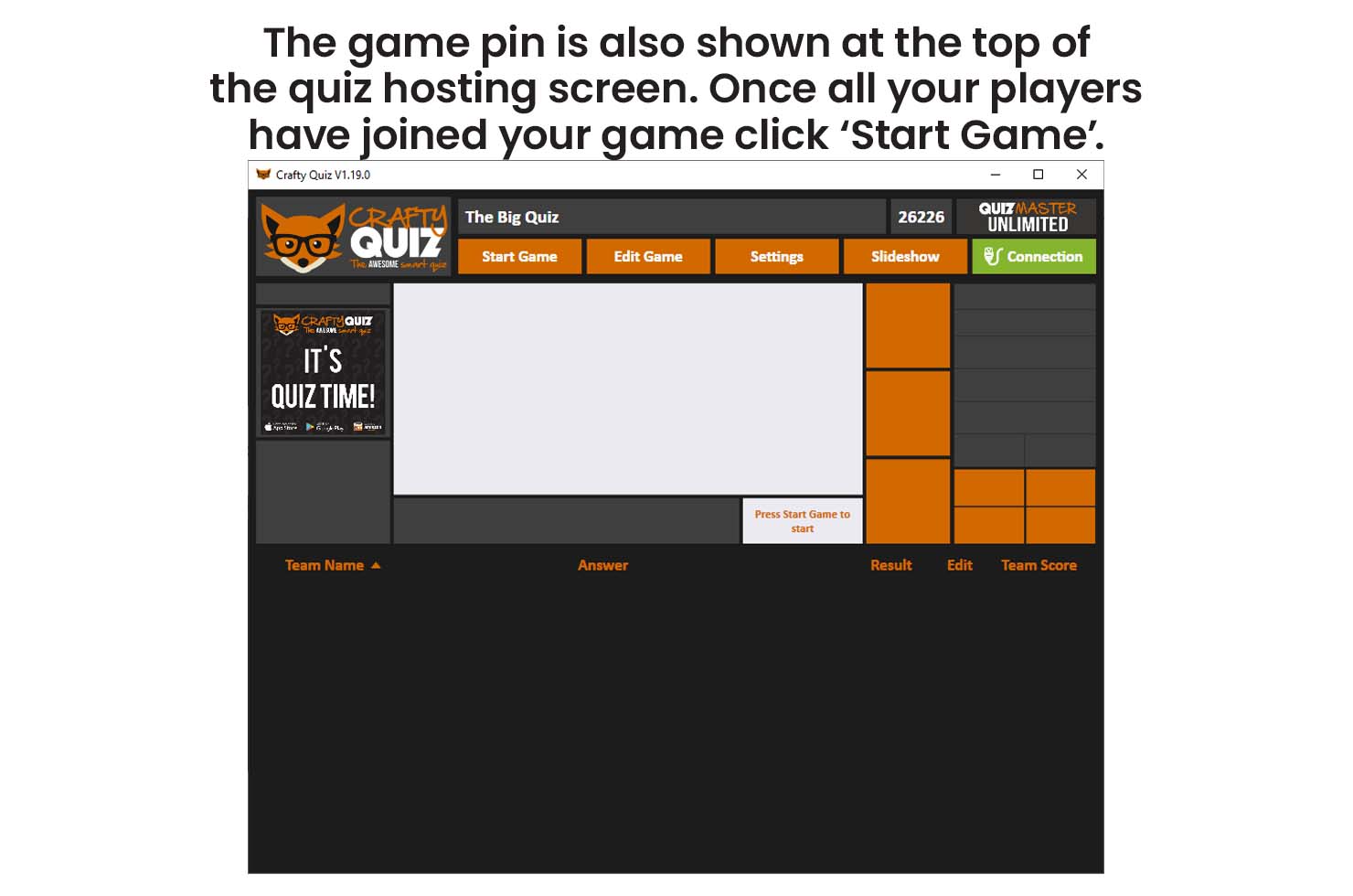
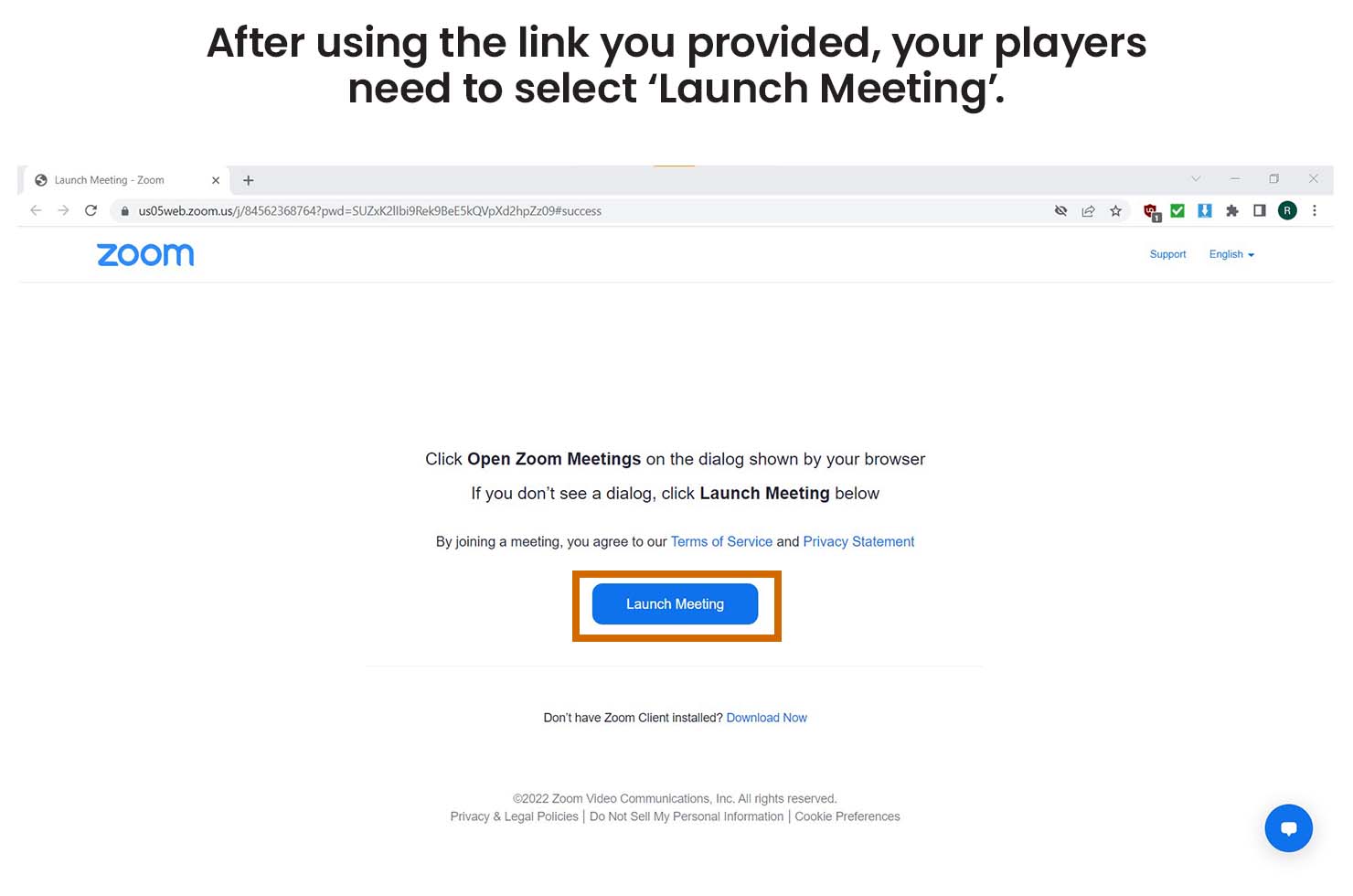
player instructions
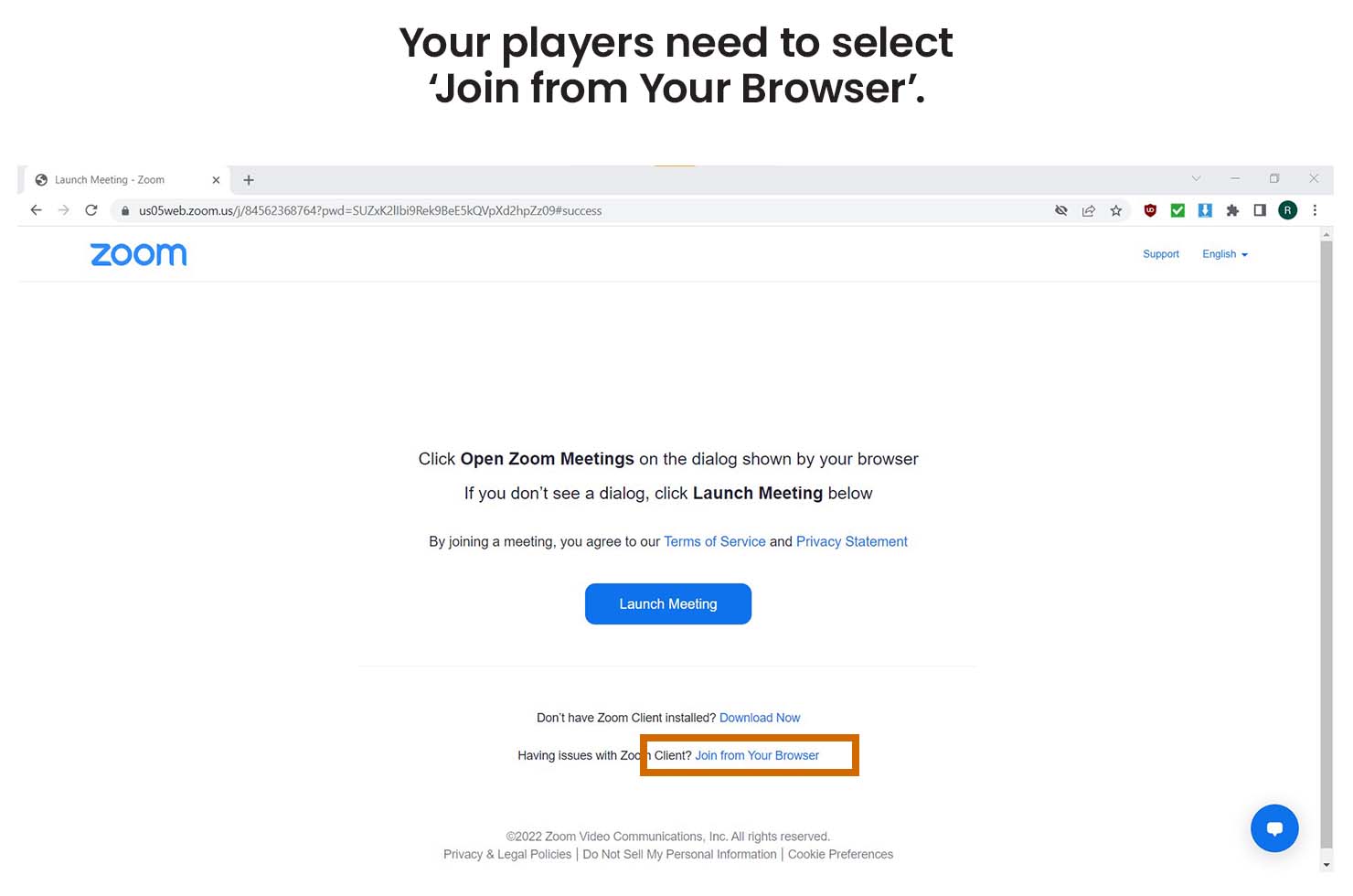
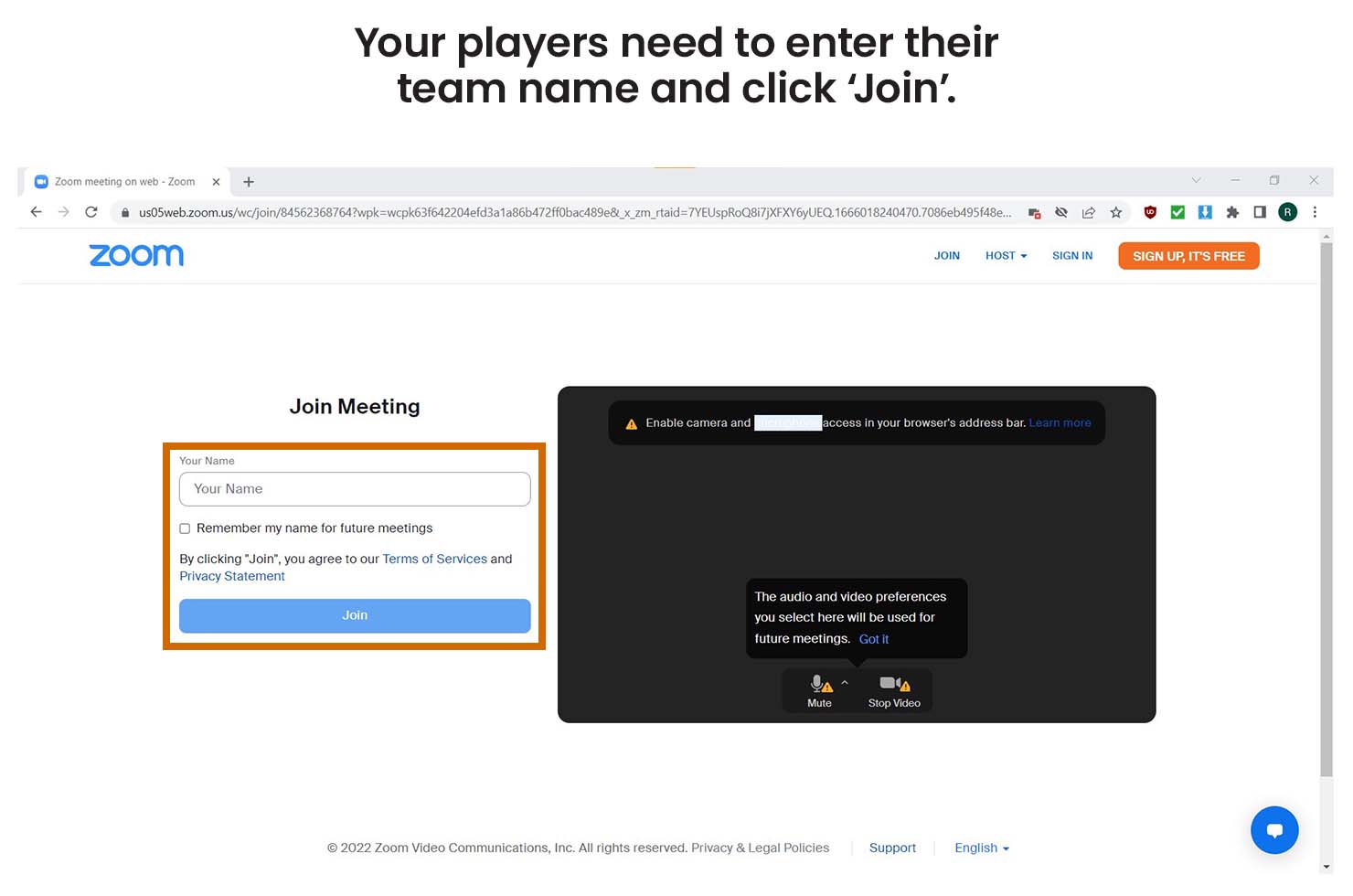
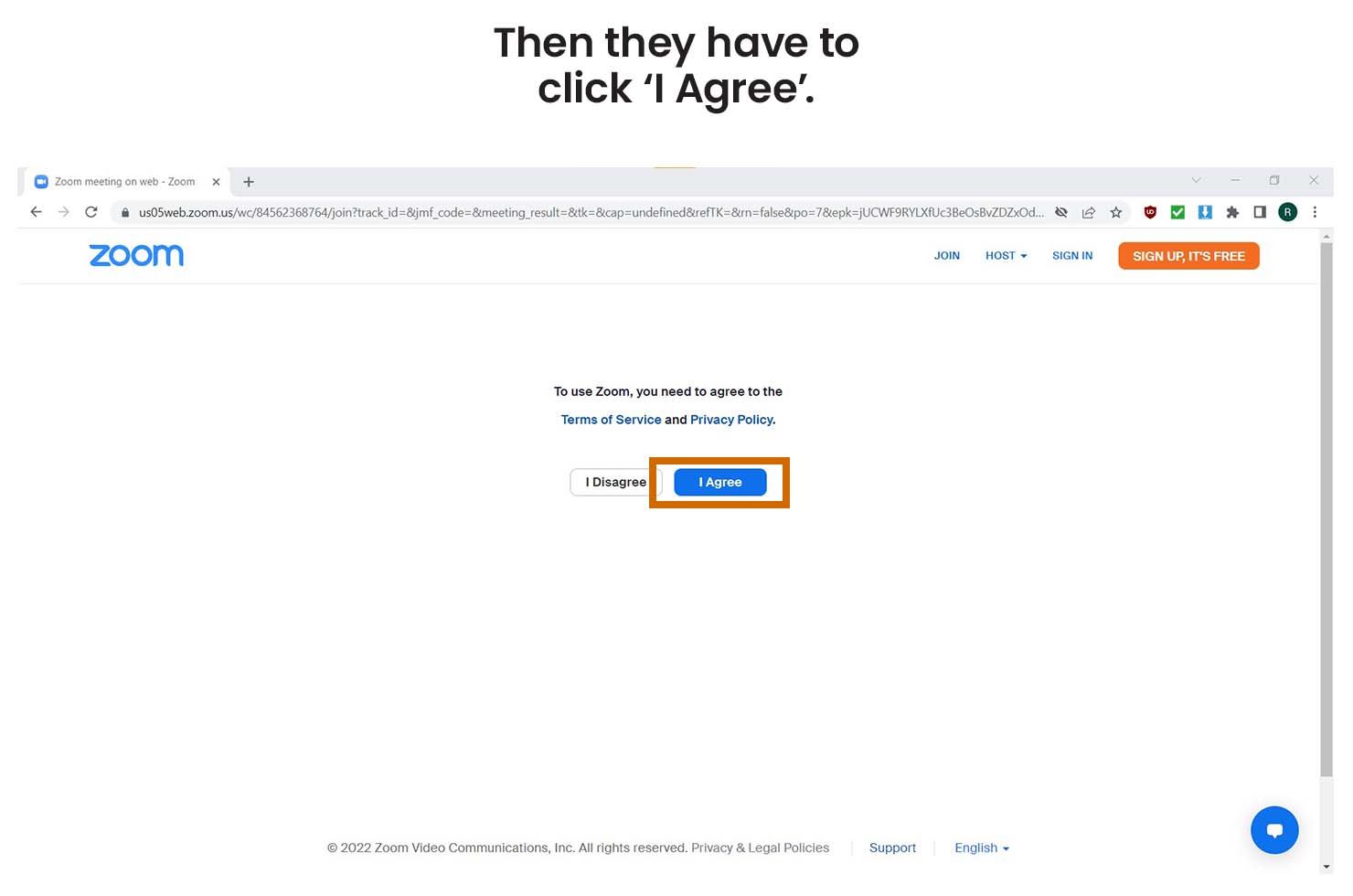
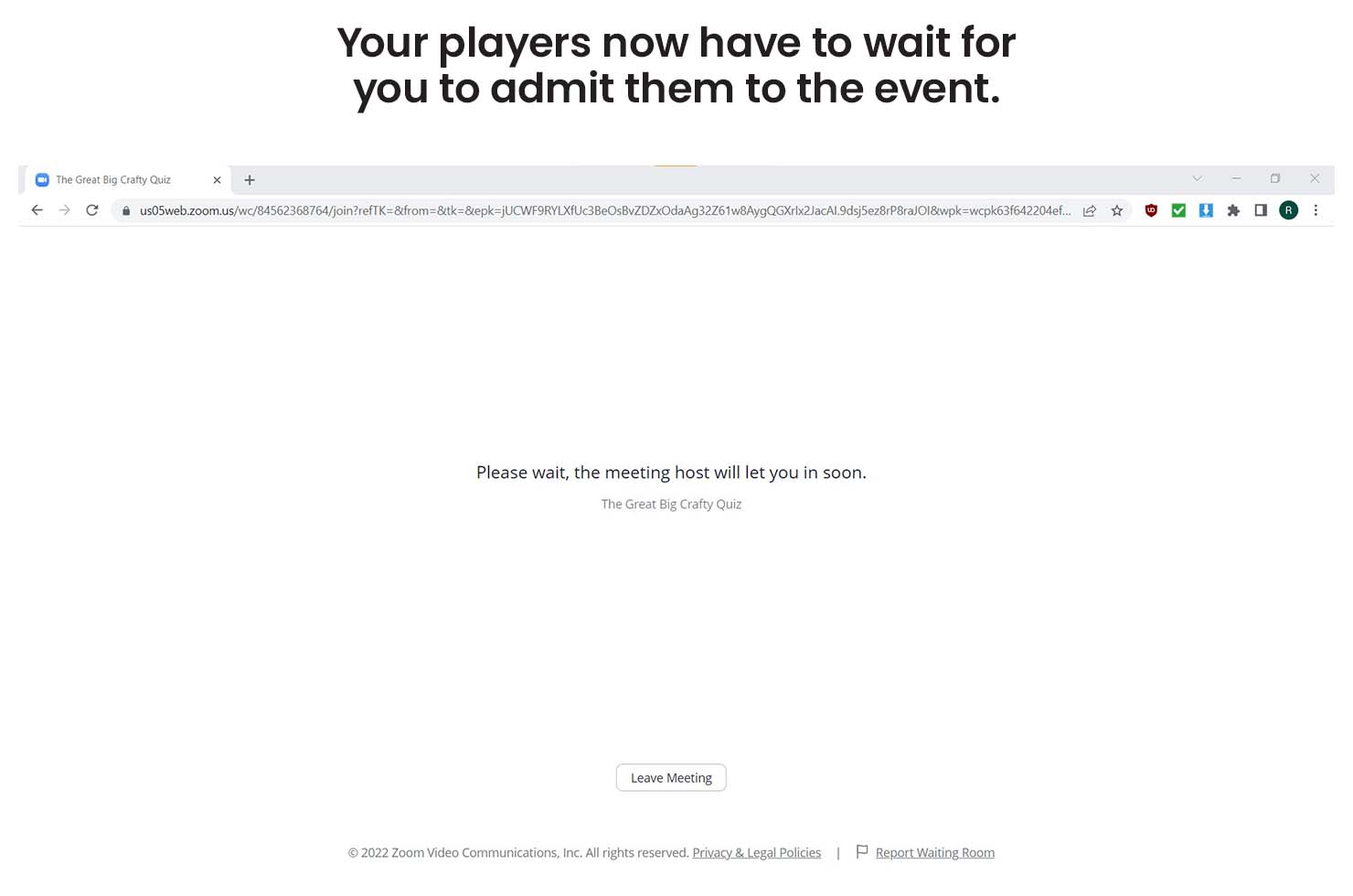
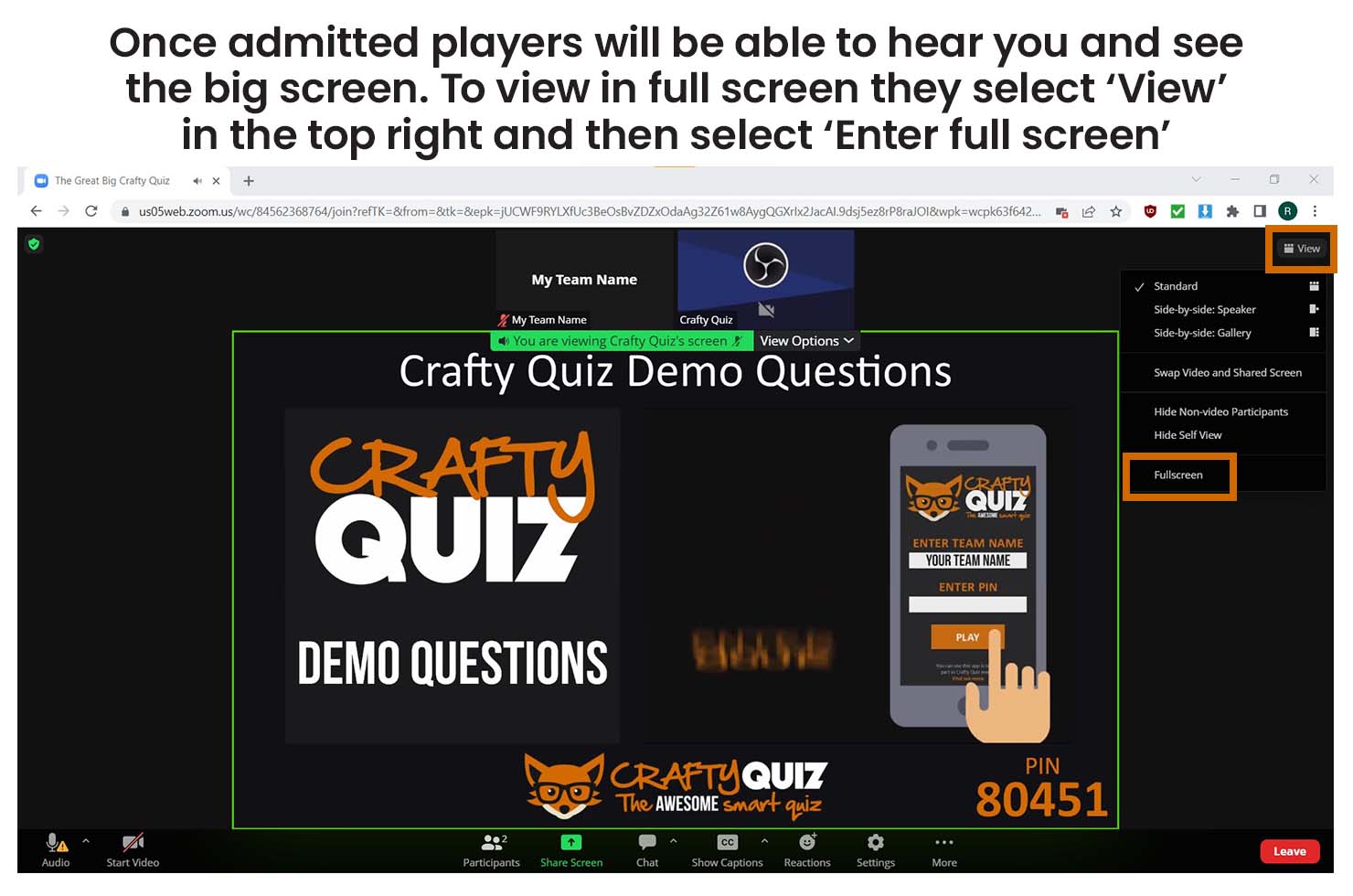
Before you start streaming open the Crafty Quiz hosting software on your computer, check that your licence is active and then play your game. You also need to make sure you have your microphone connected to your computer and your camera if you are using one.
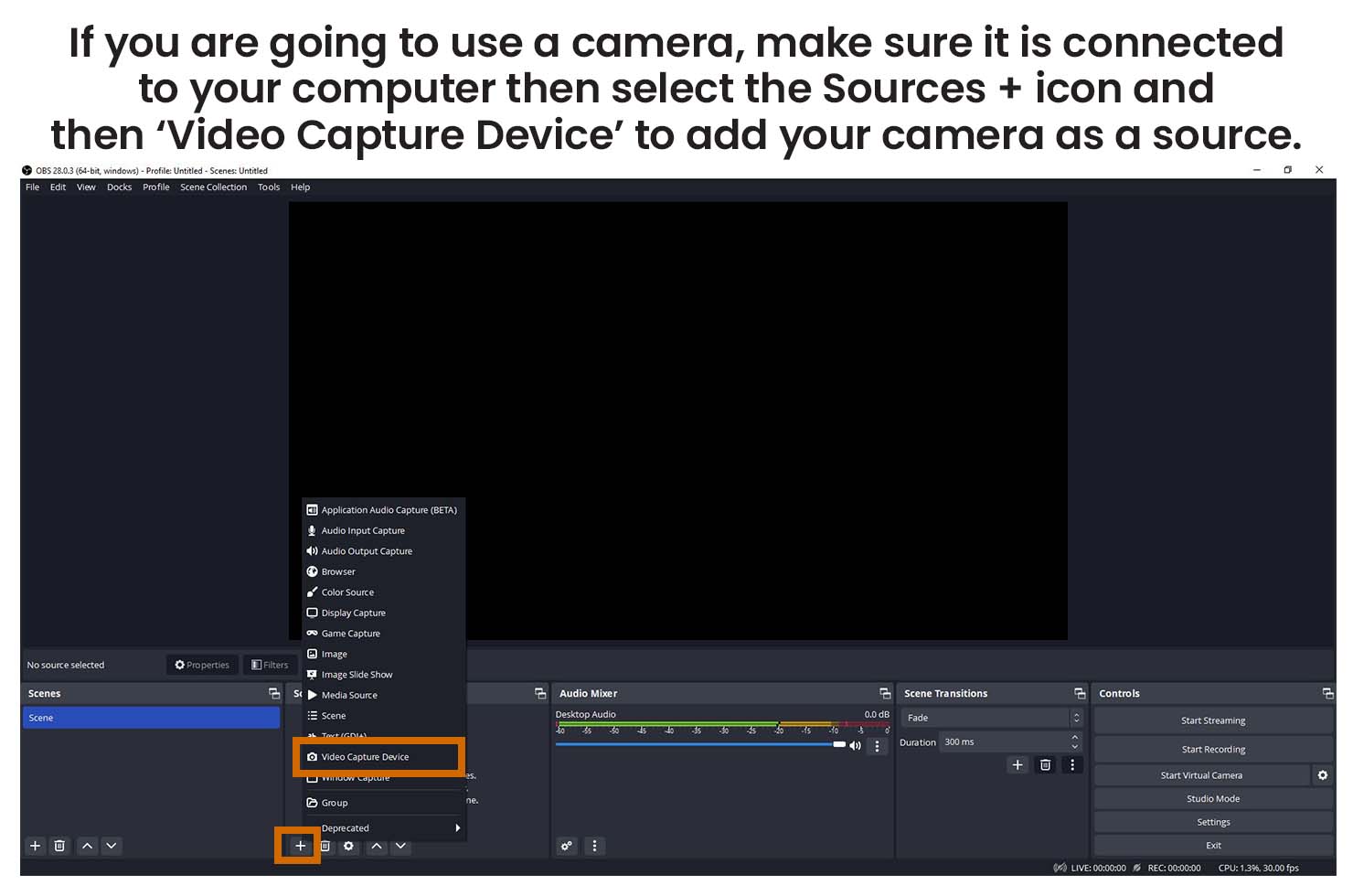
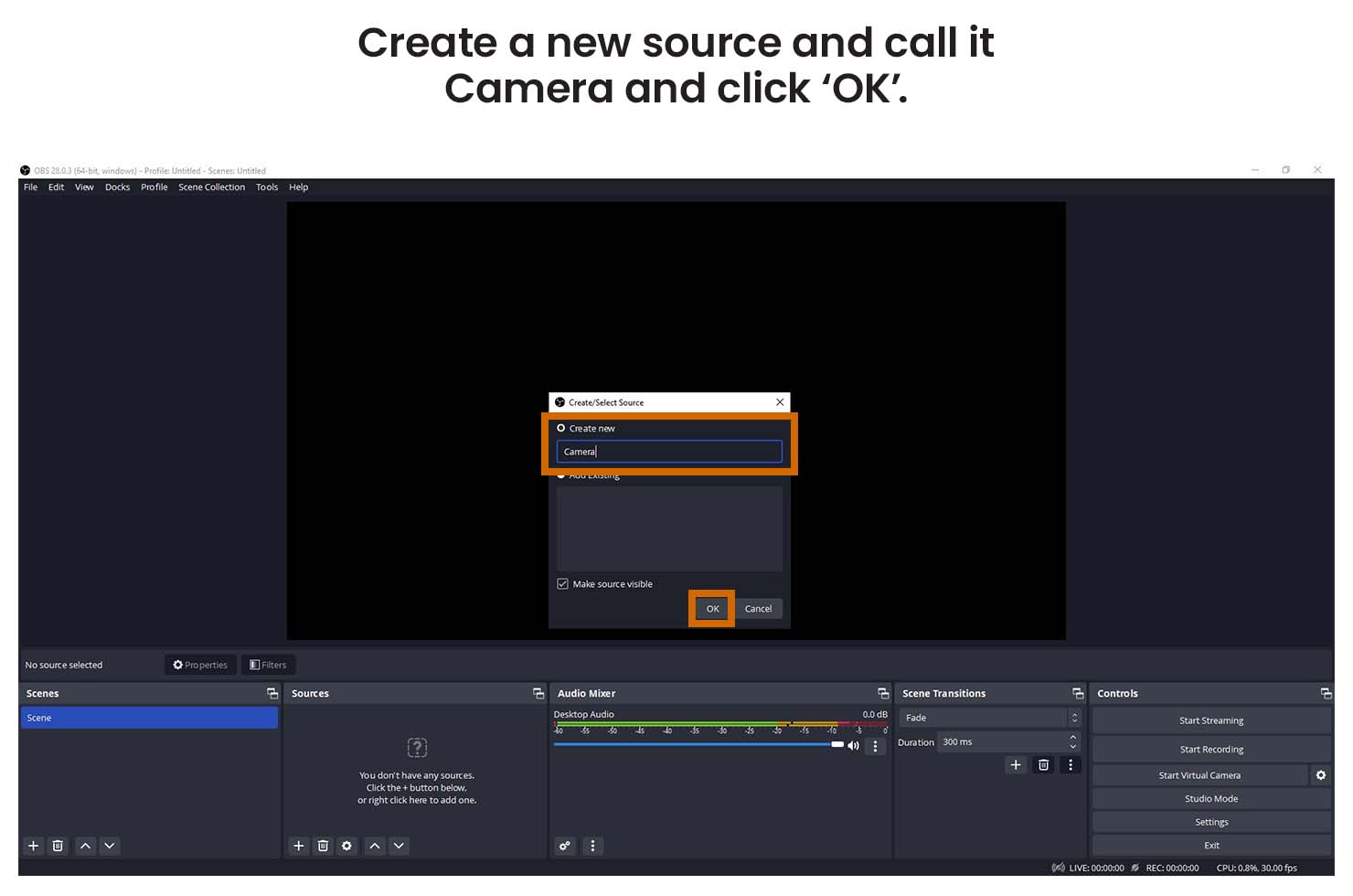
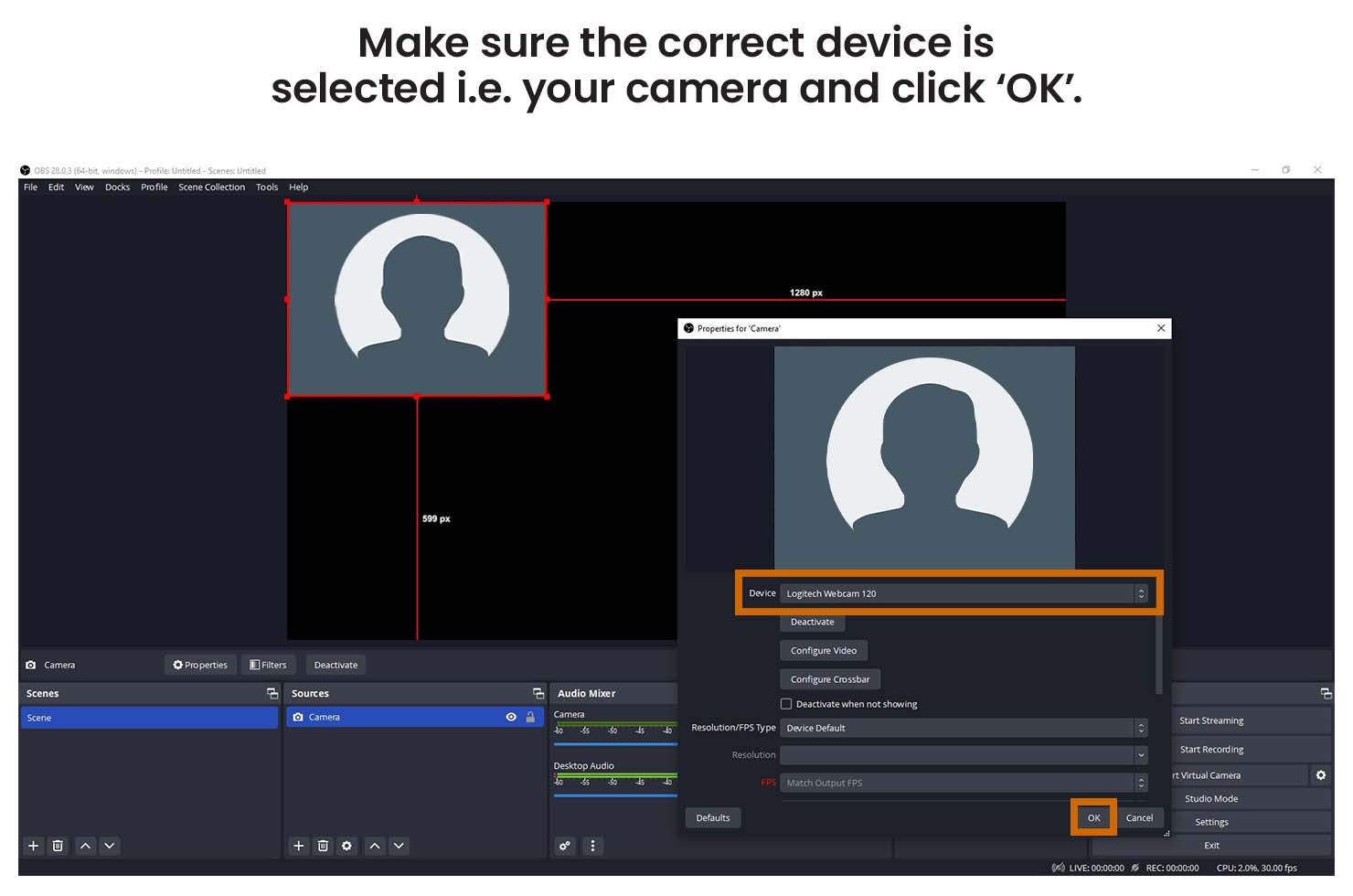
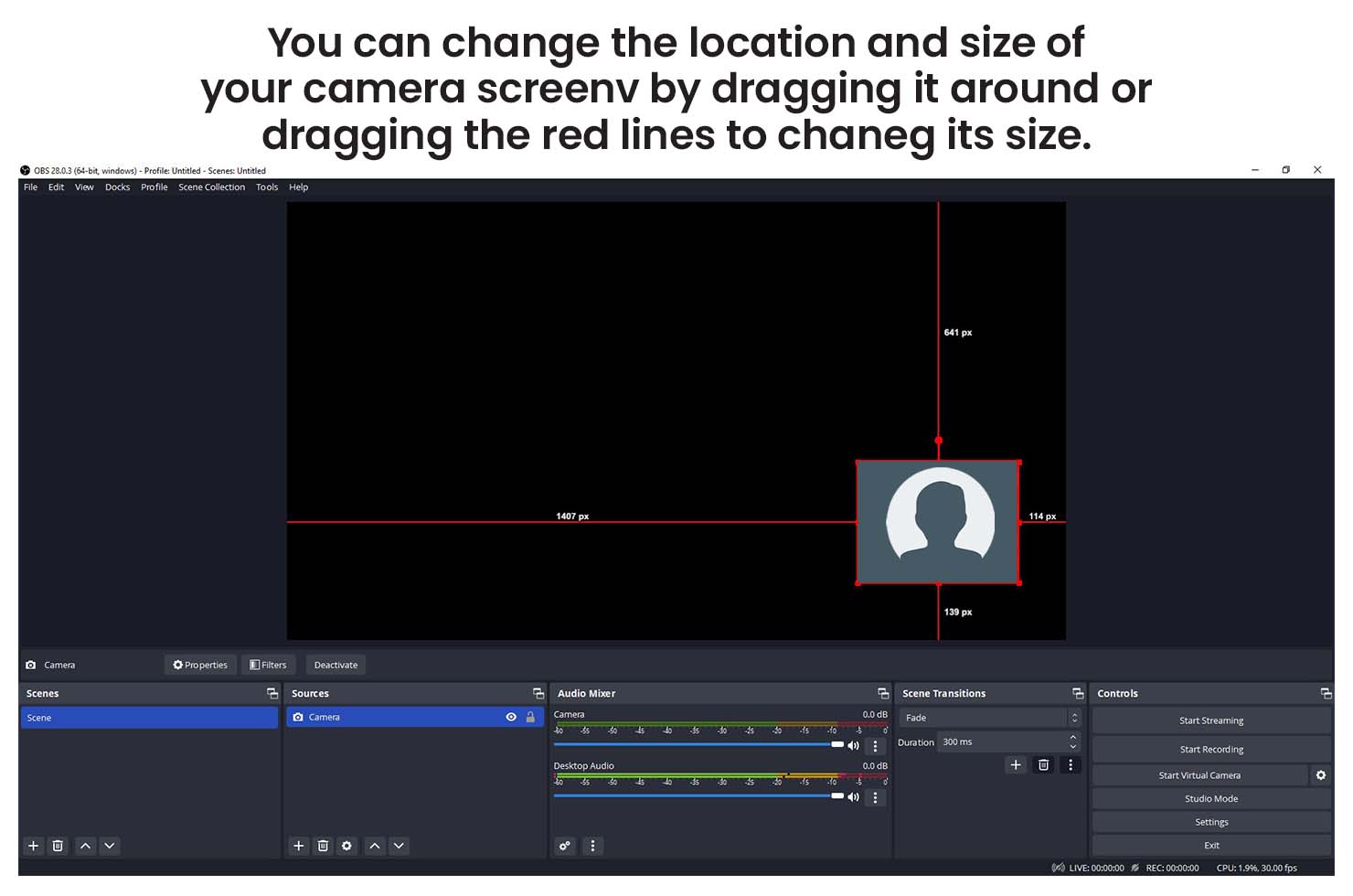
To stream on Facebook you need to install broadcasting software such as Open Broadcaster Software (OBS) on your computer. OBS is not the only software to use but it is free and easy to use. Once you have installed it on your computer follow the instructions below to connect it to your Facebook profile to host your event.
When live streaming on Facebook you also need to be aware of the Stream Latency. This is the delay between something happening on your screen and this being displayed to your viewers on their screens. It is normally between 3 and 8 seconds depending on your settings and internet connection.
This delay causes an issue because the participant app will update immediately as you go through your quiz but the stream your participants are watching and listening to, will be about 3 to 8 seconds behind.
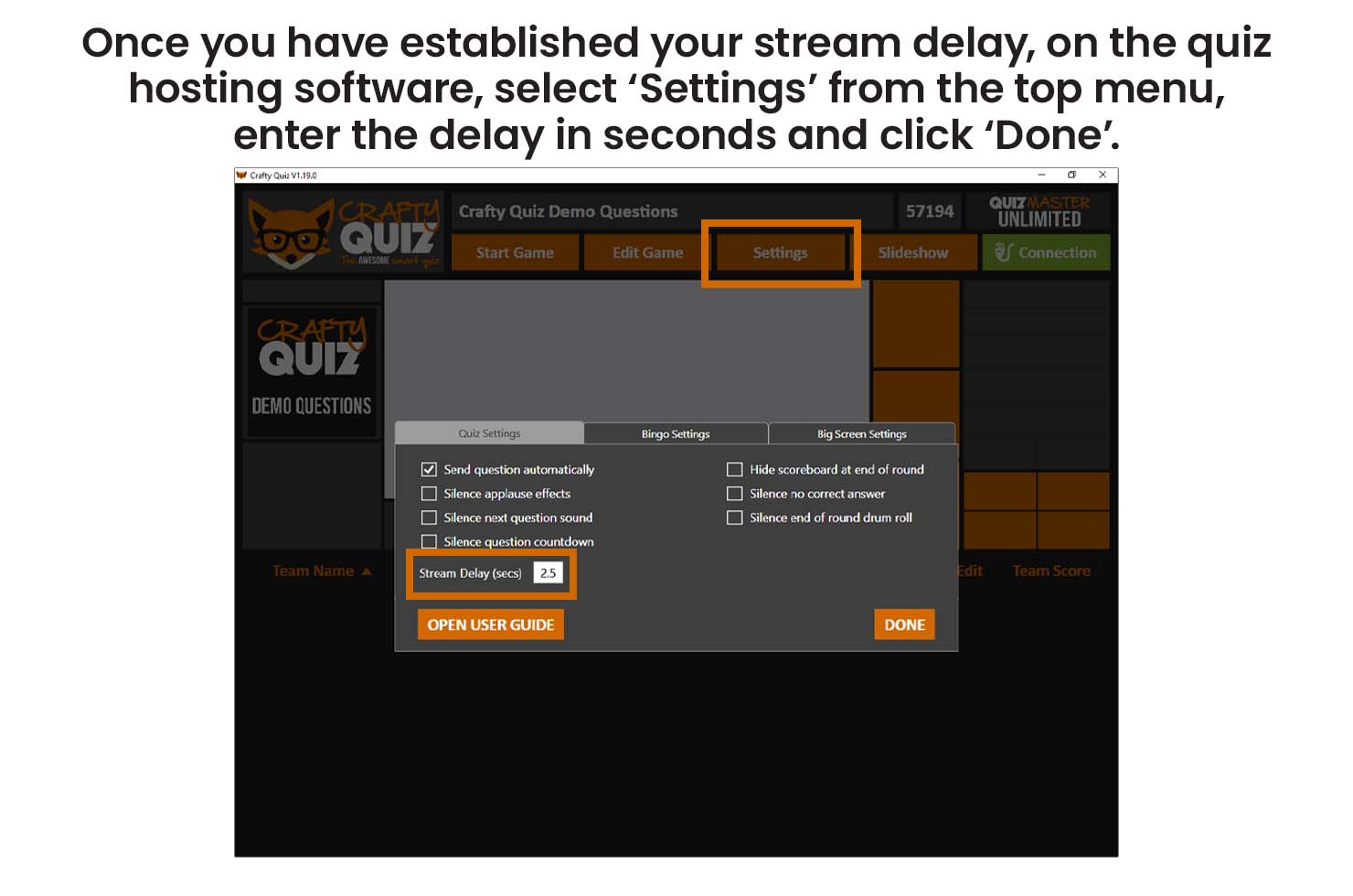
To resolve this you can set a delay to the participant app updates. This means questions start a few seconds later on the participant app so they are more in sync with the stream. The guide below will show you how to work establish what your stream latency is and how to set the participant app delay.
host instructions
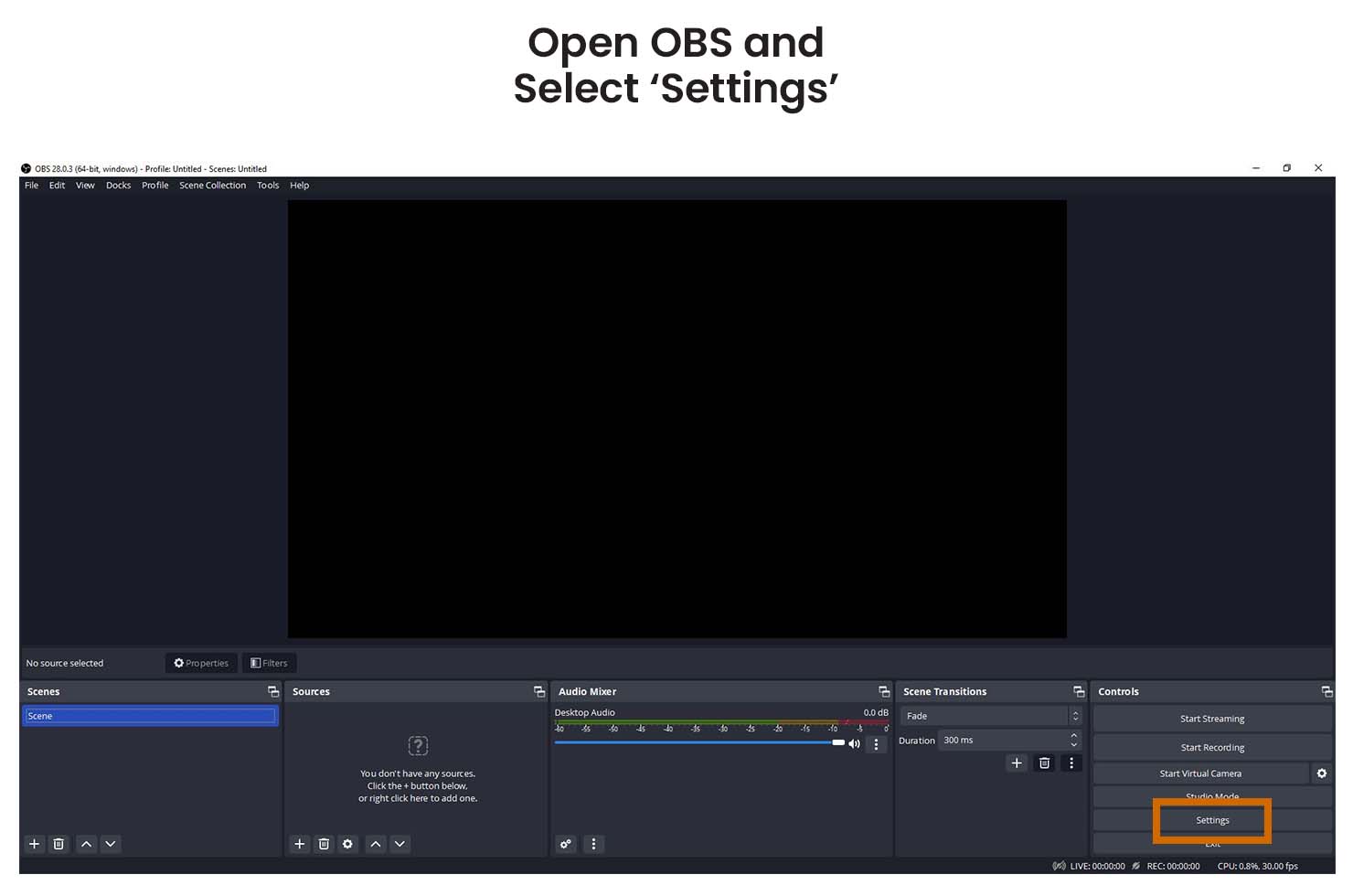
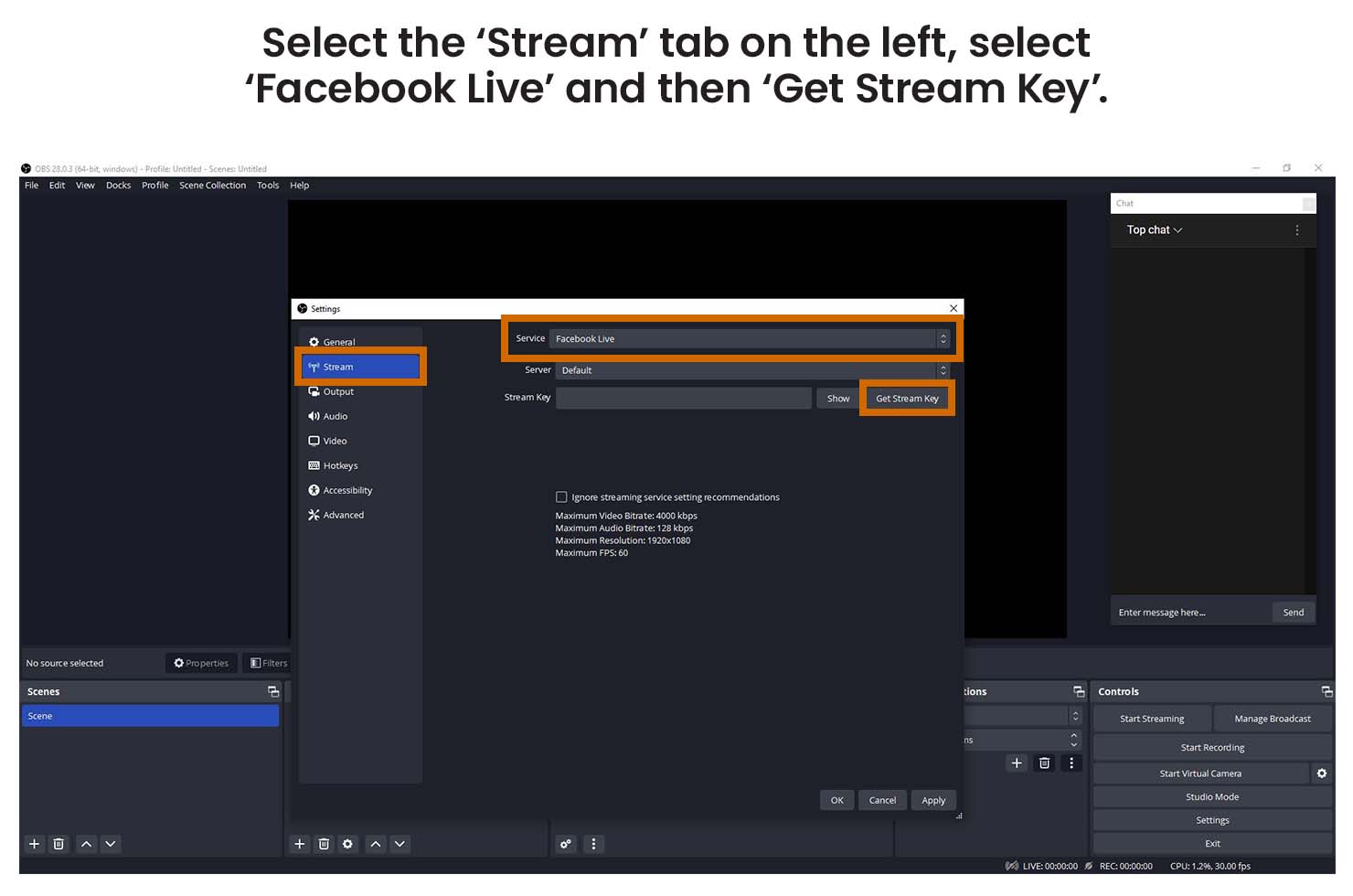
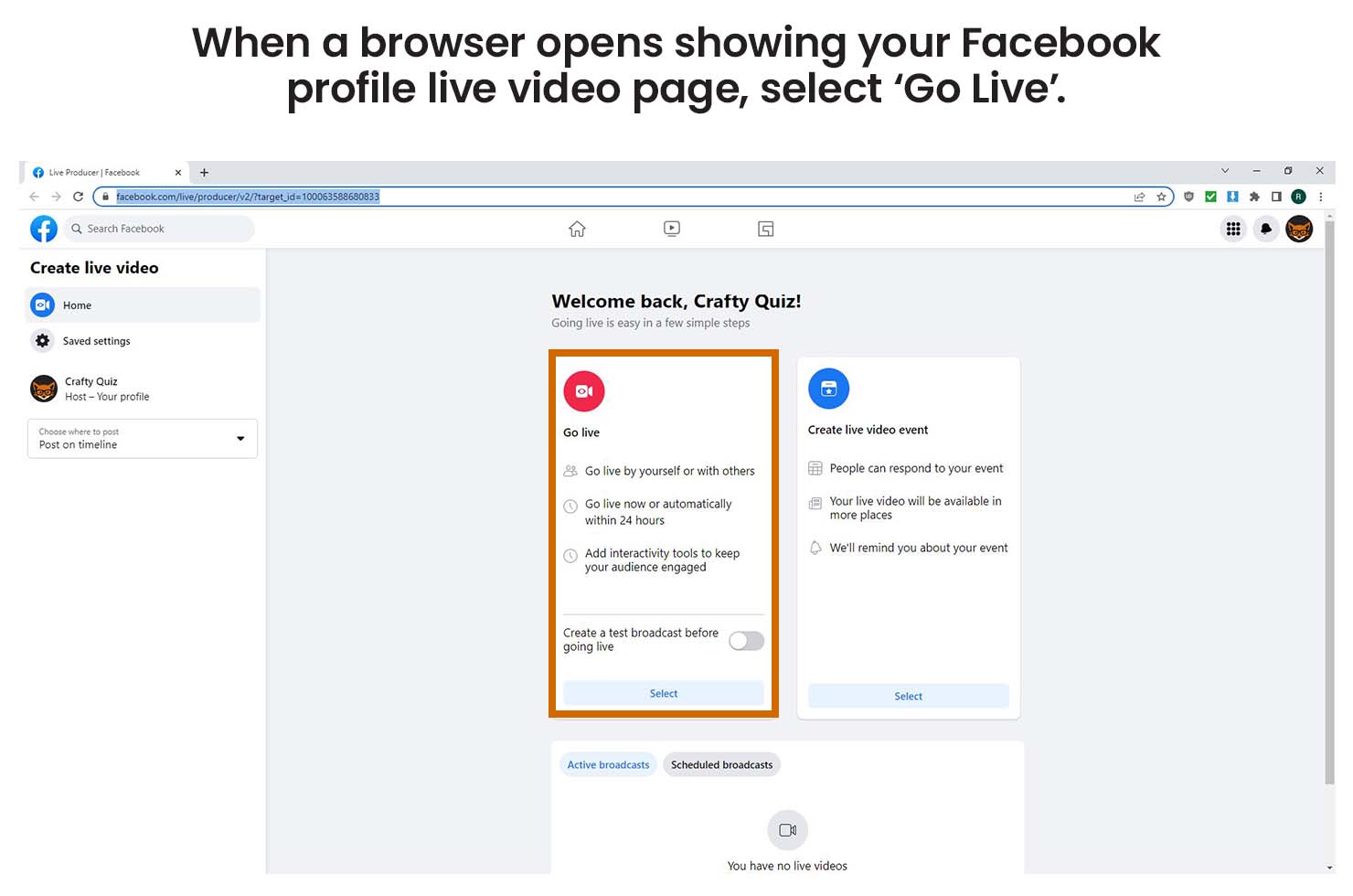
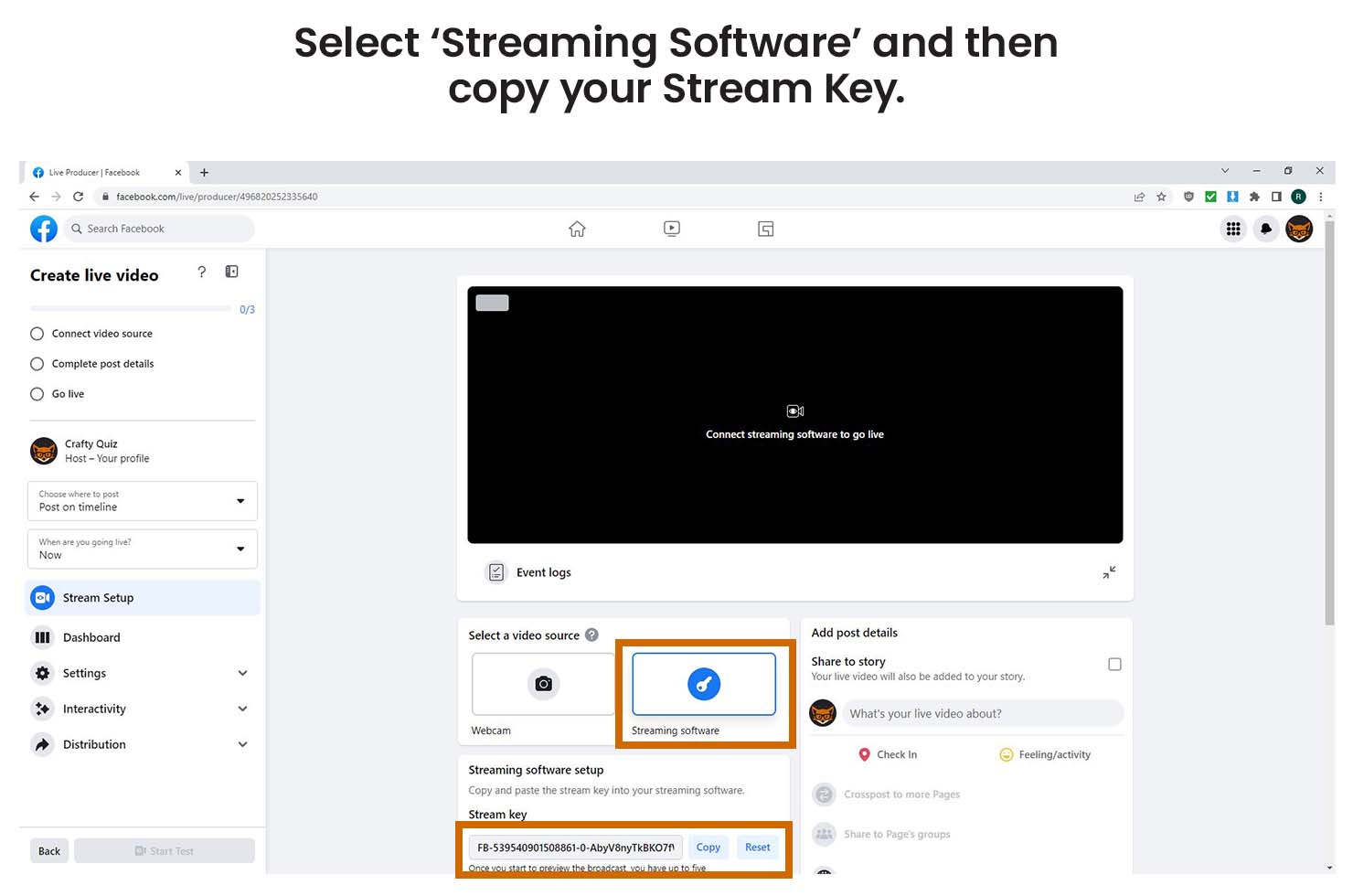
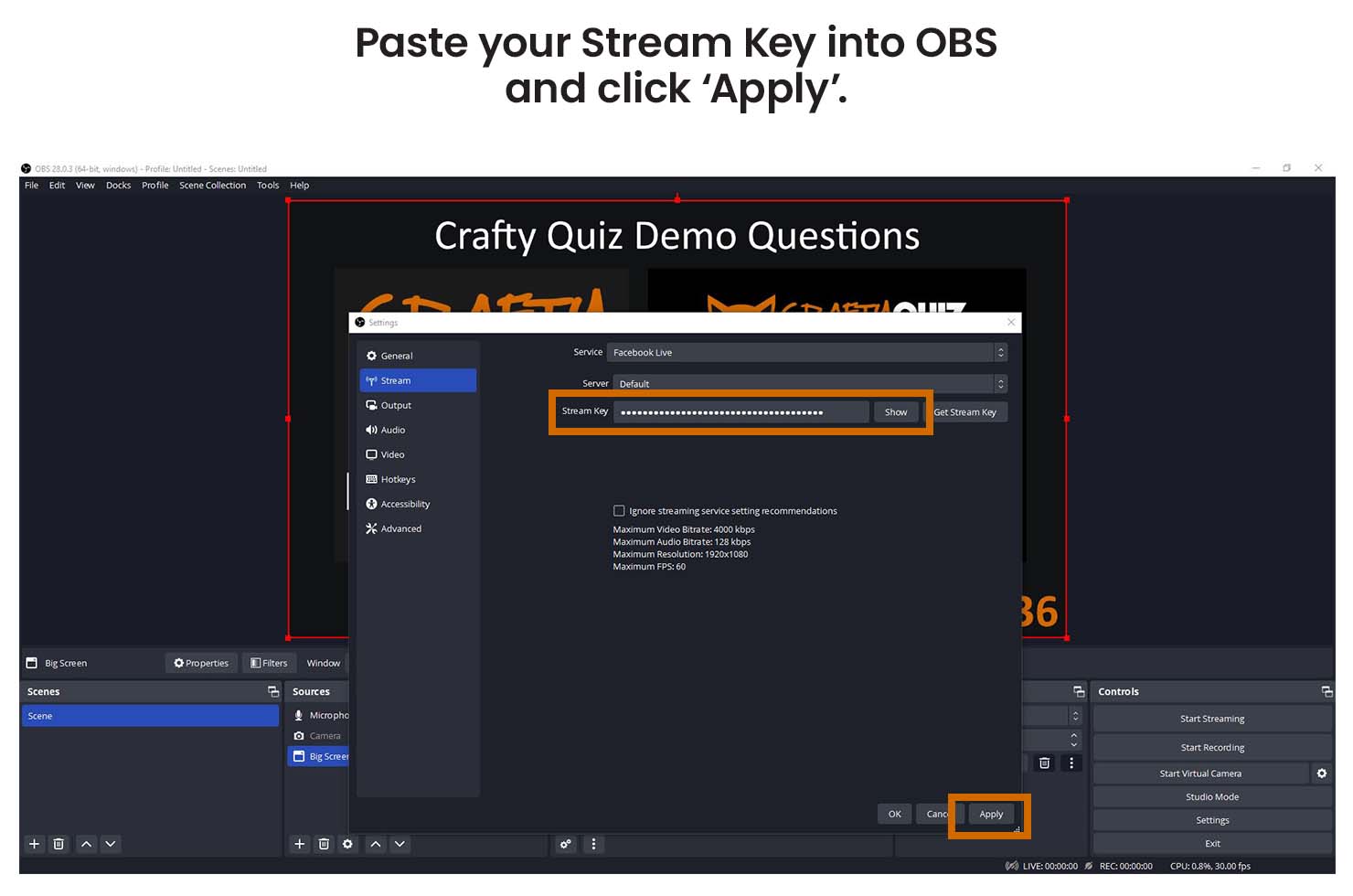
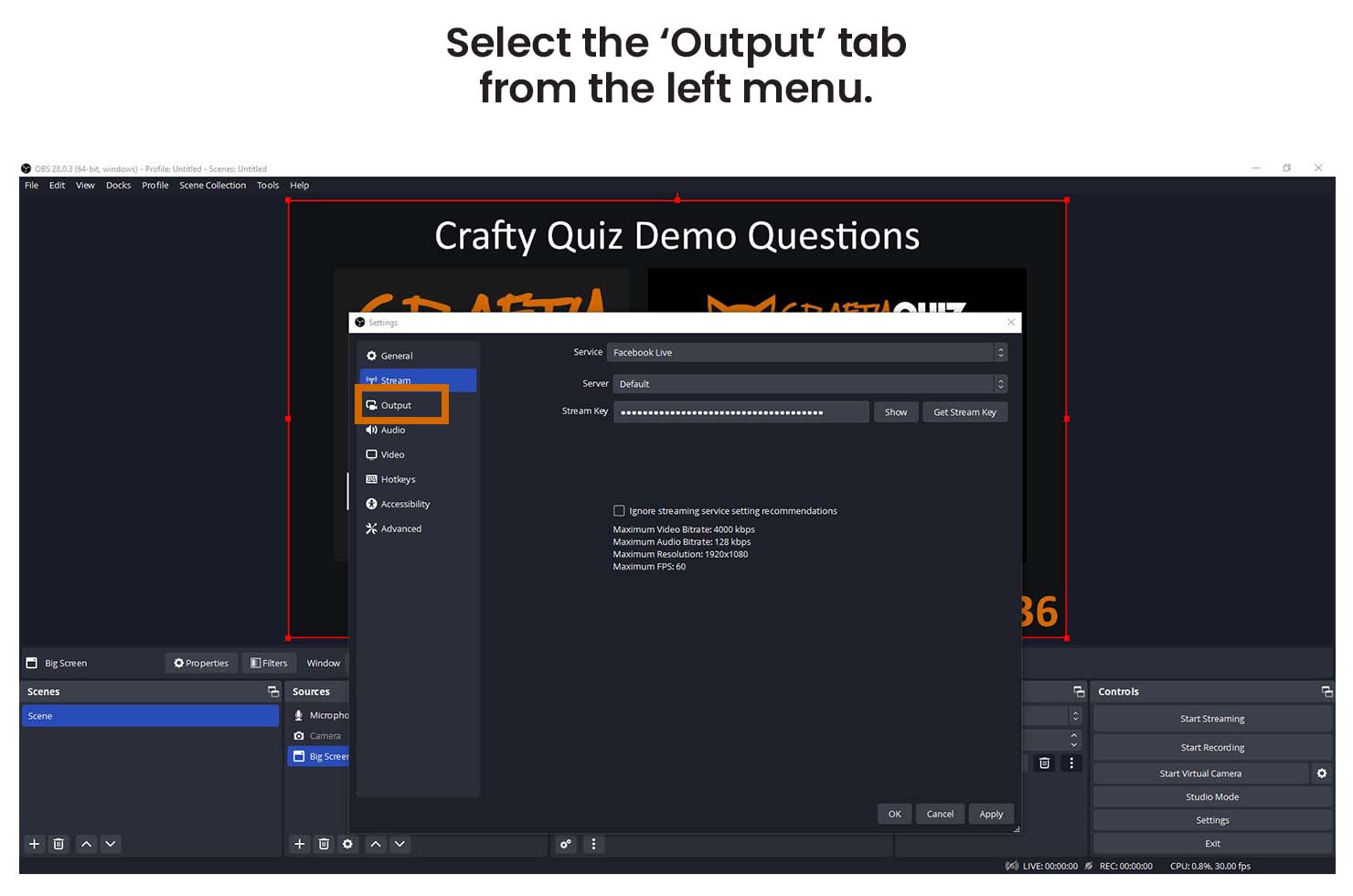
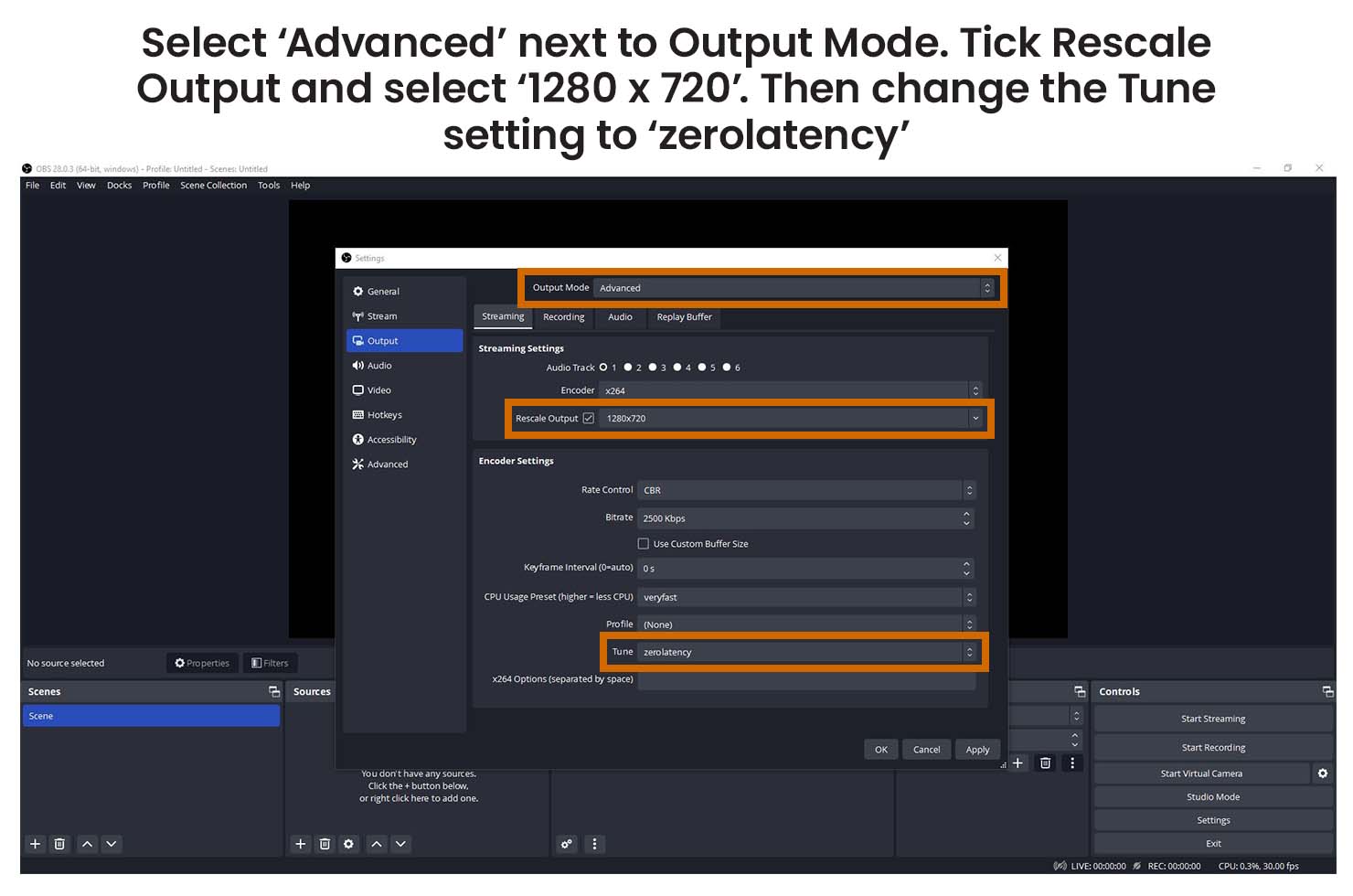
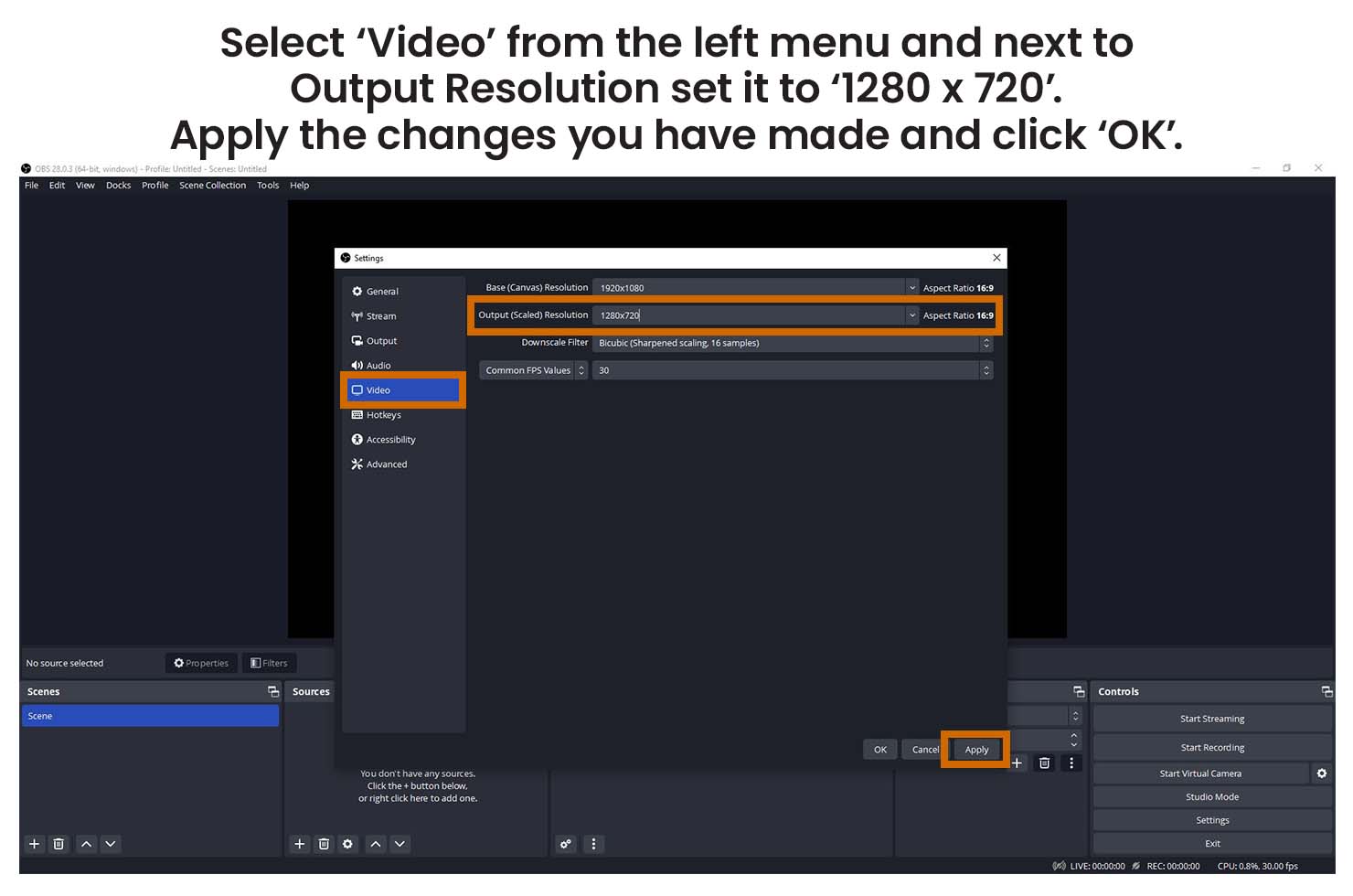
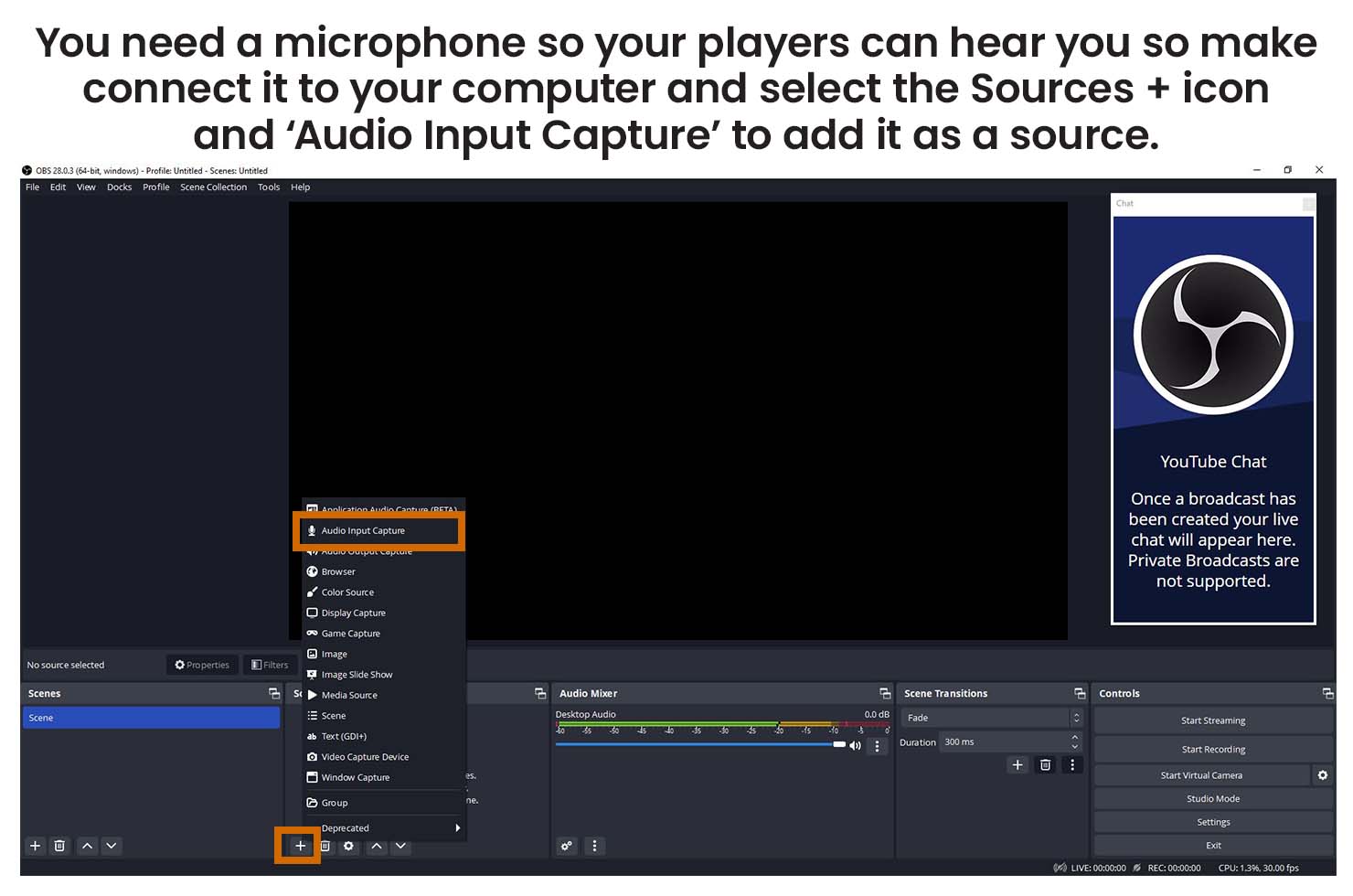
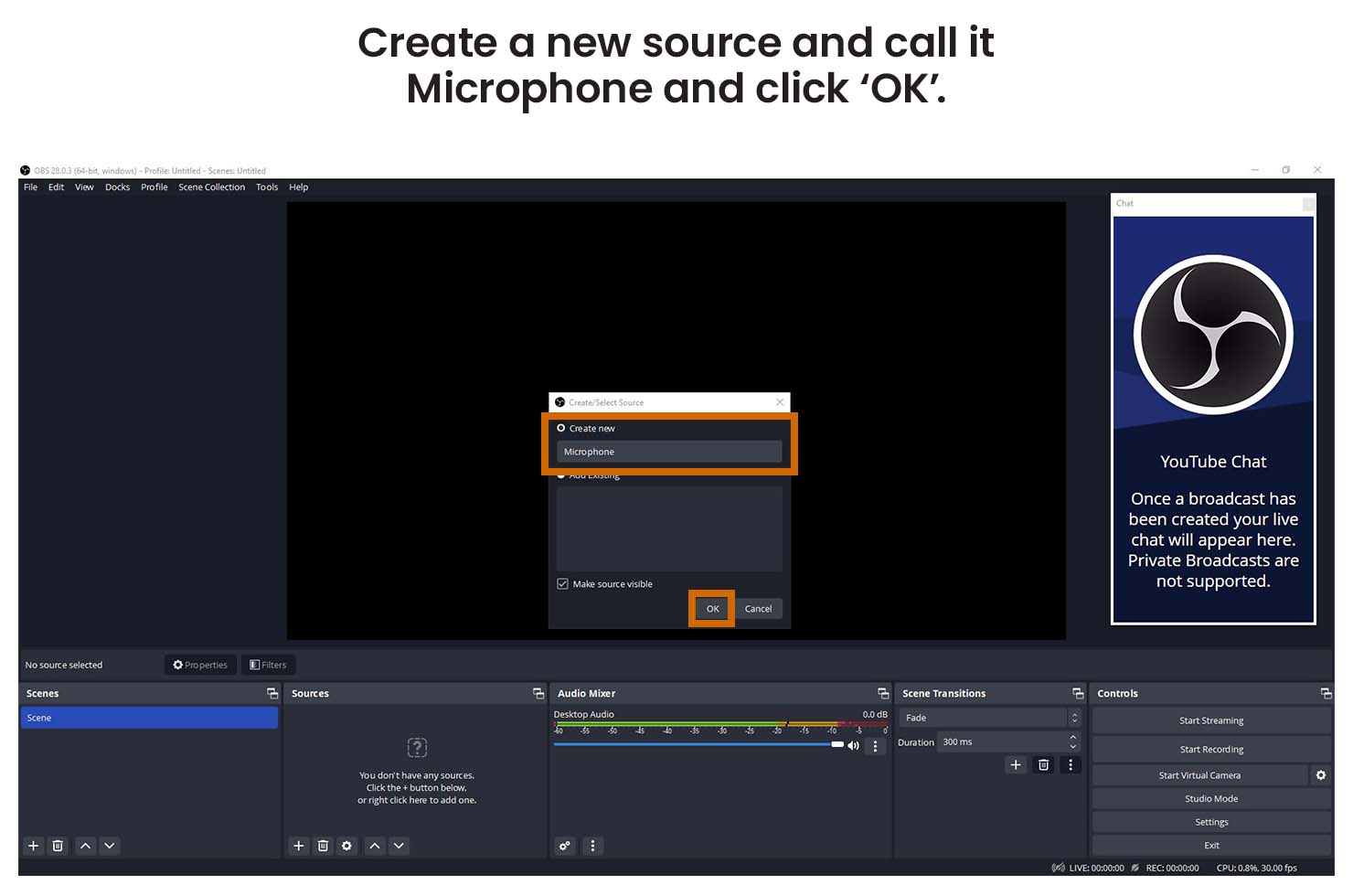
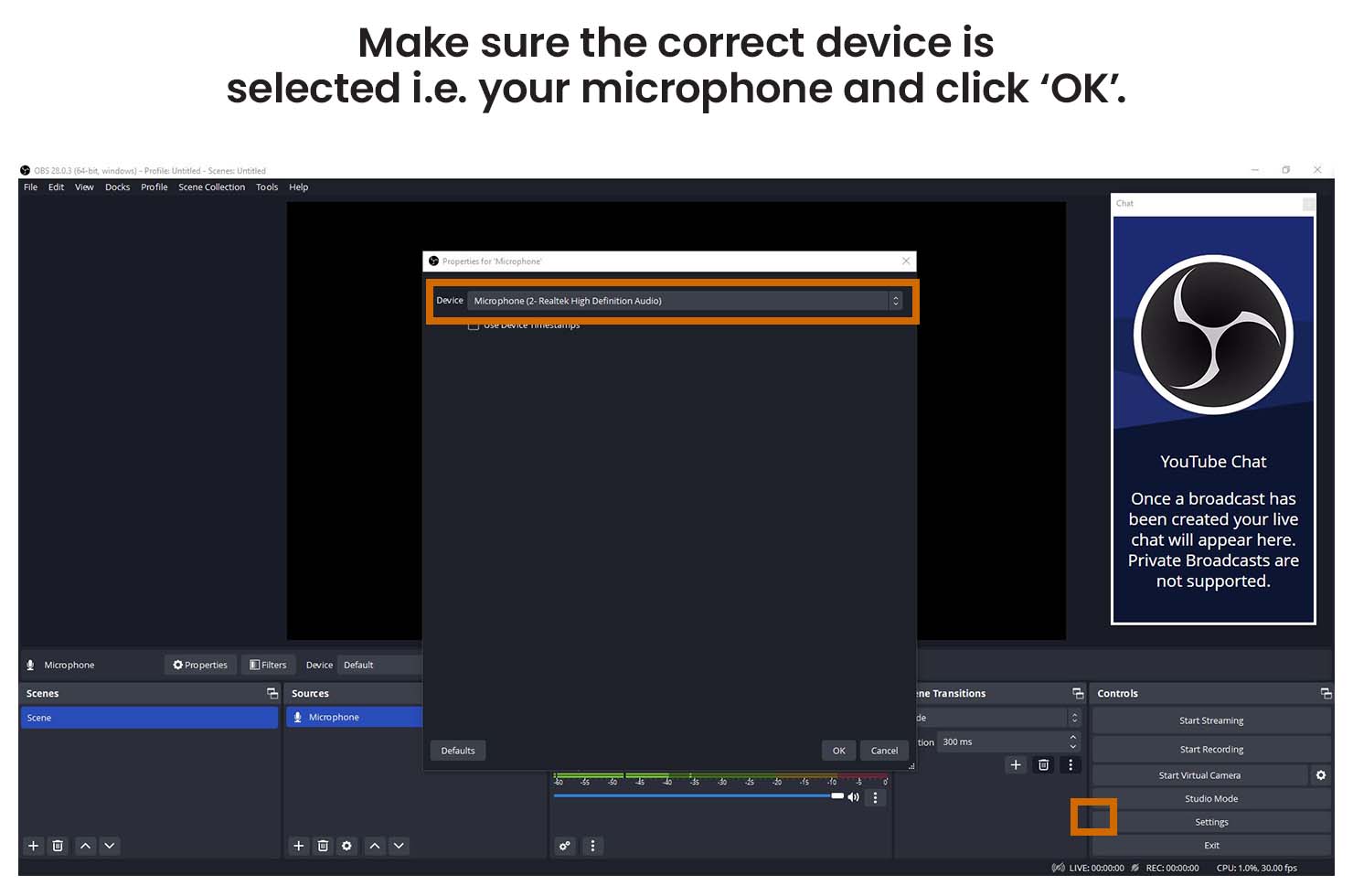
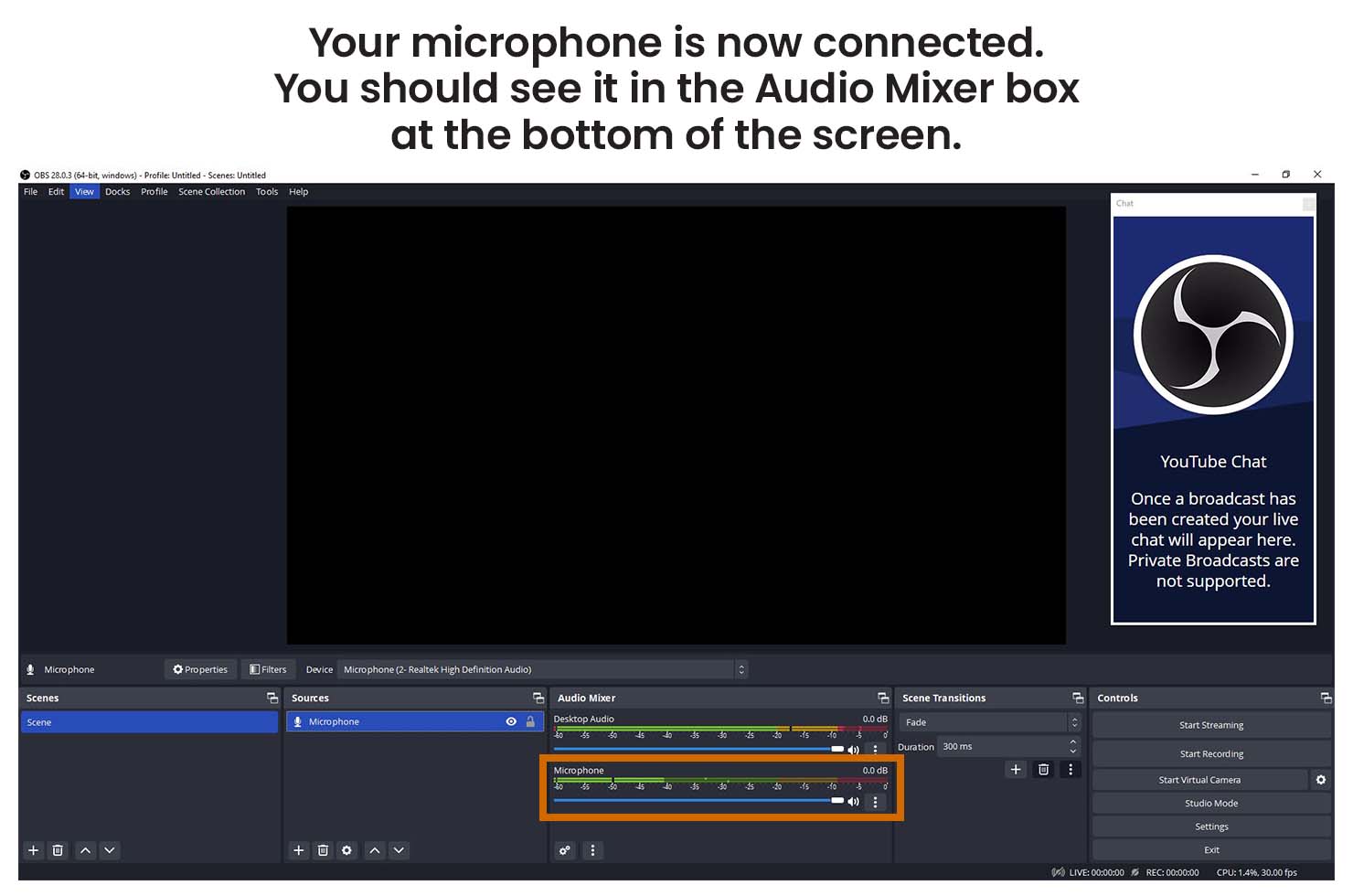
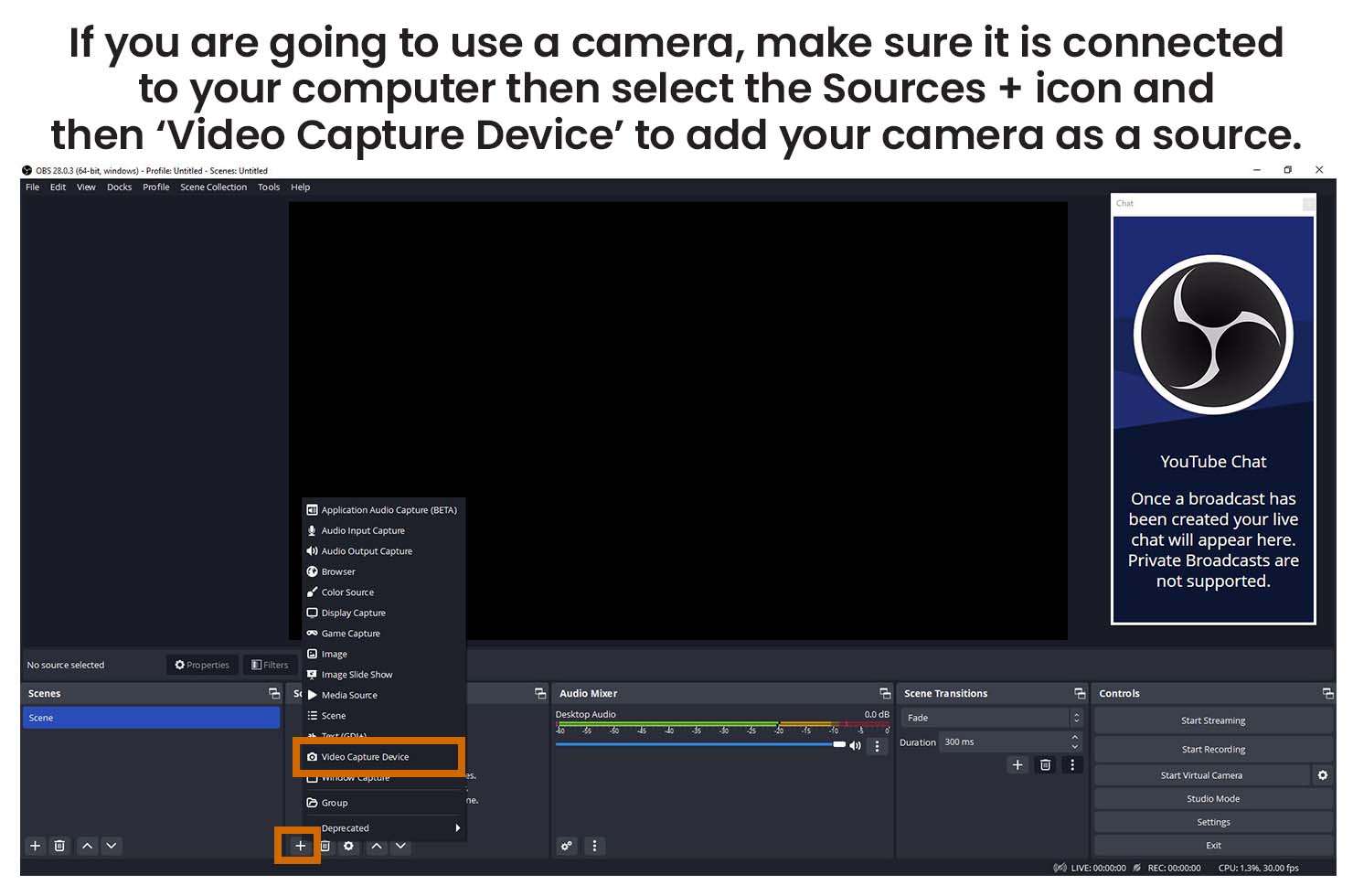
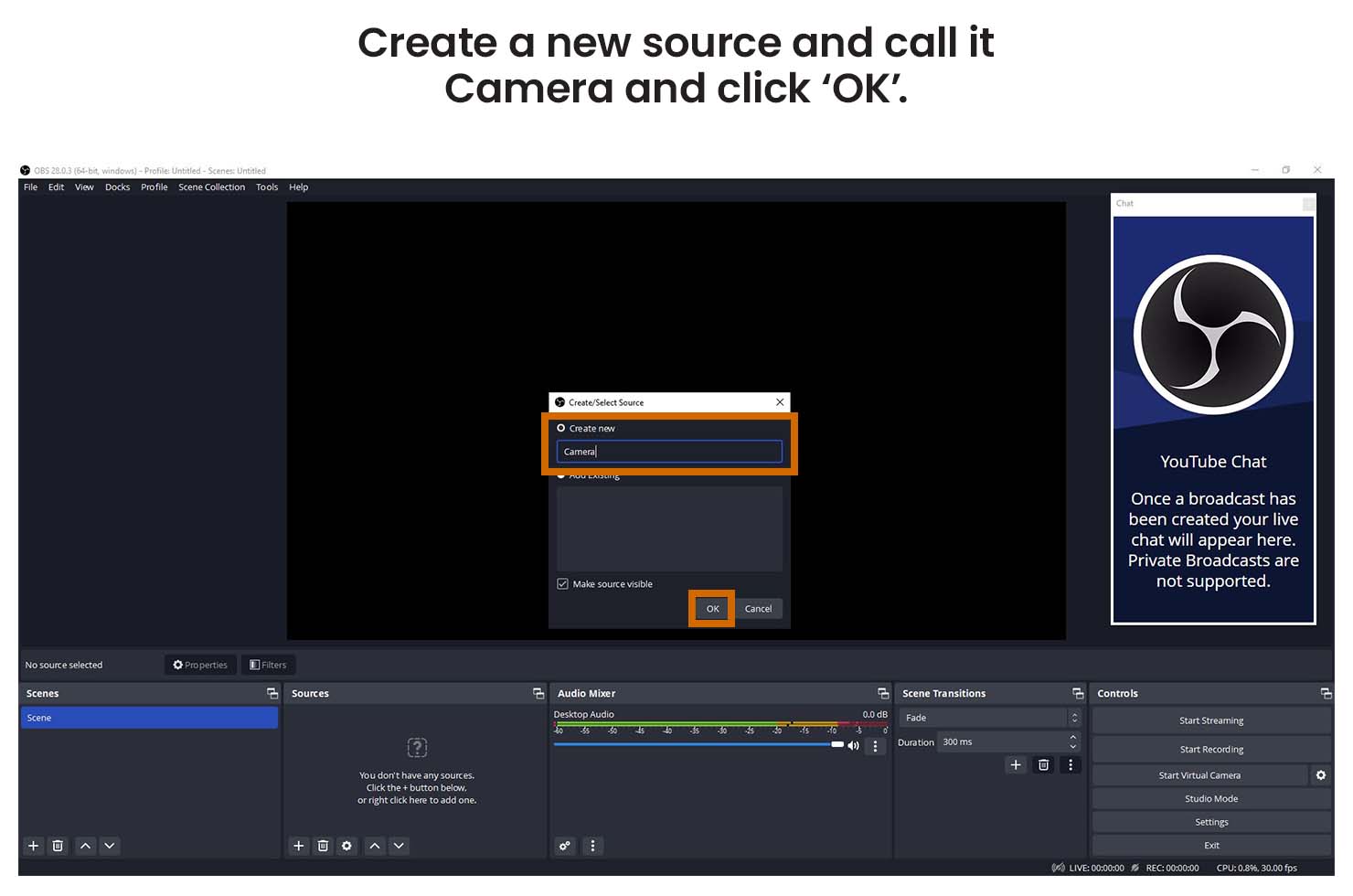
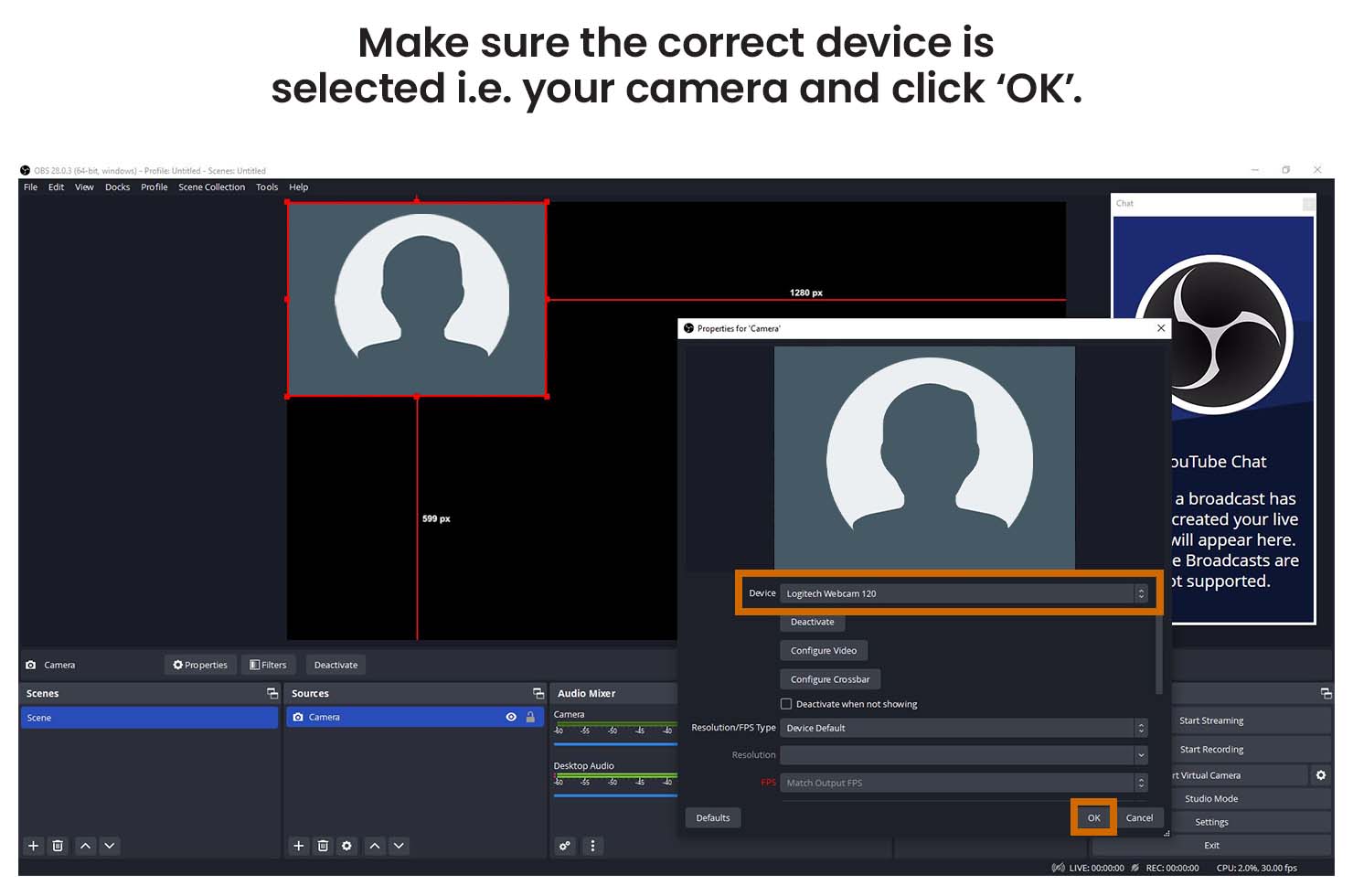
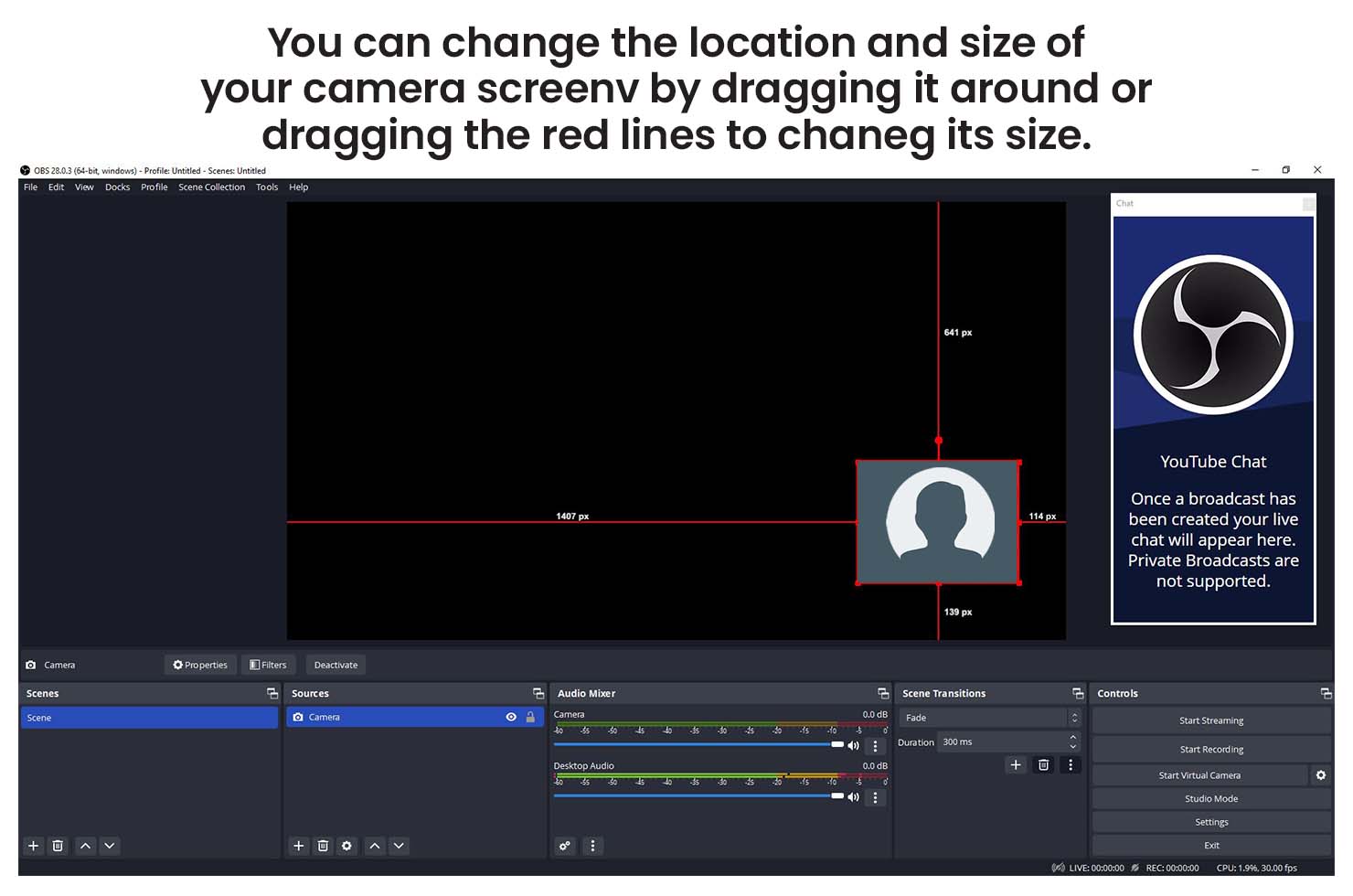
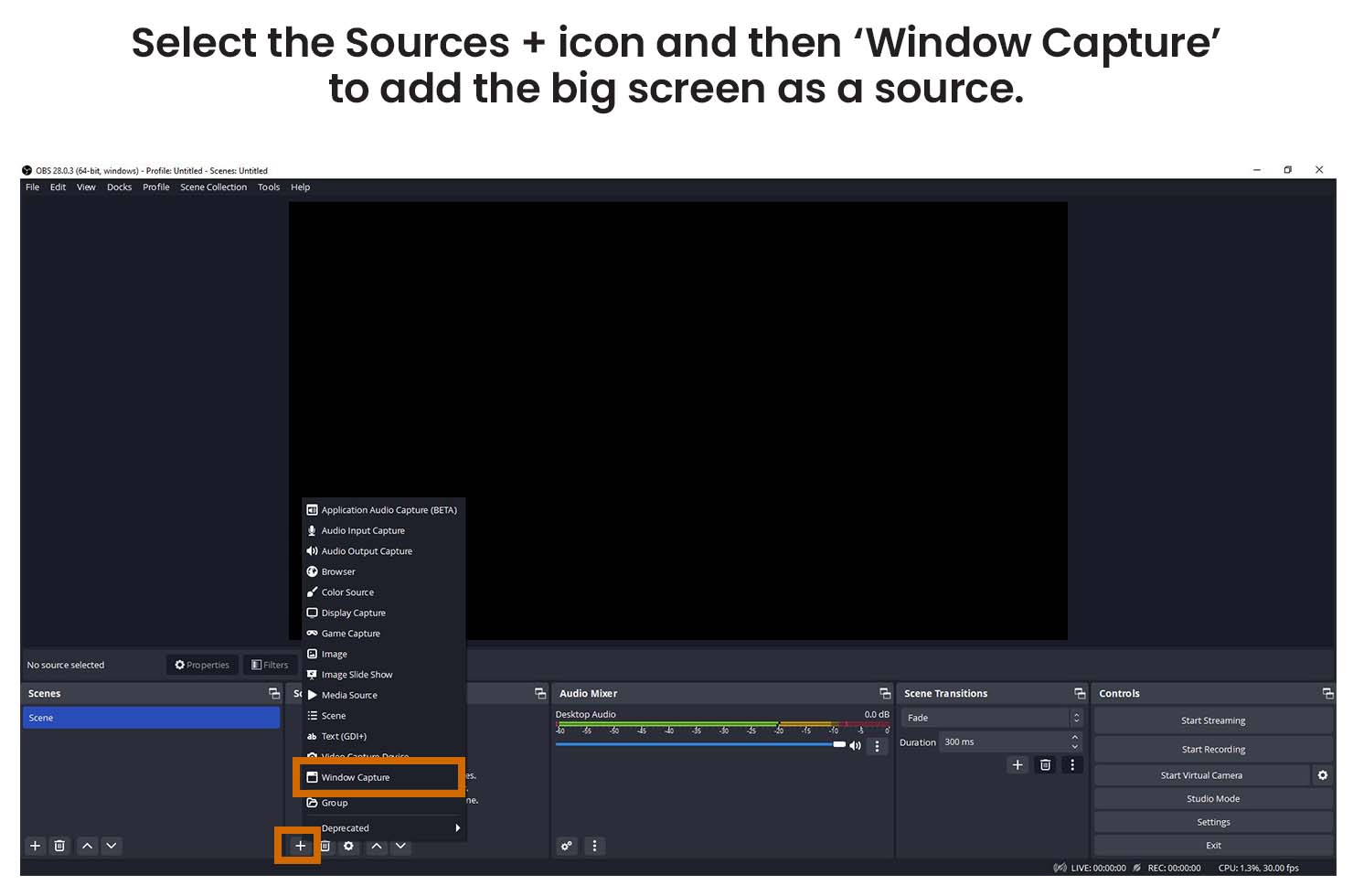
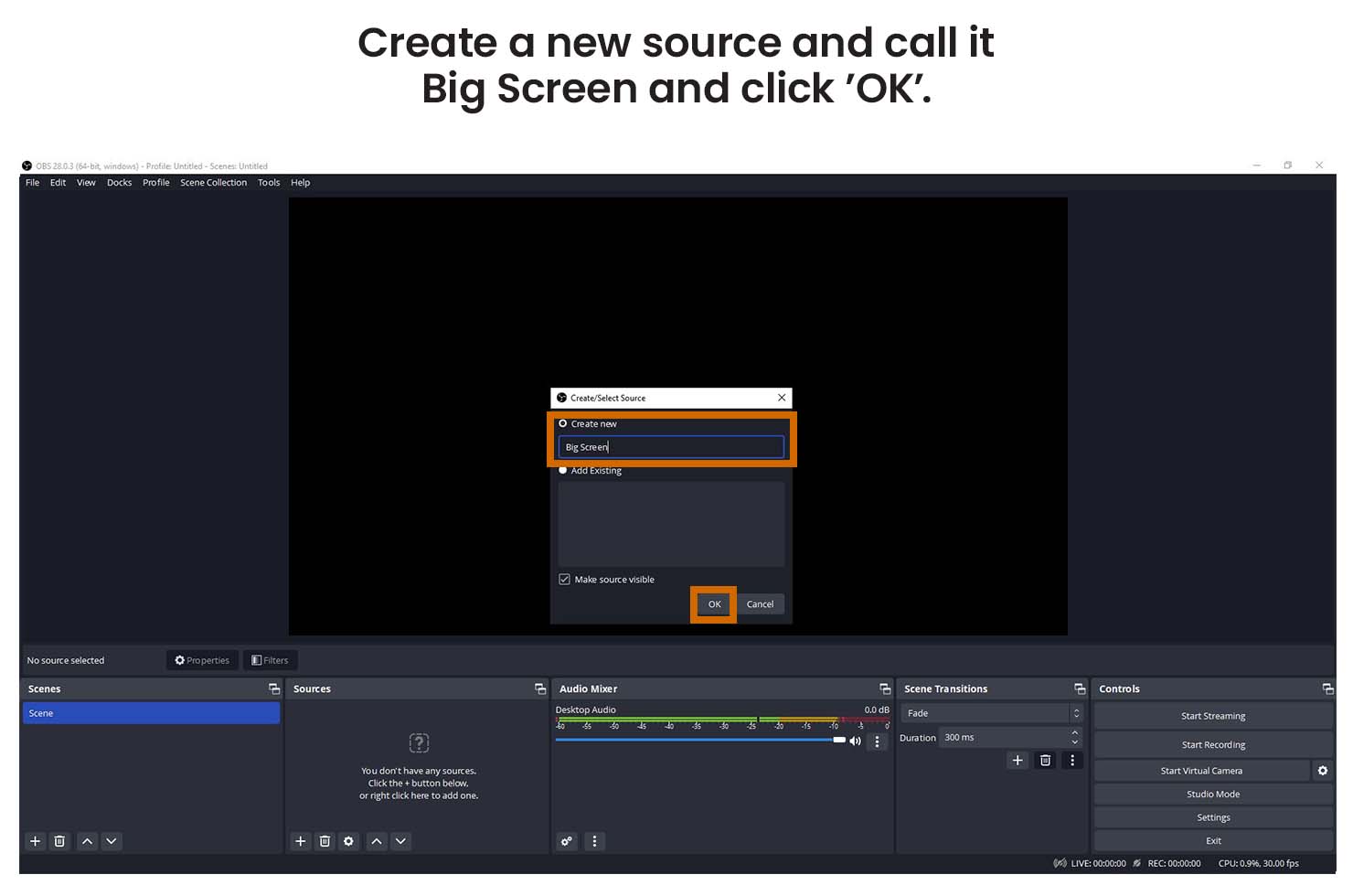
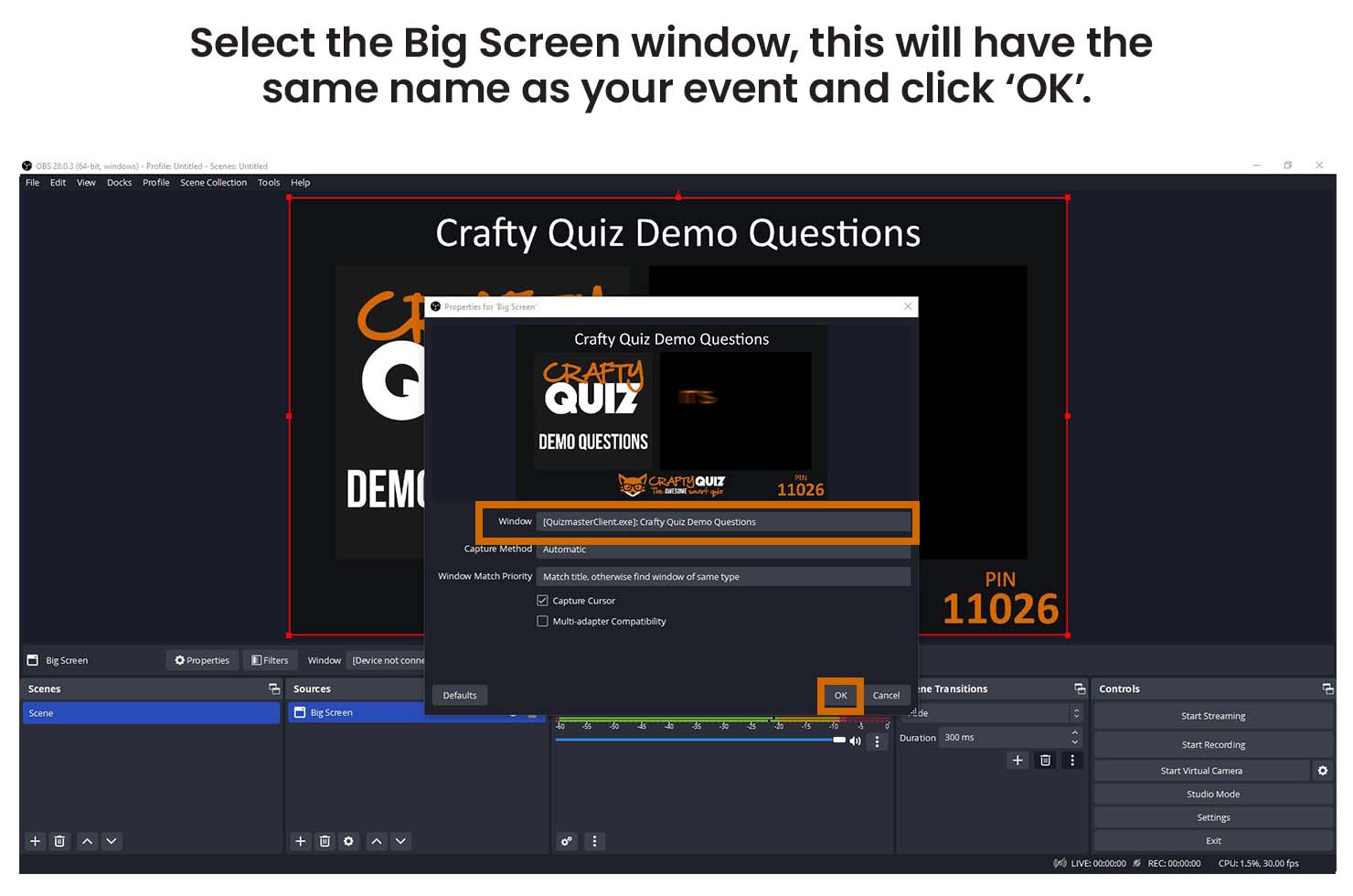
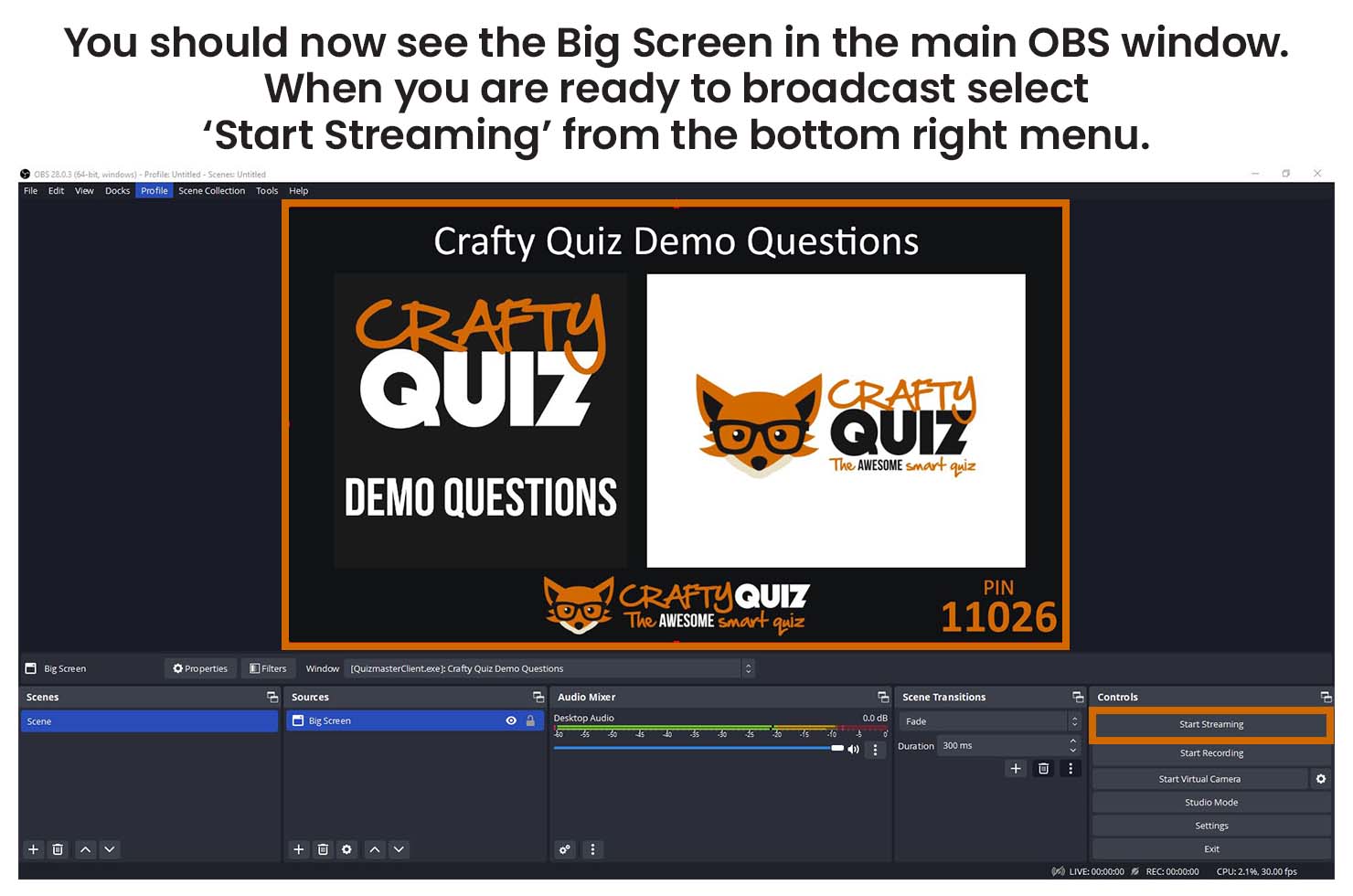
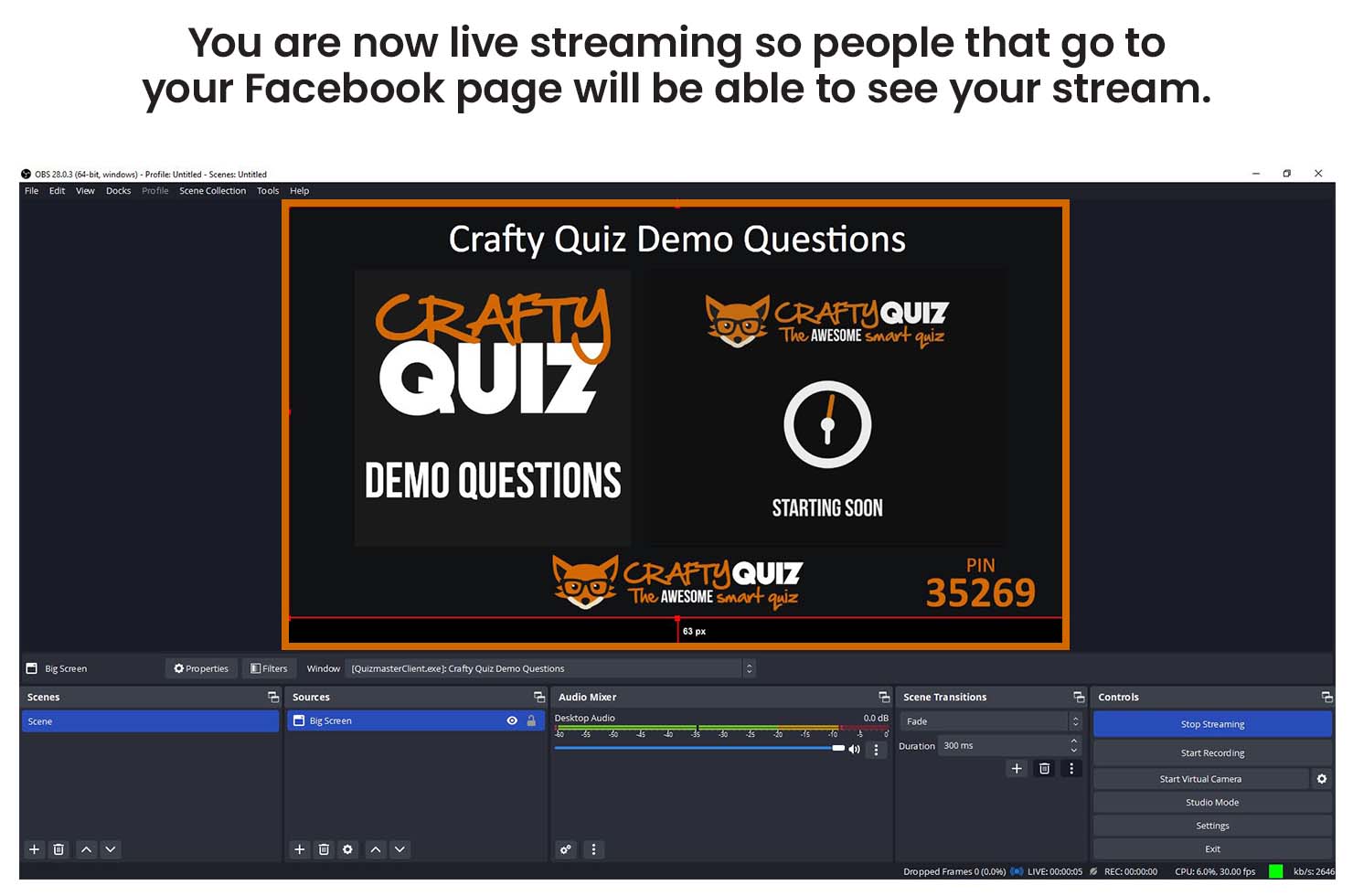
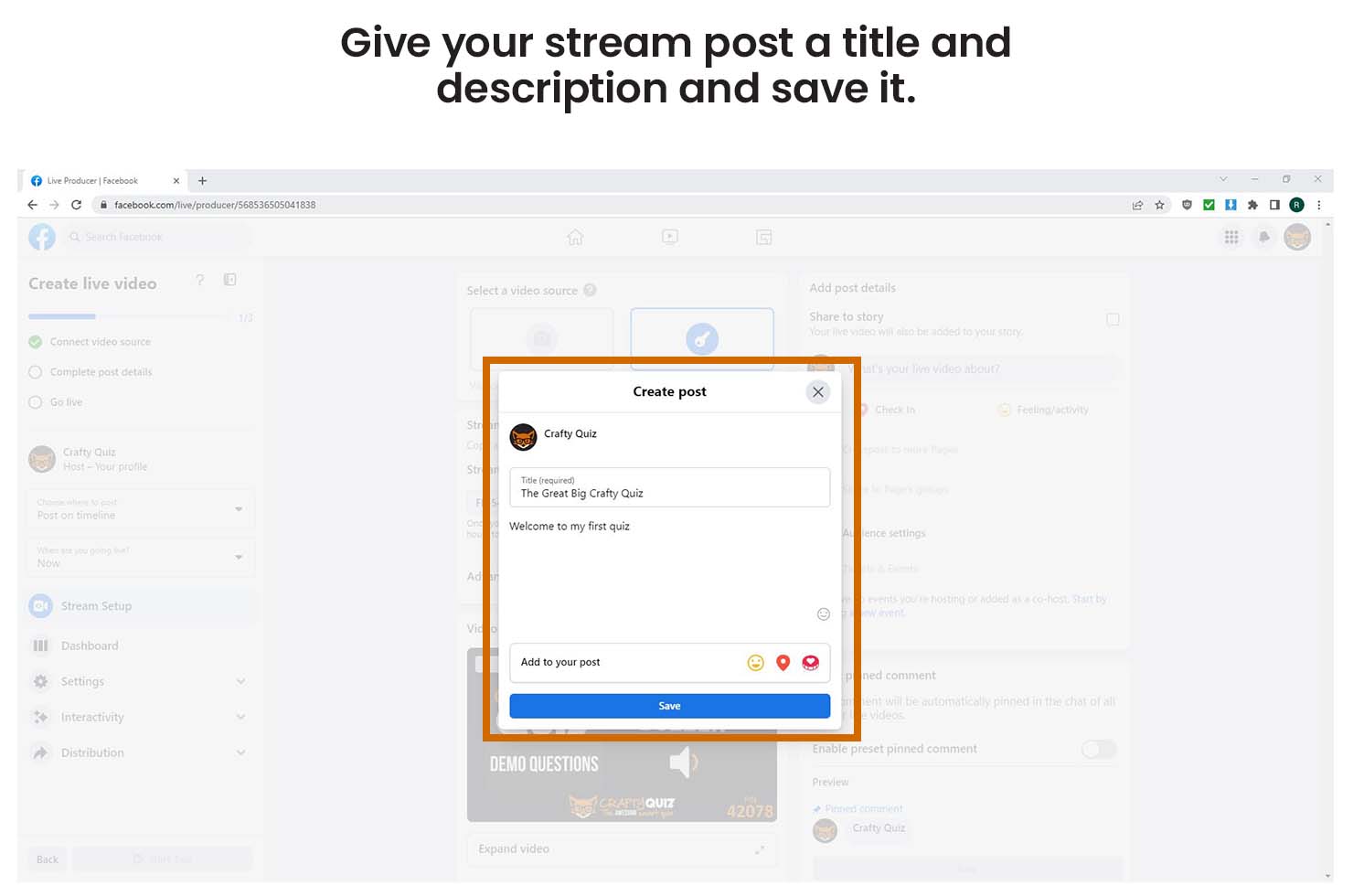
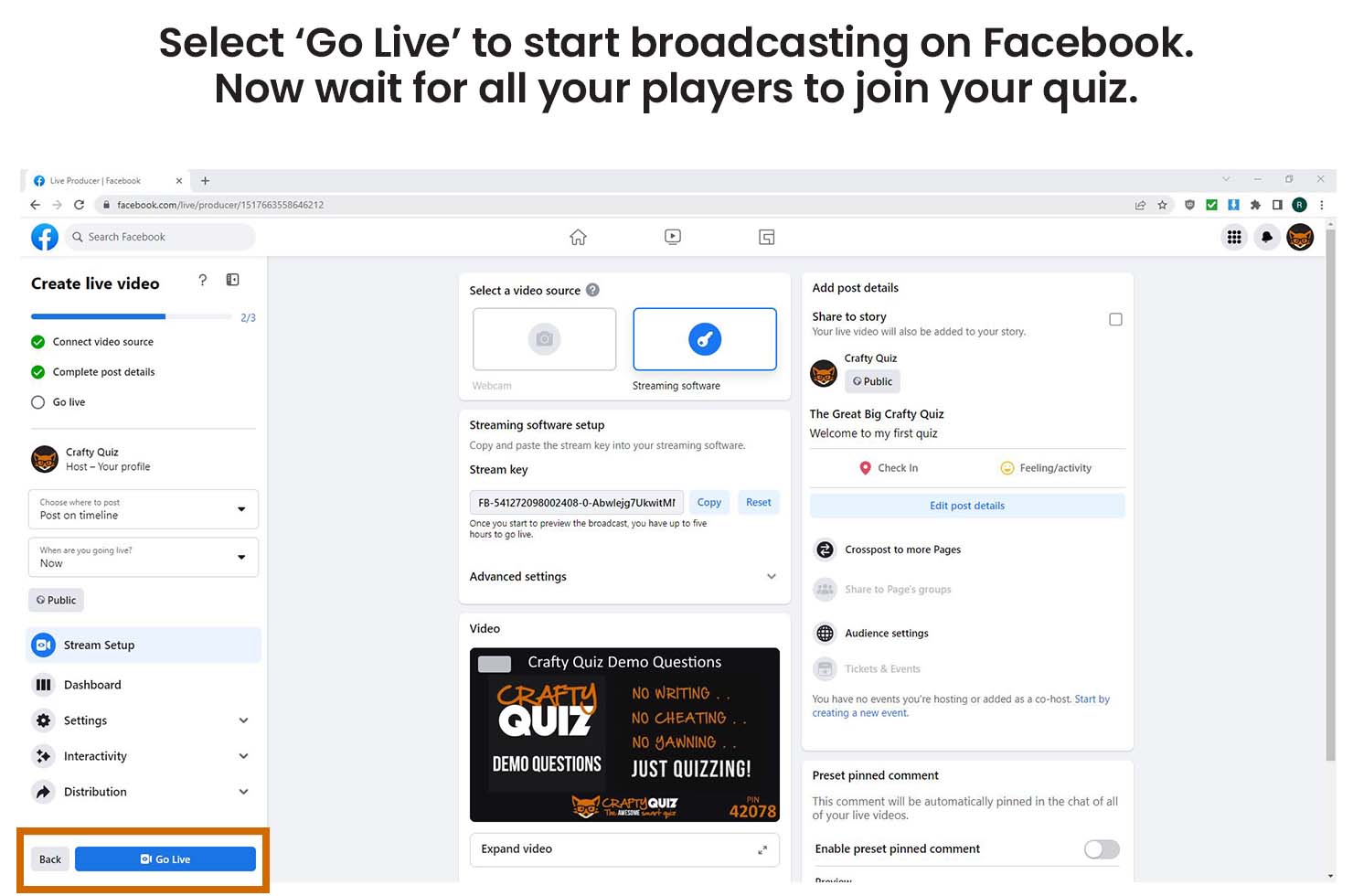
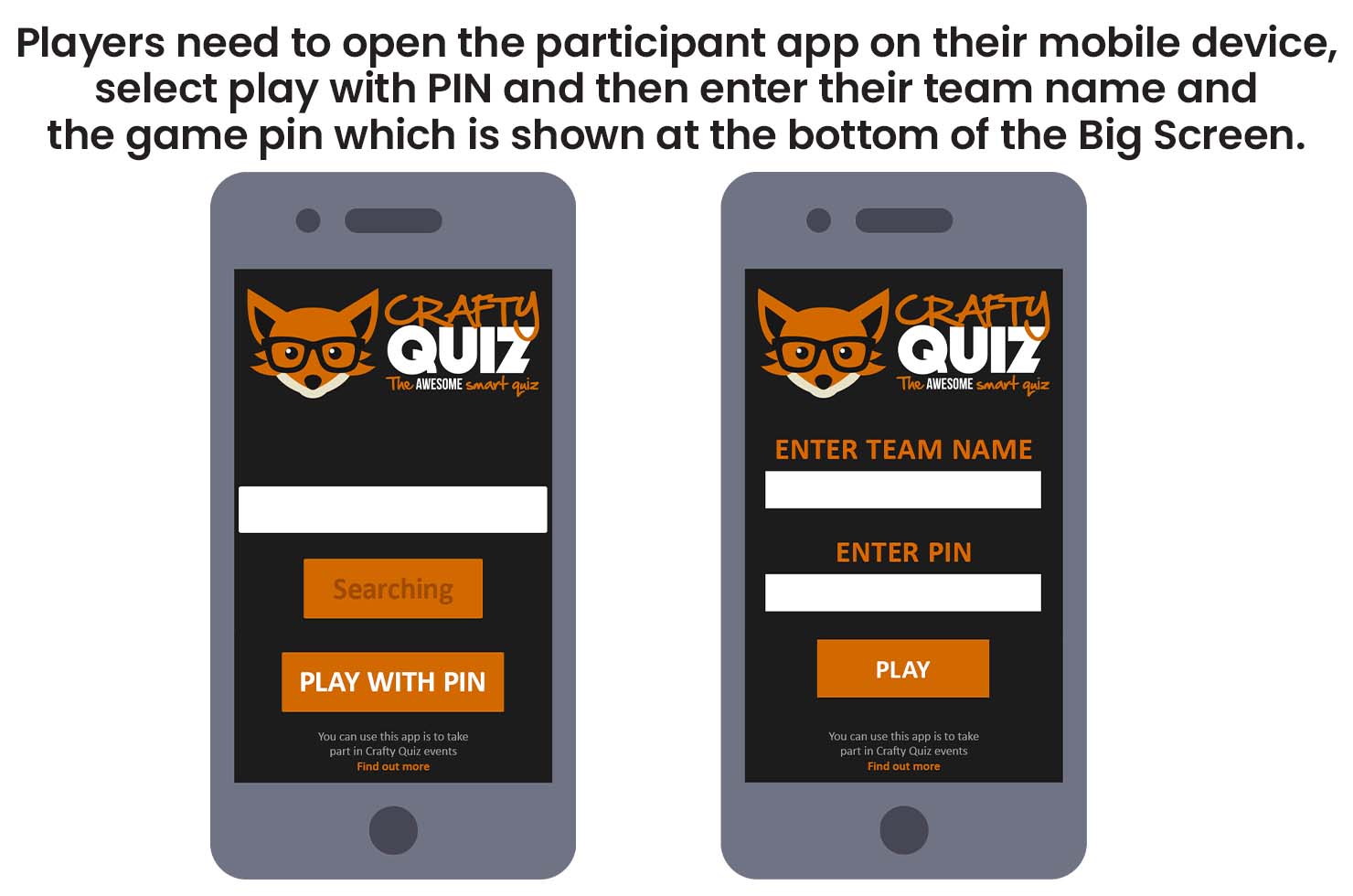
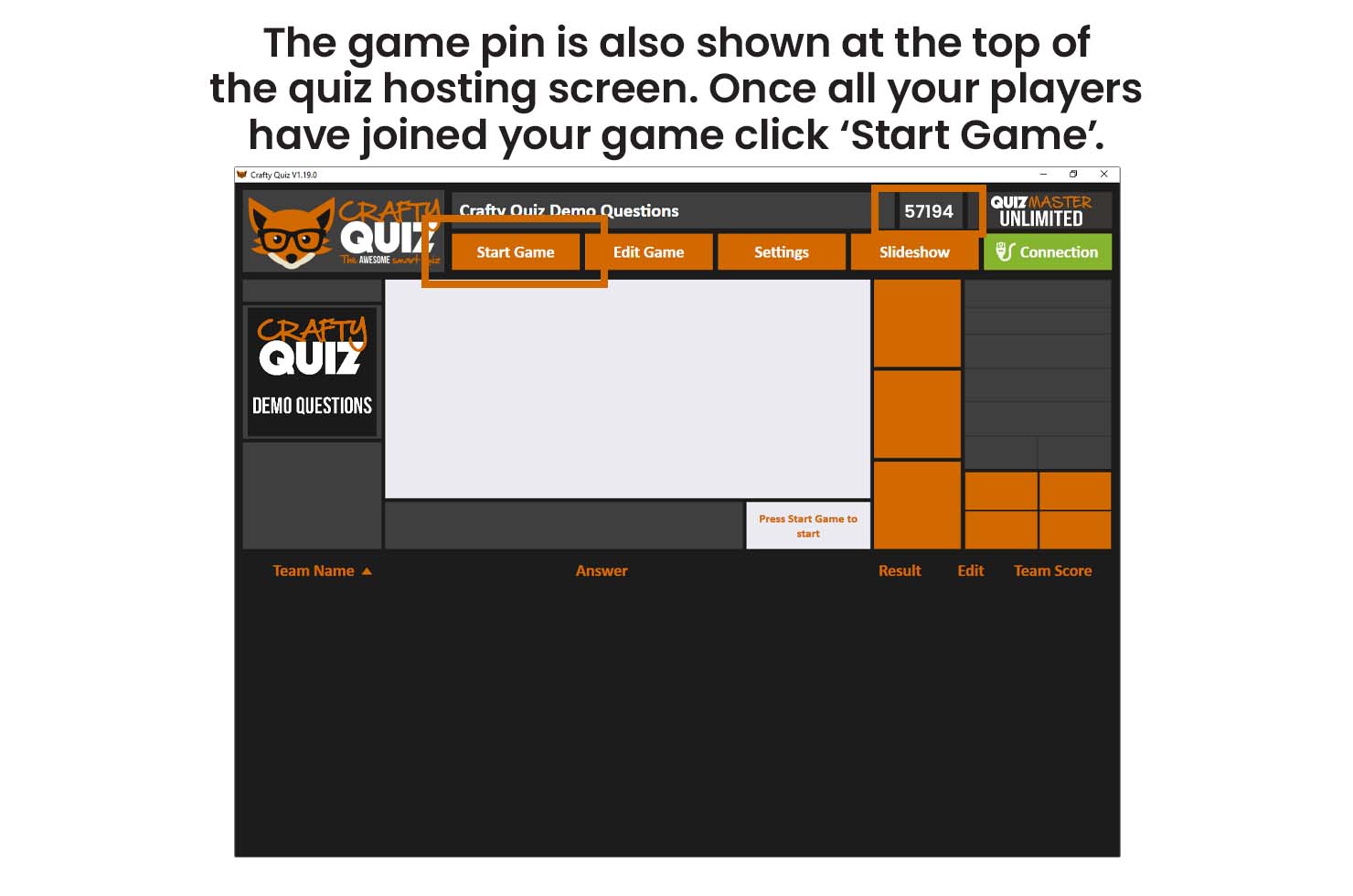
Before you start streaming open the Crafty Quiz hosting software on your computer, check that your licence is active and then play your game. You also need to make sure you have your microphone connected to your computer and your camera if you are using one.
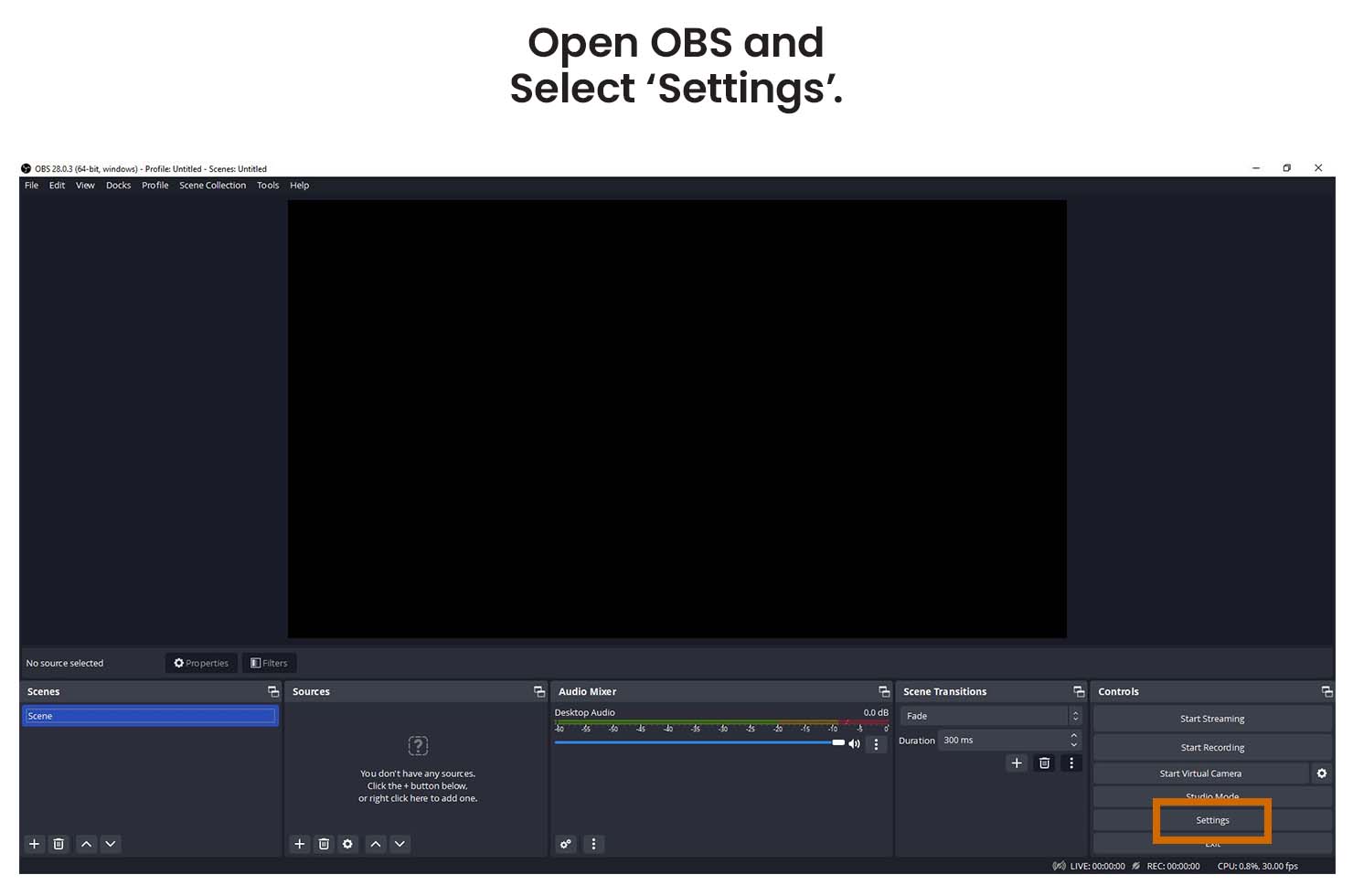
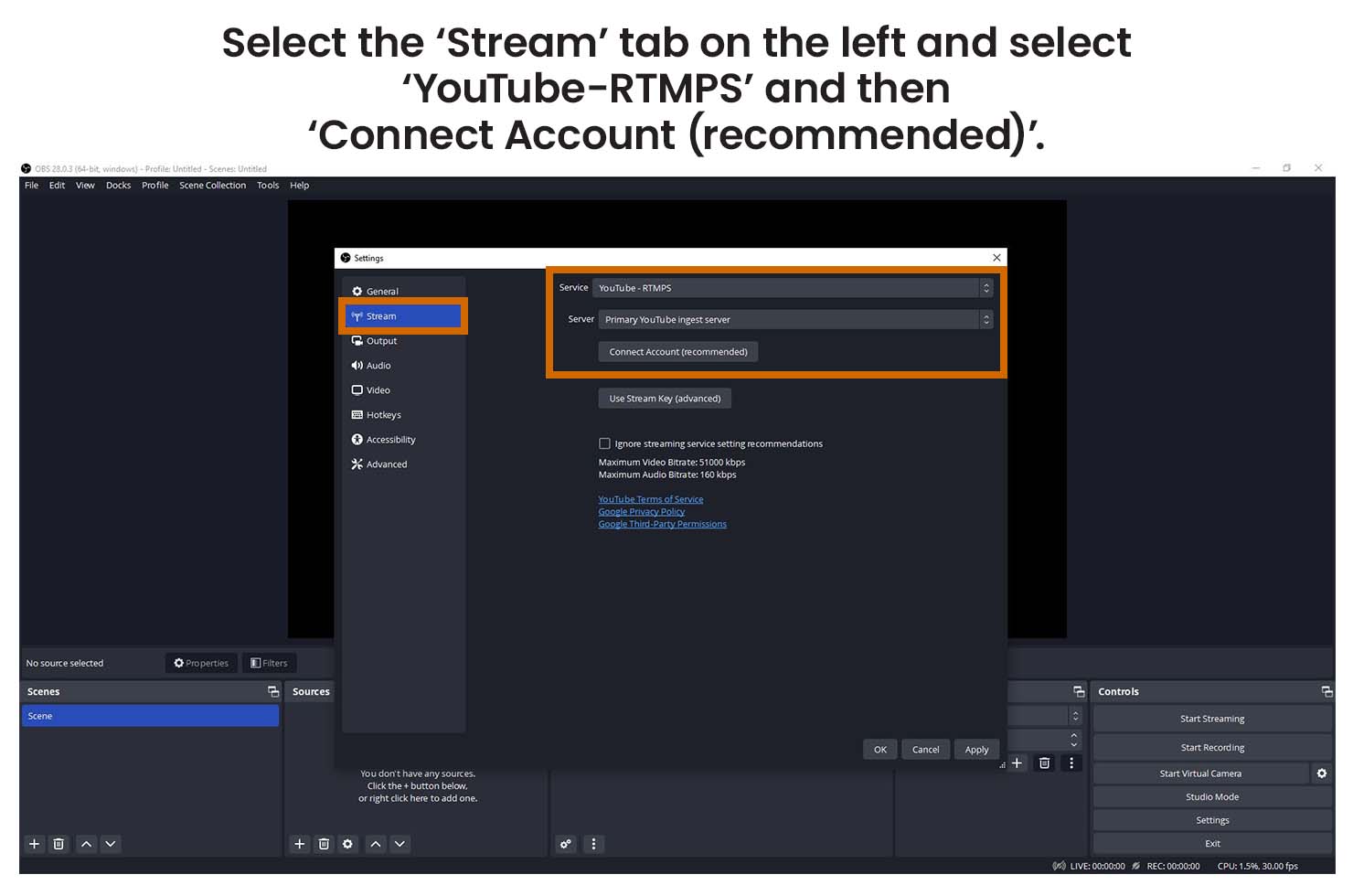
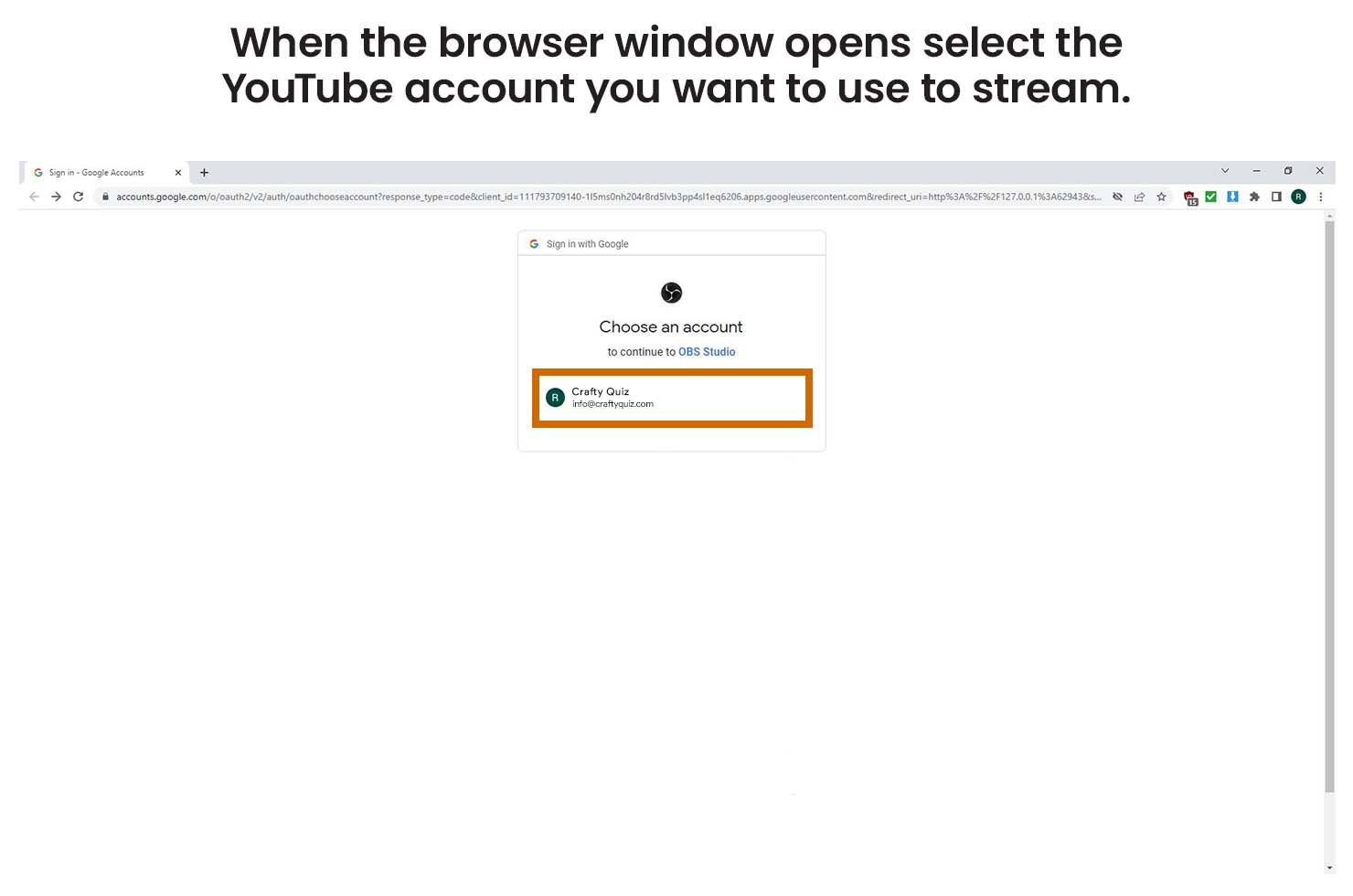
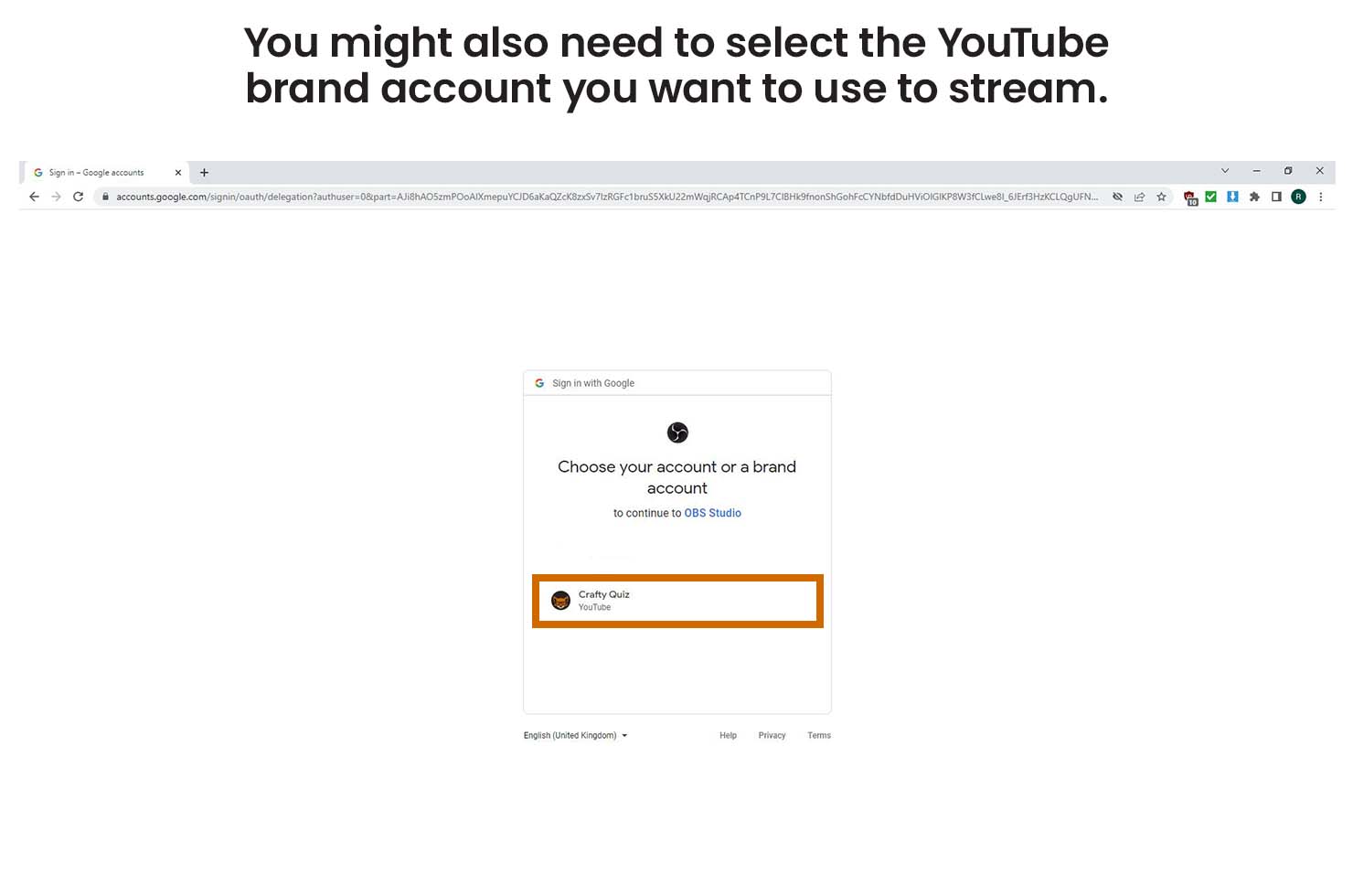
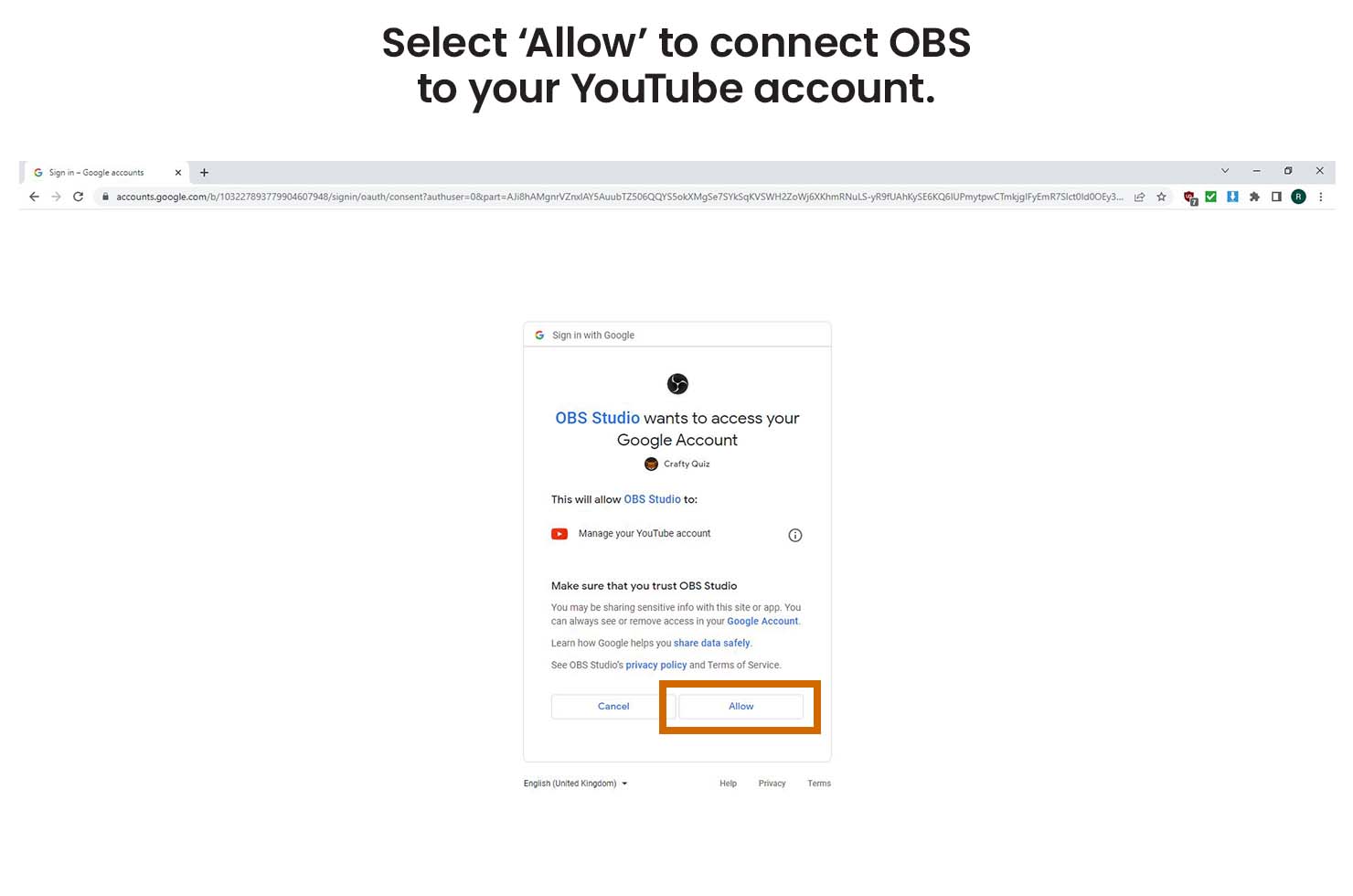
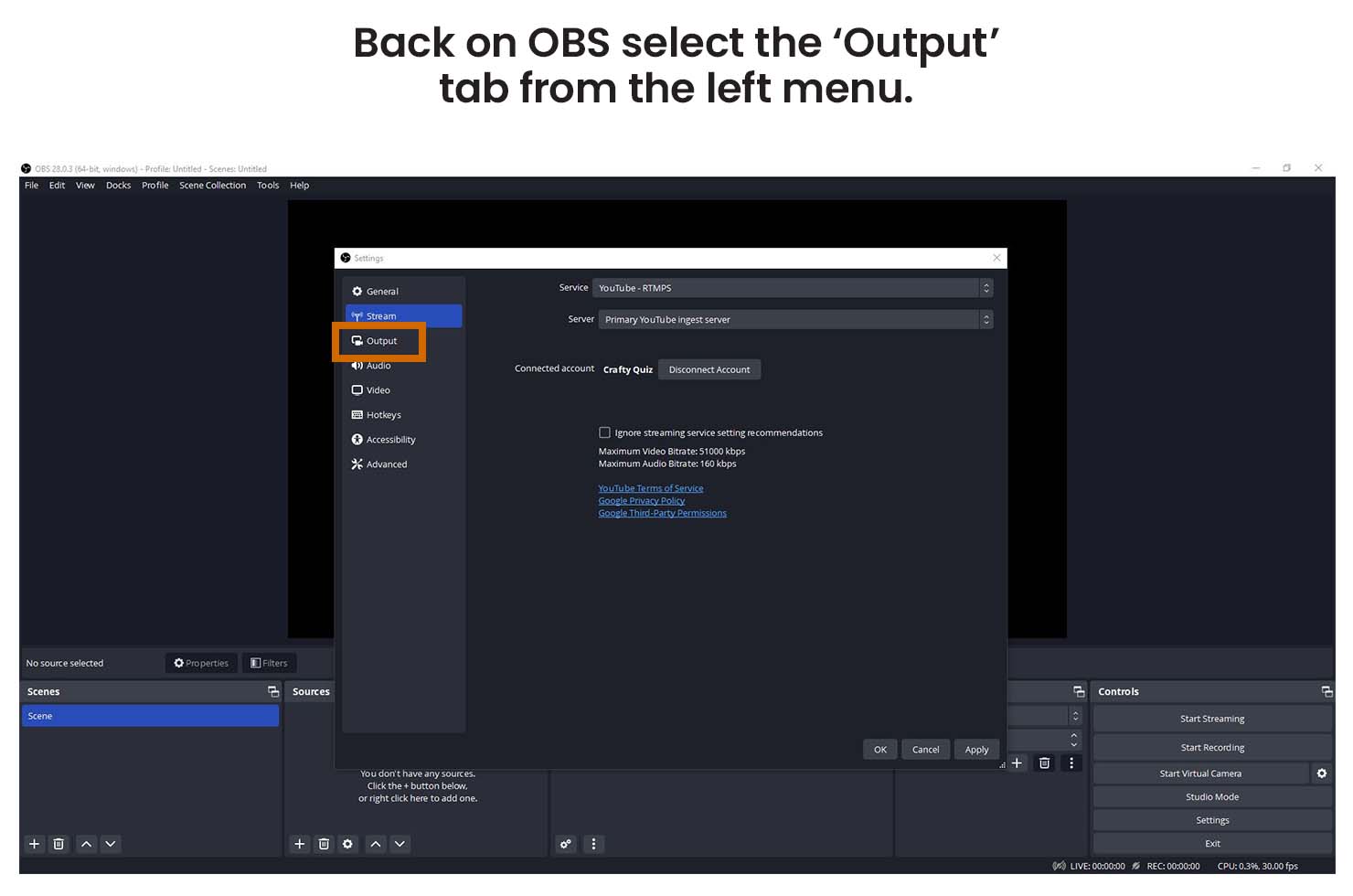
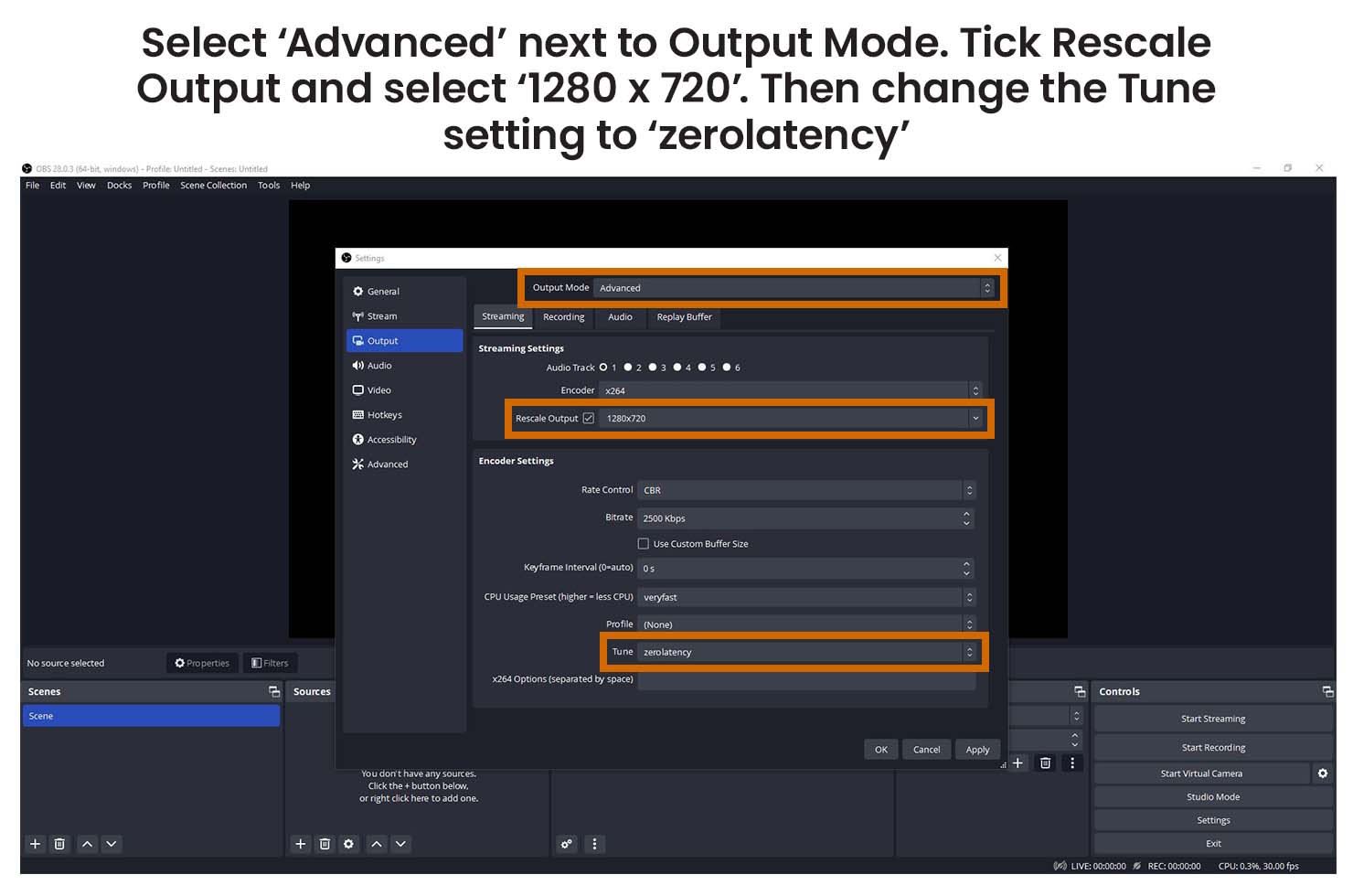
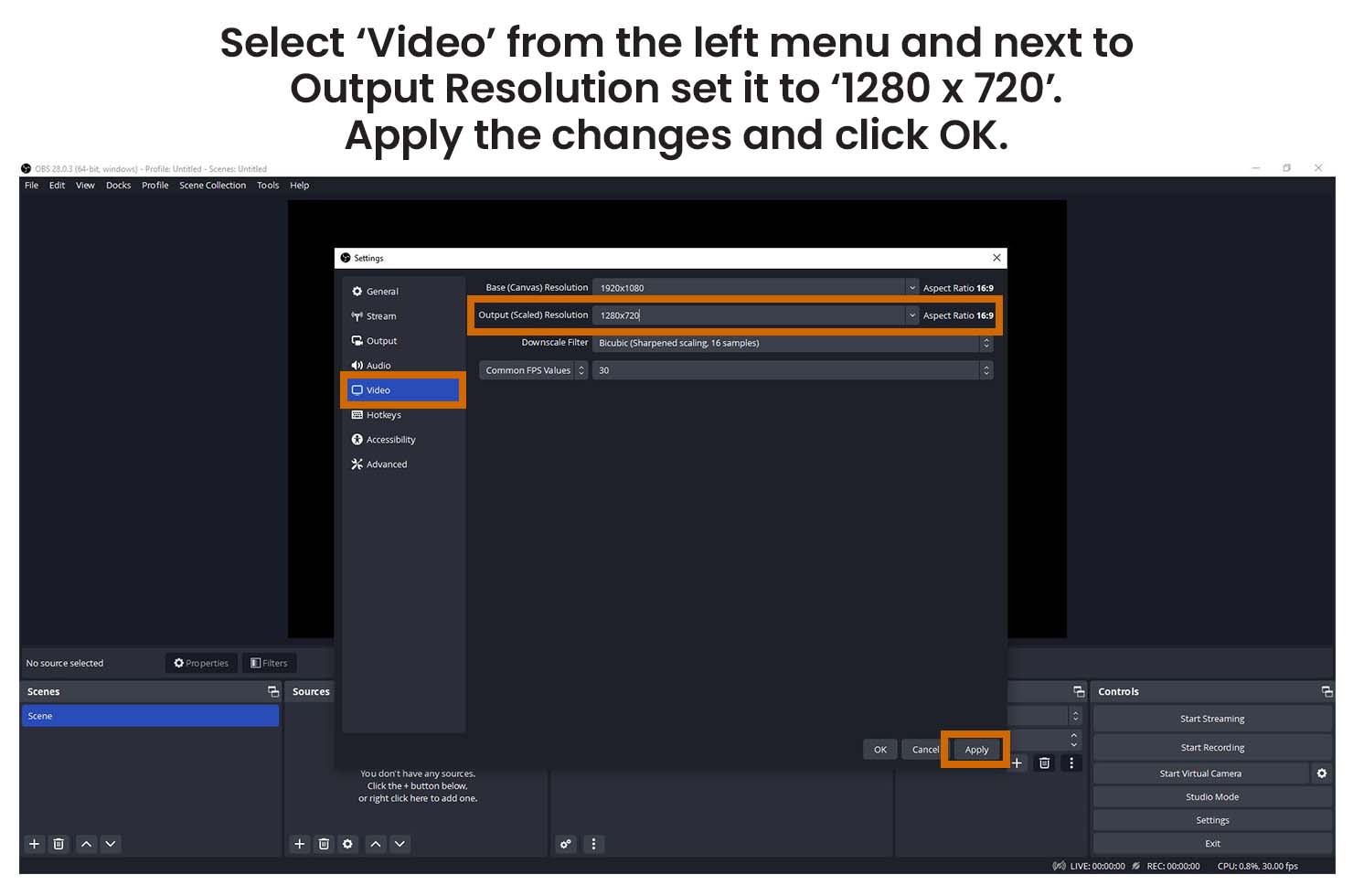
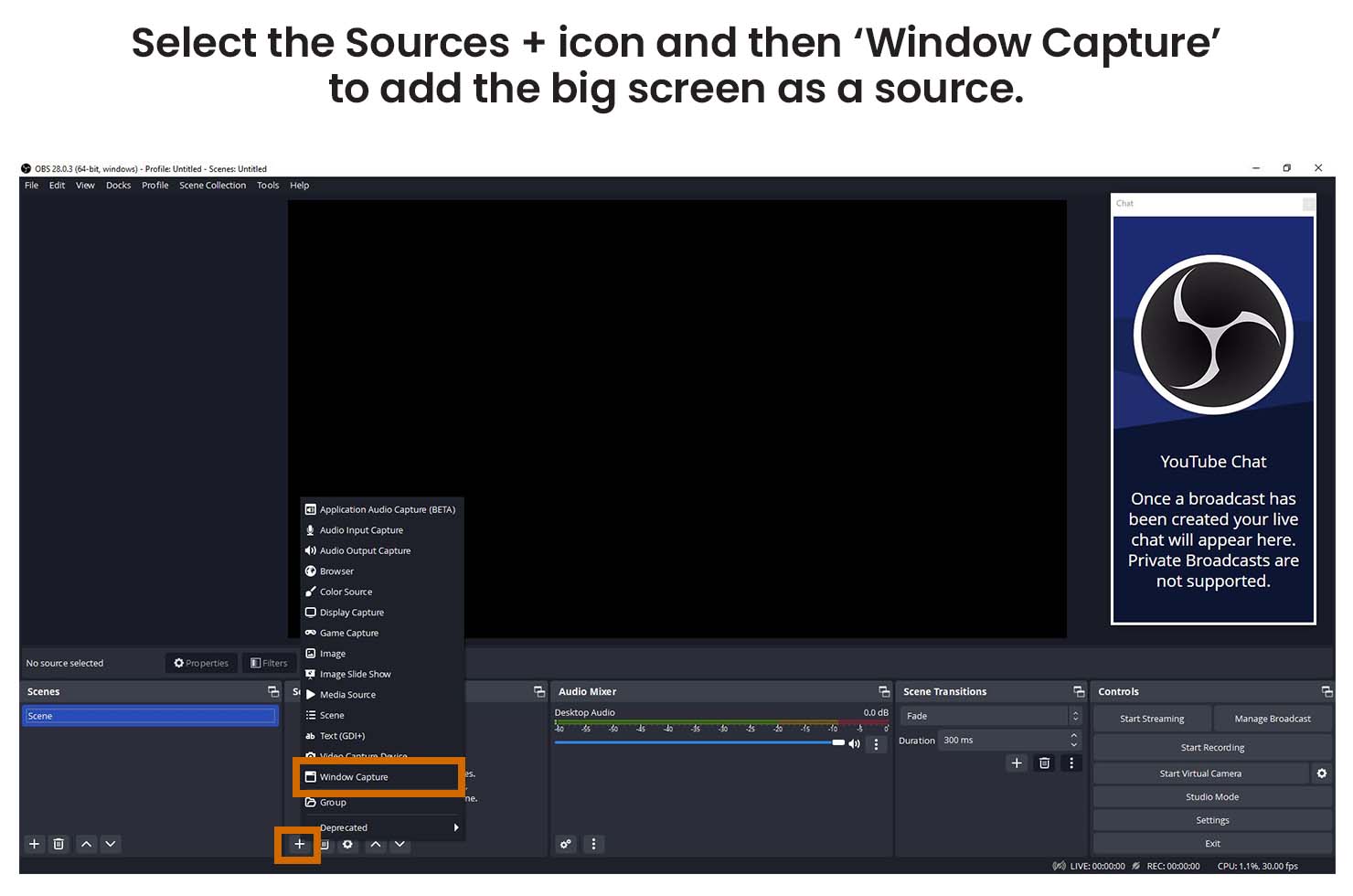
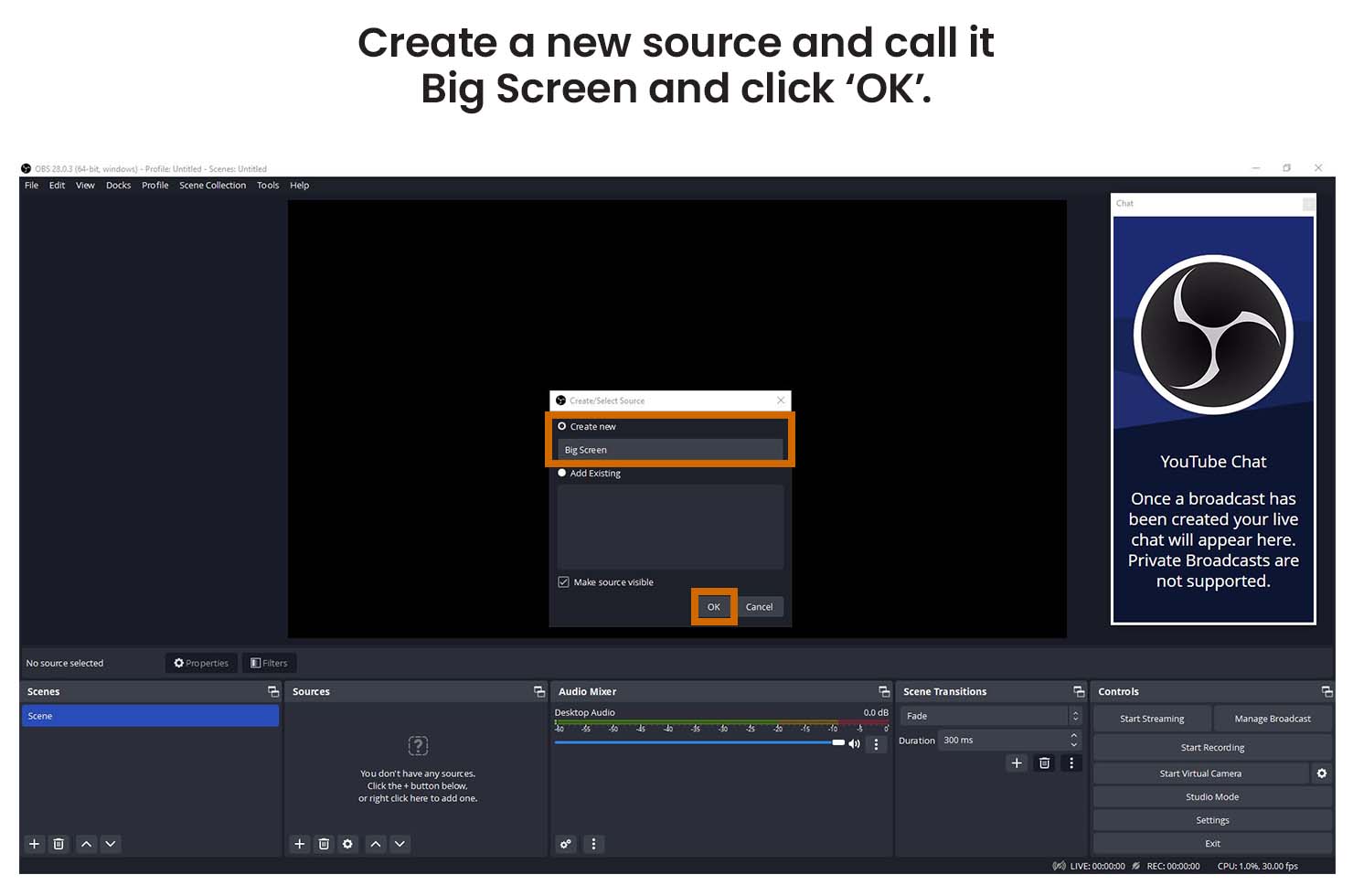
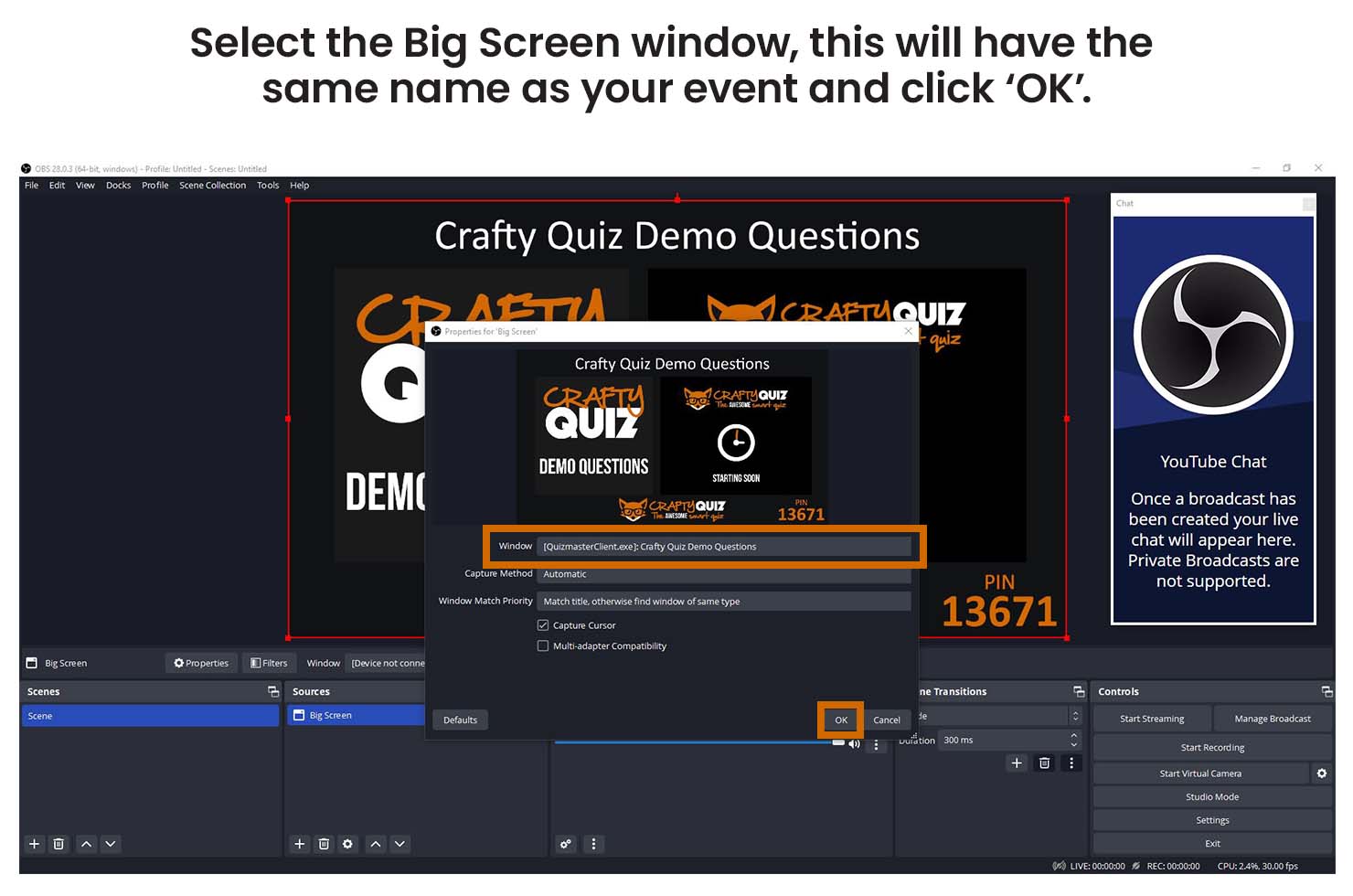
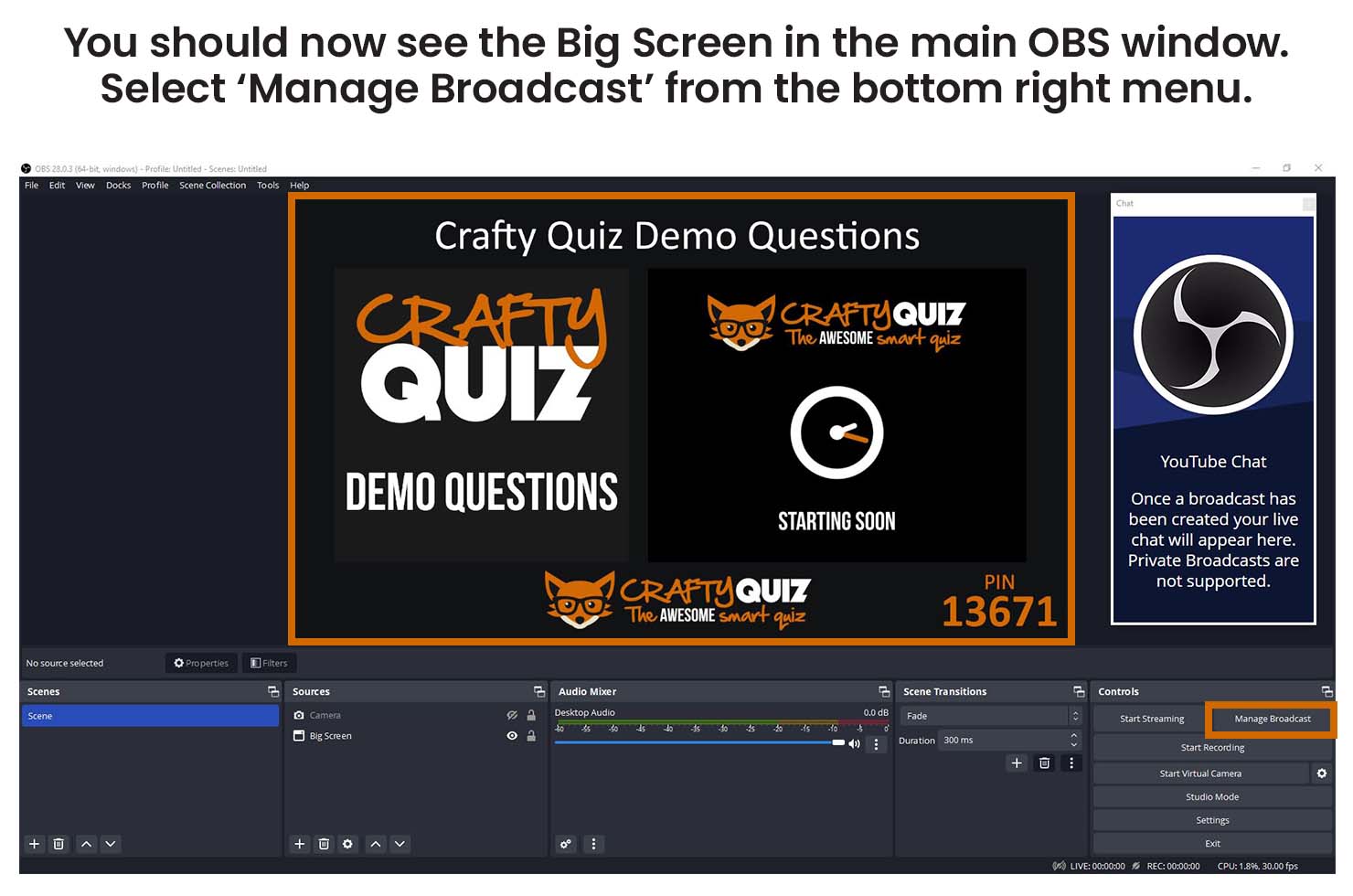
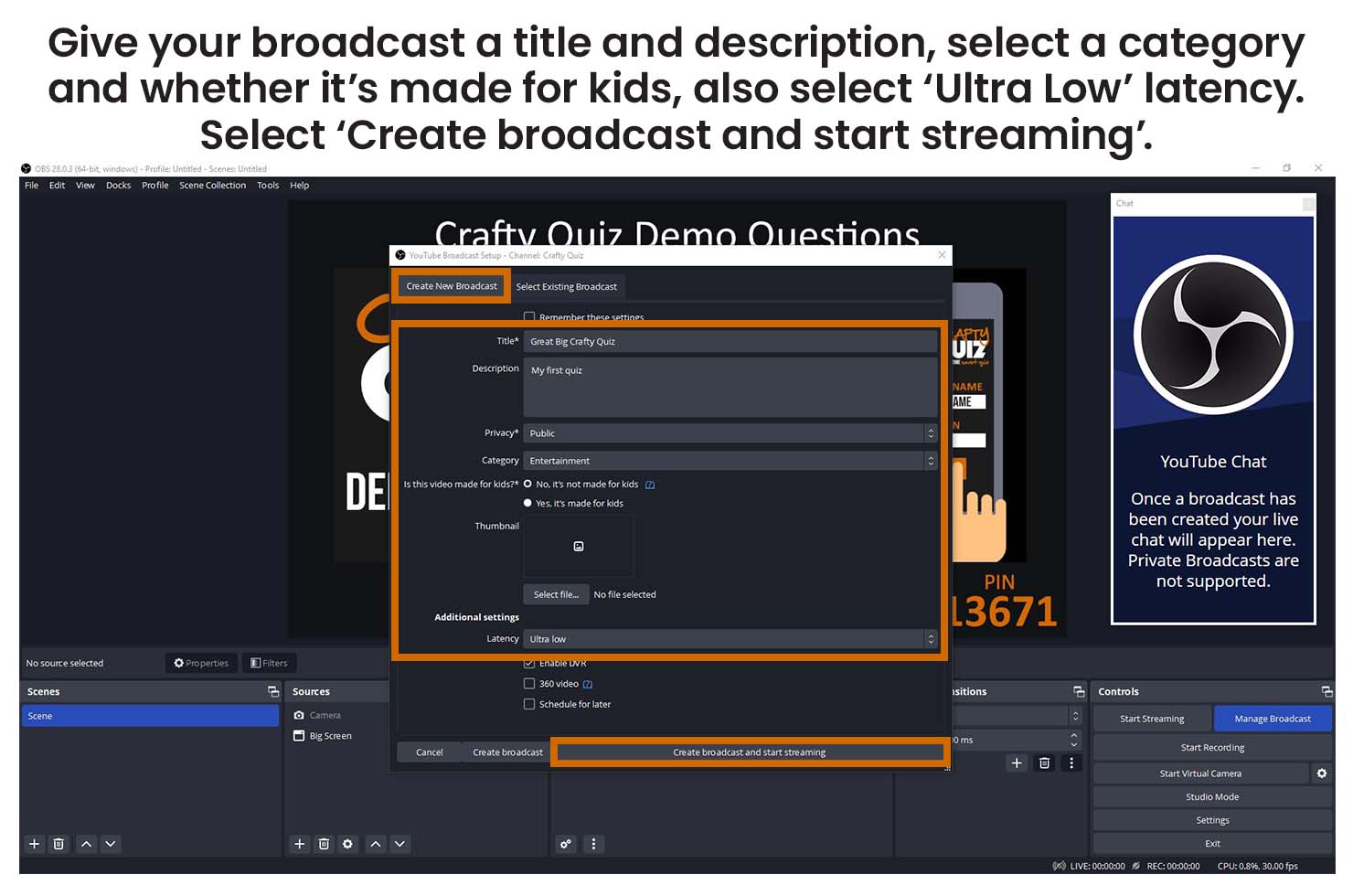
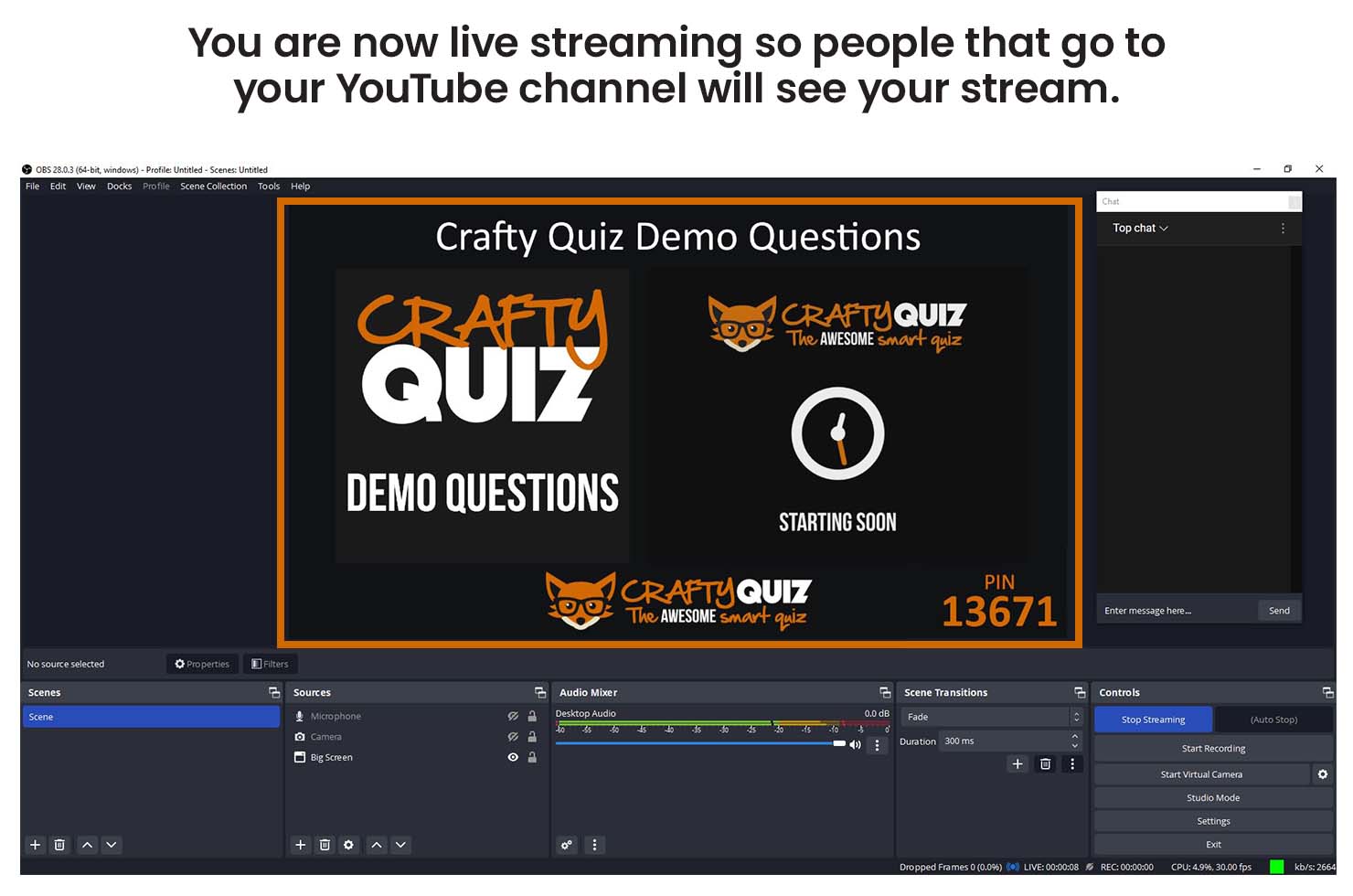
To stream on YouTube you need to install broadcasting software such as Open Broadcaster Software (OBS) on your computer. OBS is not the only software to use but it is free and easy to use. Once you have installed it on your computer follow the instructions below to connect it to your YouTube account to host your event.
Before you can stream live on YouTube you need to create your channel and request access to live streaming. It normally takes 24 hours for a live stream request to be authorised so you must do this before you intend to stream your event. You can find out more about live streaming from YouTube.
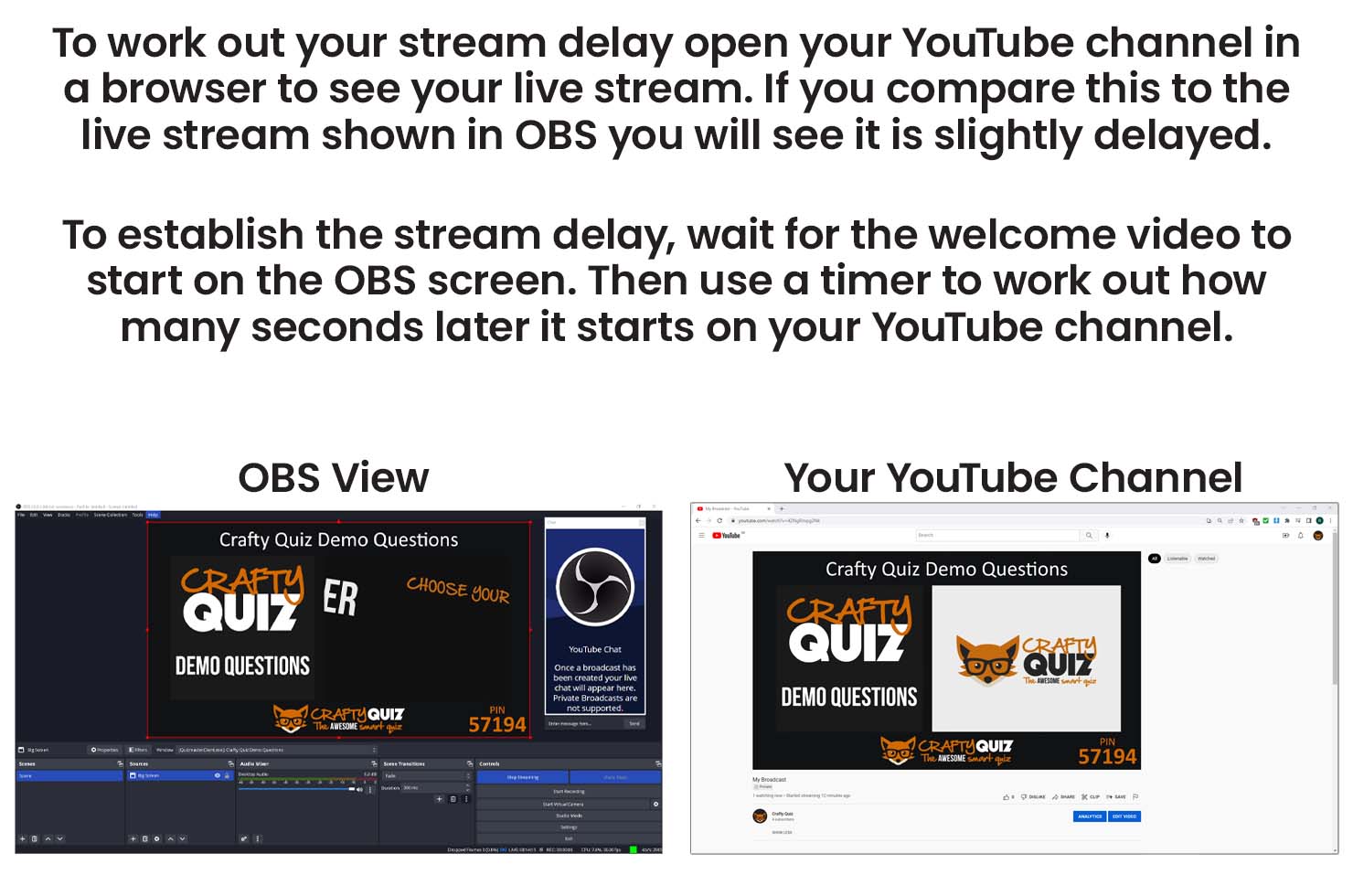
When live streaming on YouTube you also need to be aware of the Stream Latency. This is the delay between something happening on your screen and this being displayed to your viewers on their screens. It is normally about 3 to 5 seconds depending on your settings and internet connection.
This delay causes an issue because the participant app will update immediately as you go through your quiz but the stream your participants are watching and listening to will be about 3 to 5 seconds behind.
To resolve this you can set a delay to the participant app updates. This means questions start a few seconds later on the participant app so they are more in sync with the stream. The guide below will show you how to work establish what your stream latency is and how to set the participant app delay.